Prepare & Configure Lambda Trigger for S3
Prepare & Configure Lambda Trigger for S3
Steps to Perform
1. Access the IAM Service
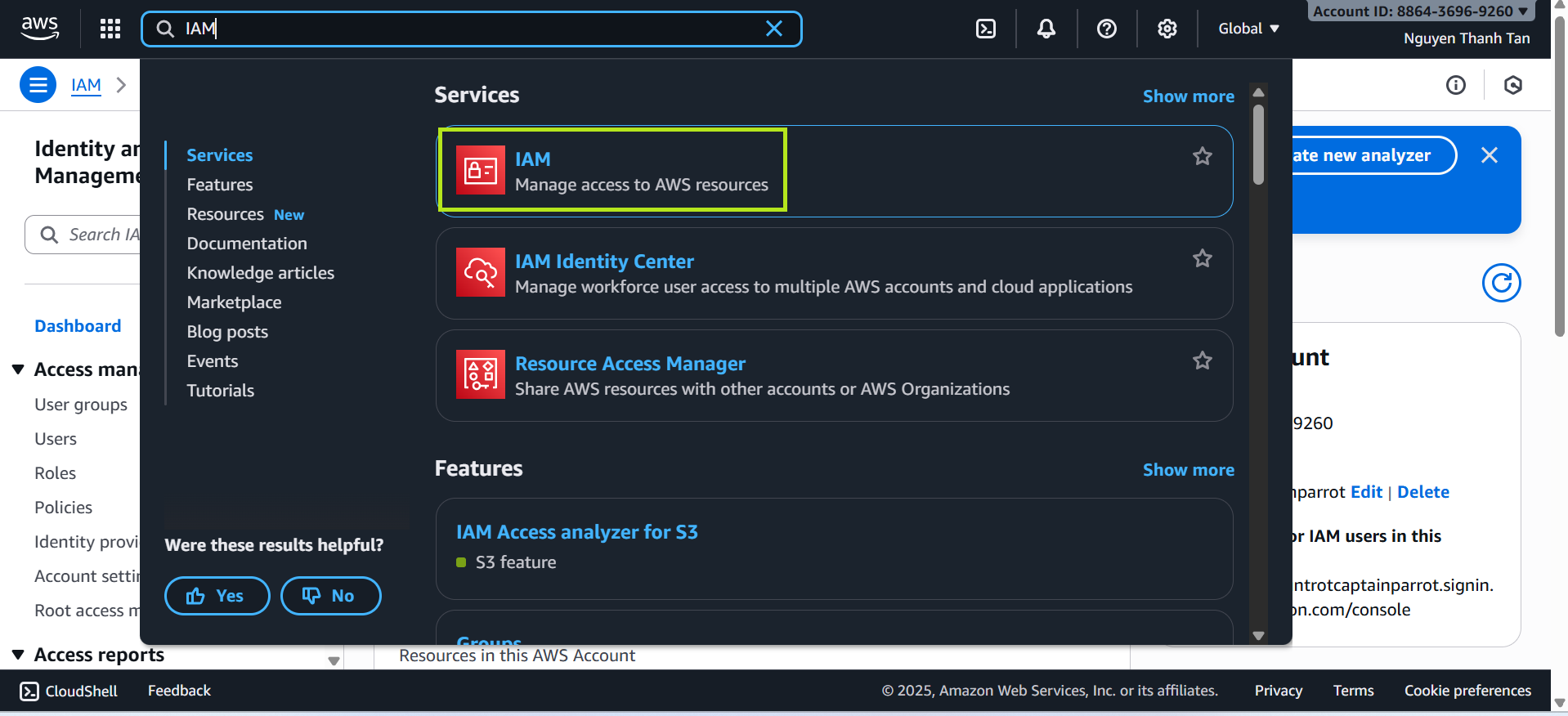
- Go to the AWS Management Console → search for IAM.
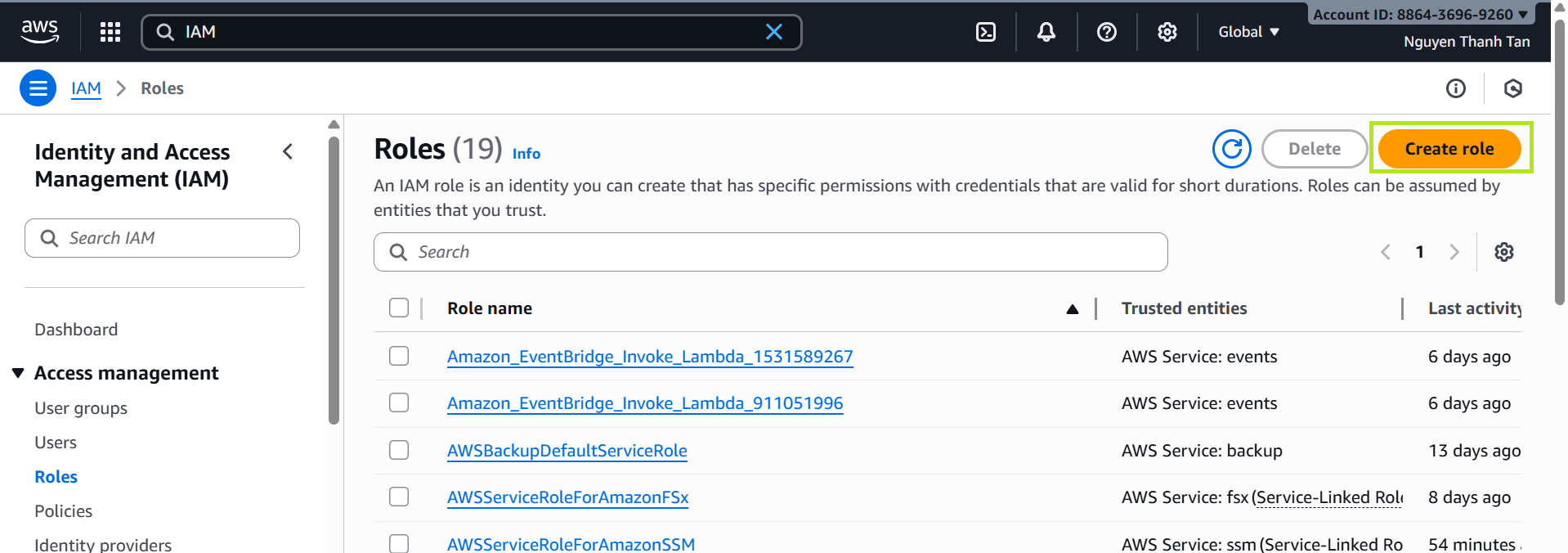
- Select Roles → Create Role.
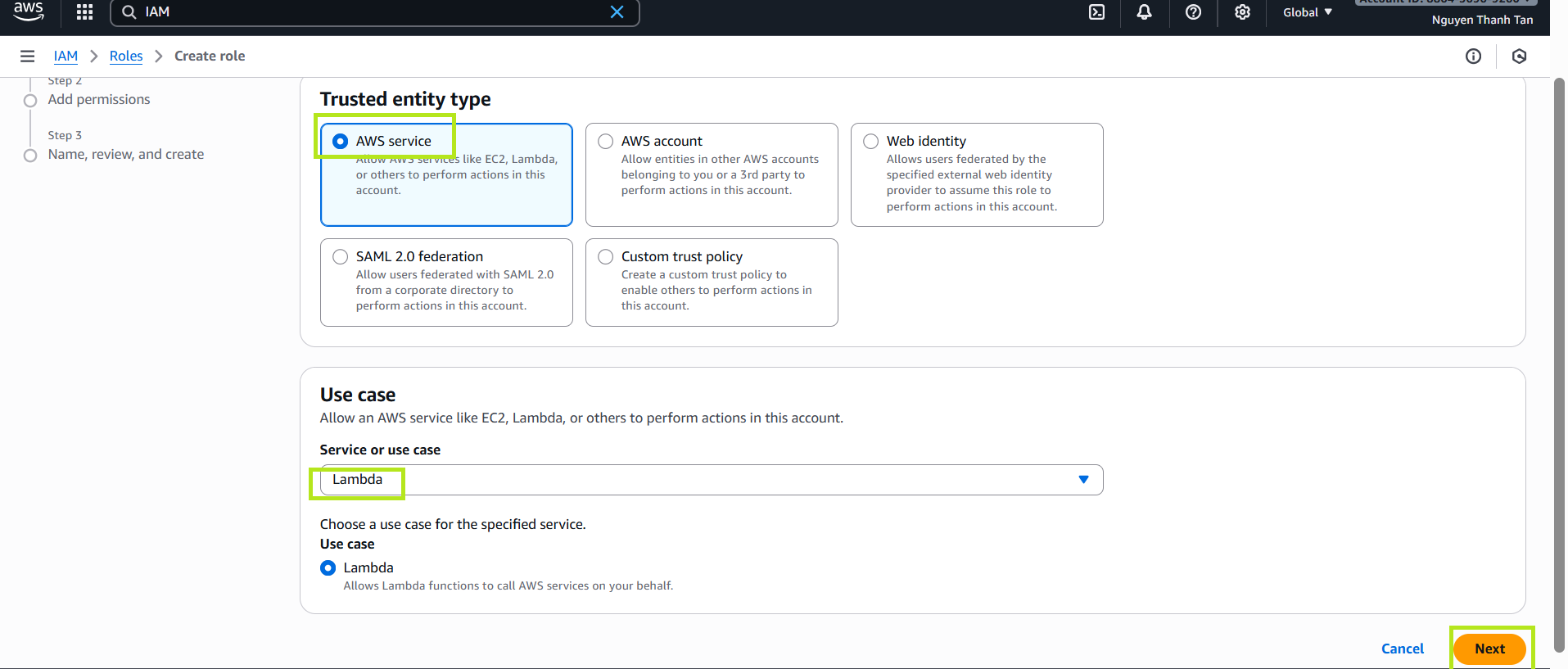
- Choose Trusted entity type: AWS service.
- Choose Use case: Lambda, then click Next.
2. Attach Permissions to the Role
Attach the following policies:
AmazonS3FullAccessAmazonDynamoDBFullAccess_v2
Click Next, then name the role
LambdaS3DynamoDBRole.
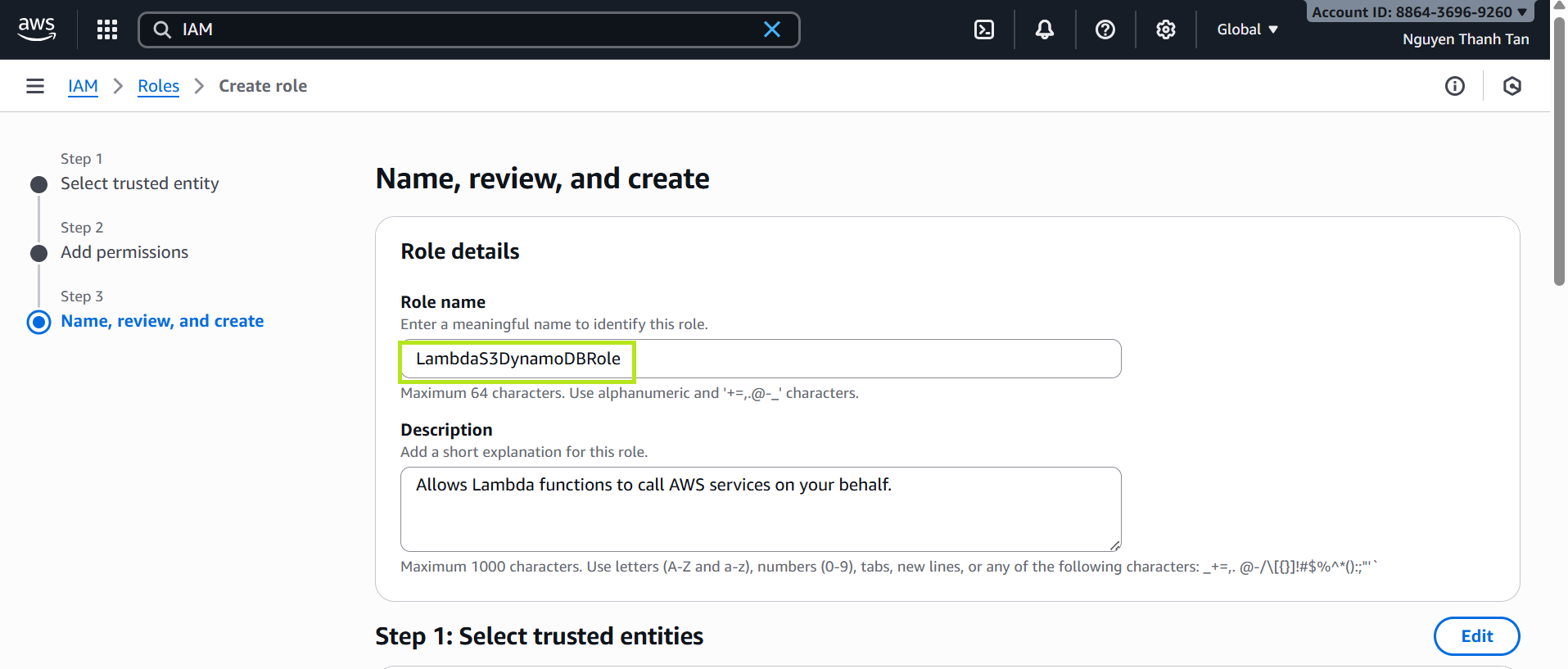
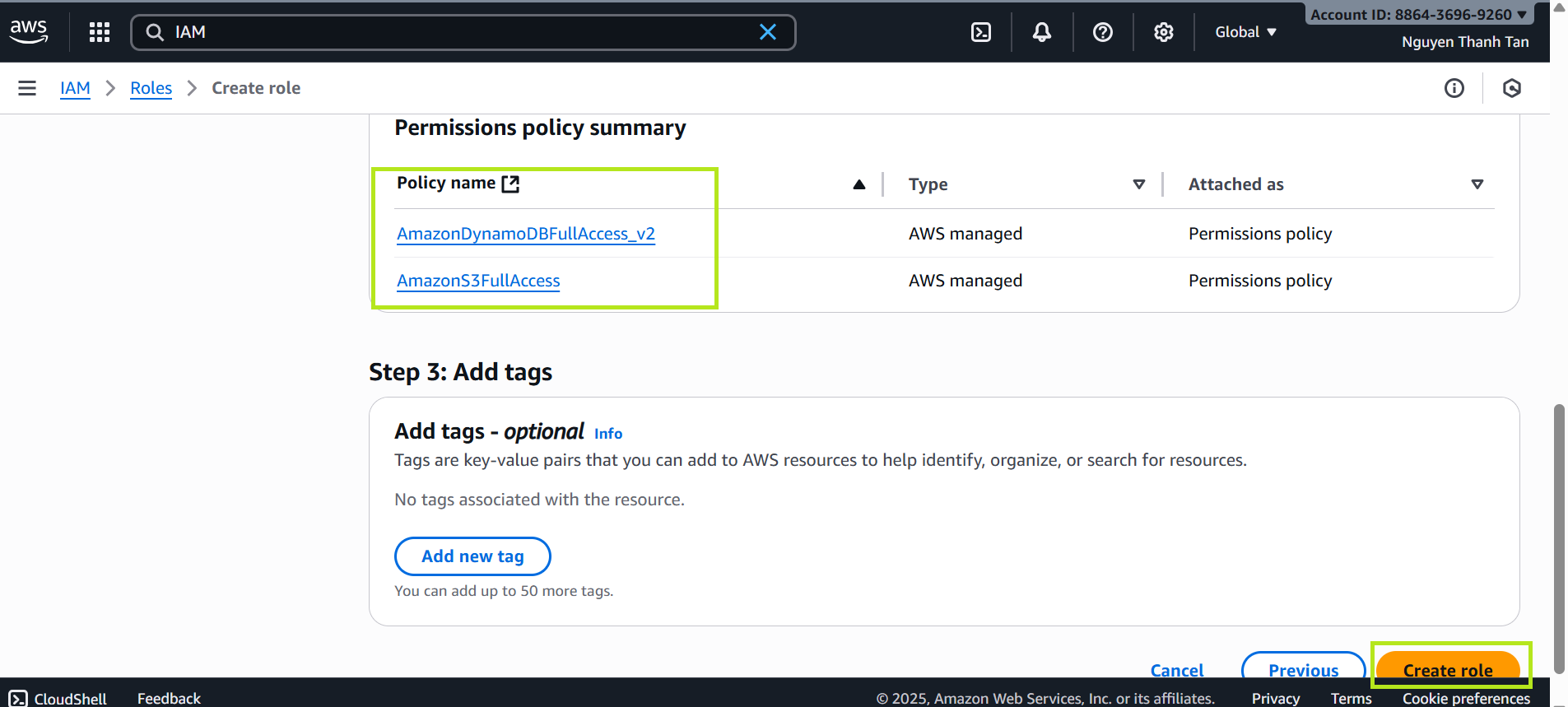
This role allows Lambda to read files from S3 and write data to DynamoDB.
Create an S3 Bucket
- Go to the S3 service.
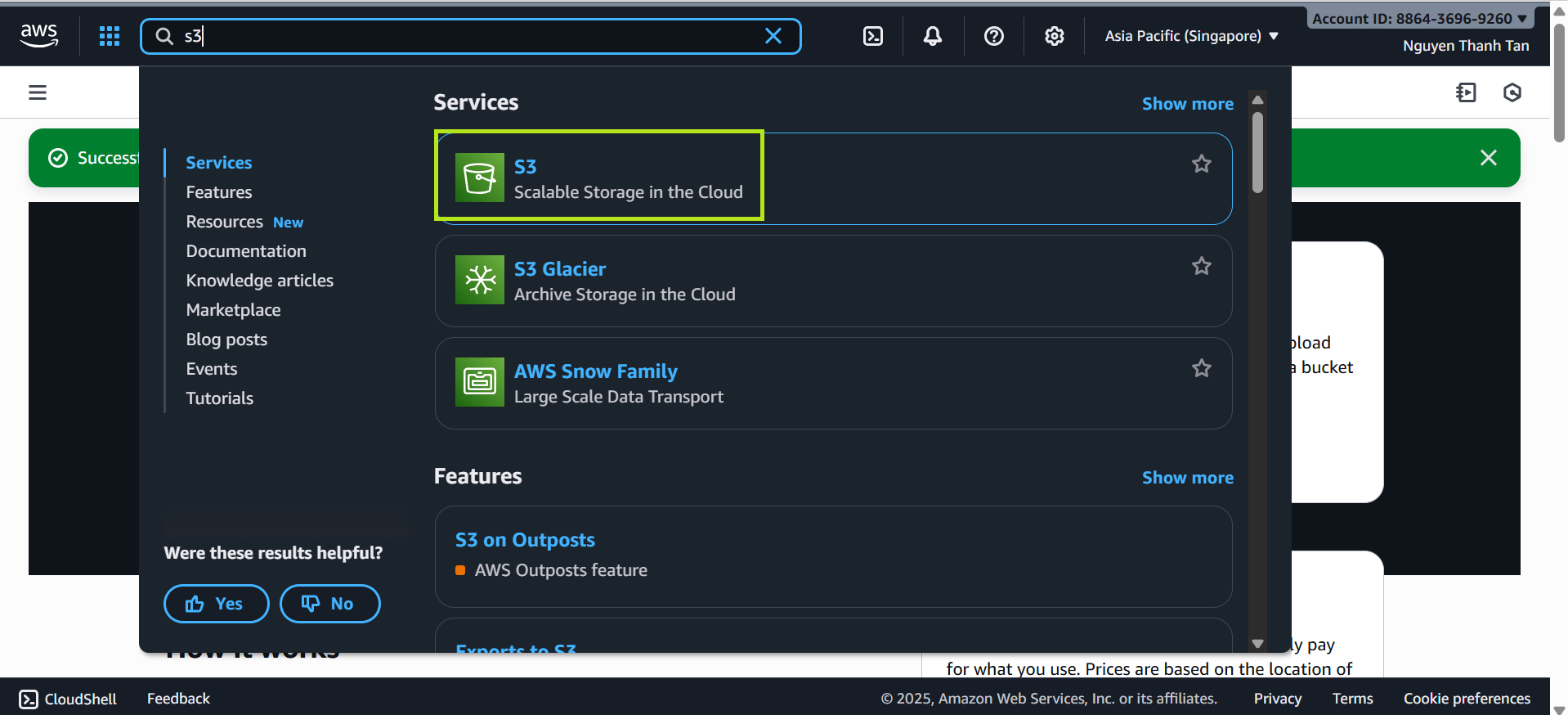
- In the S3 interface, select Create bucket.
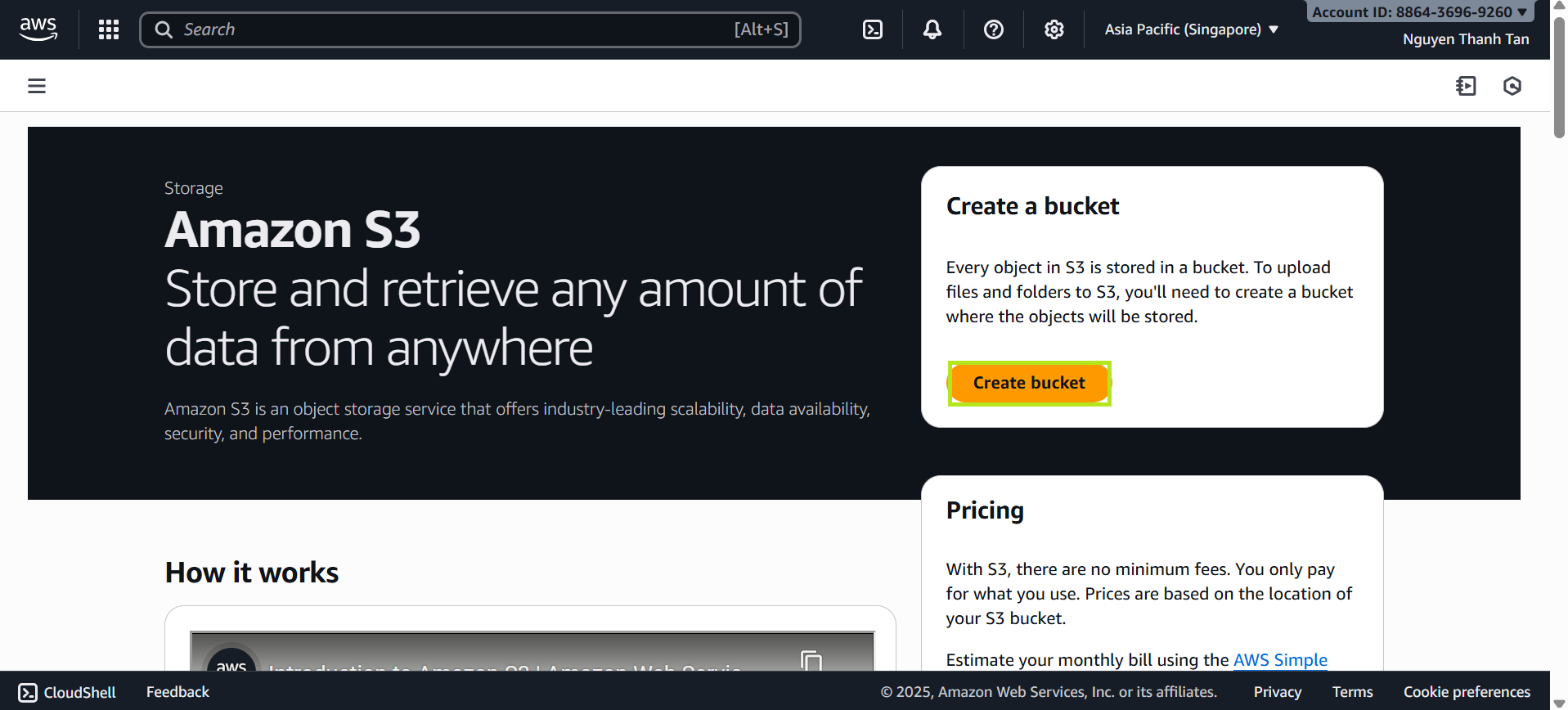
On the Create bucket screen:
Bucket name: Enter a name, for example:
flyora-bucket-database(If the name already exists, add a number at the end.)
Keep all other default settings unchanged.
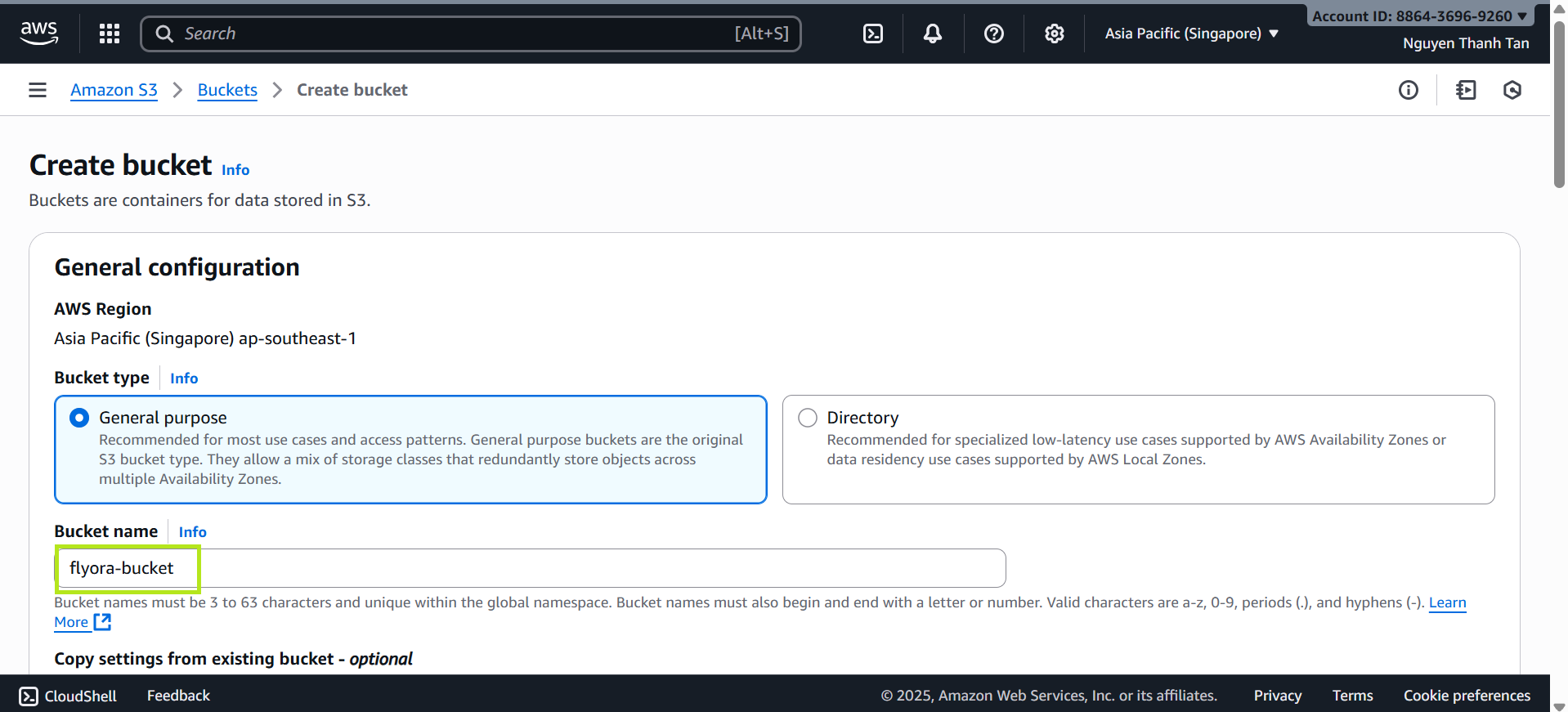
- Review your configuration and click Create bucket to finish.
Expected Results
- The
flyora-bucket(or your chosen name) is successfully created. - The
LambdaS3DynamoDBRolerole is ready to be assigned to Lambda in the next step.
Configure Lambda Trigger for S3
In this step, you will configure AWS Lambda to automatically import CSV files into DynamoDB whenever a new file is uploaded to the S3 Bucket.
- Create a Lambda Function
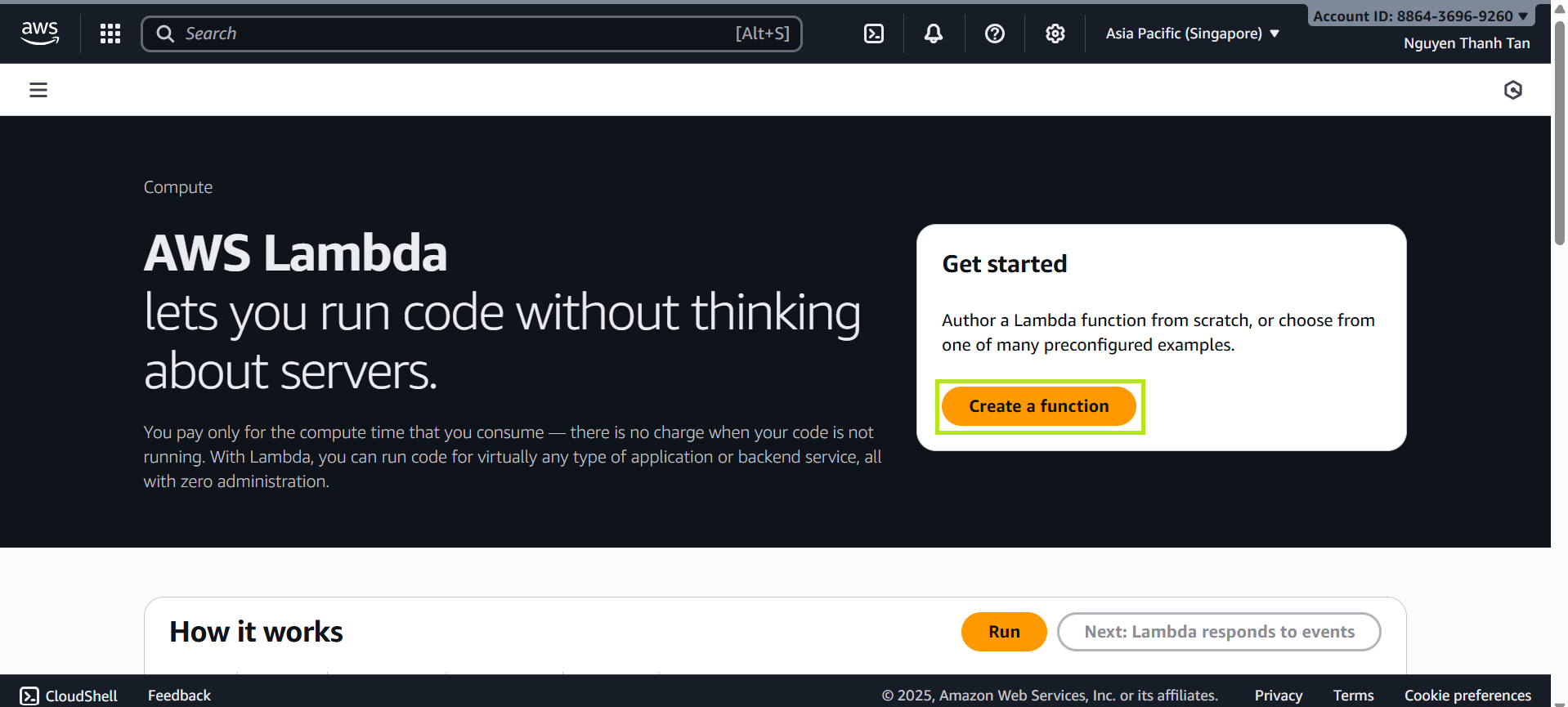
- Go to Lambda → Create function.
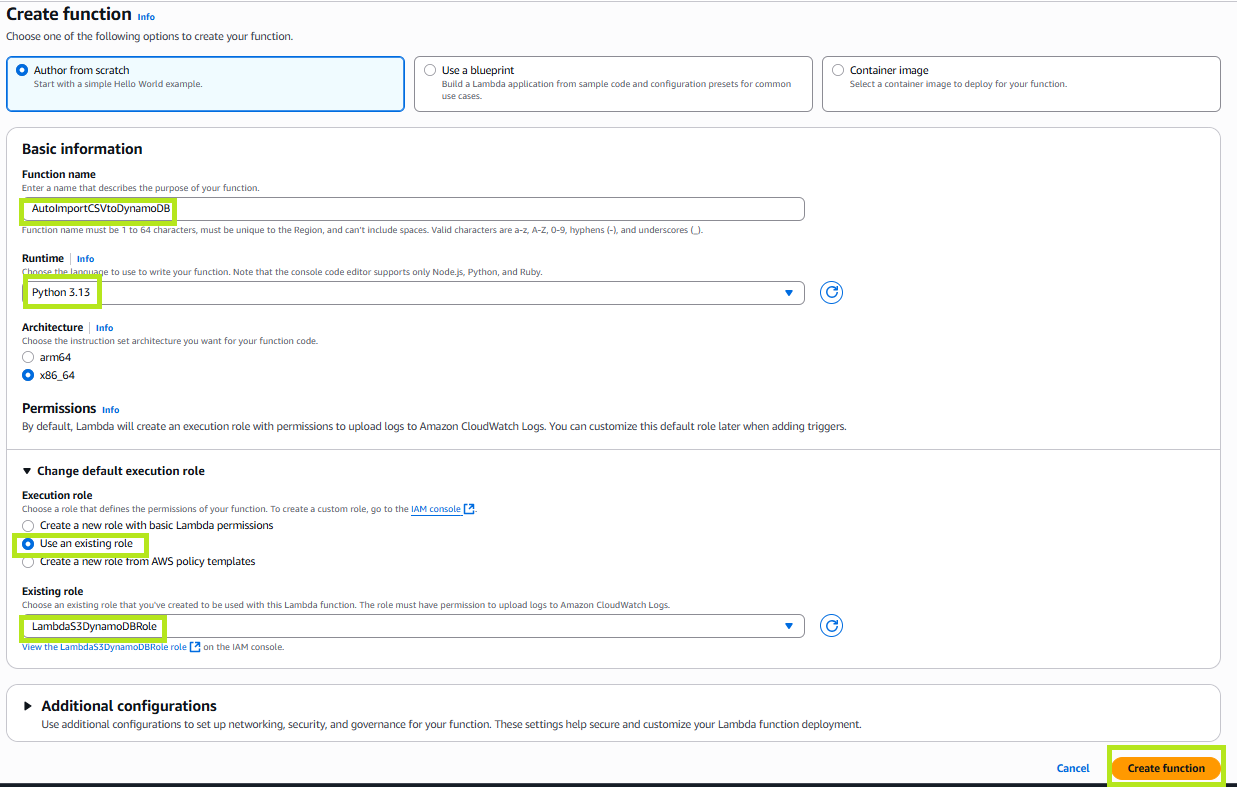
- Select Author from scratch.
- Function name:
AutoImportCSVtoDynamoDB. - Runtime: Python 3.13.
- Role: select LambdaS3DynamoDBRole created in the previous step.
- Add a Trigger
- In the Configuration → Triggers tab, click Add trigger.
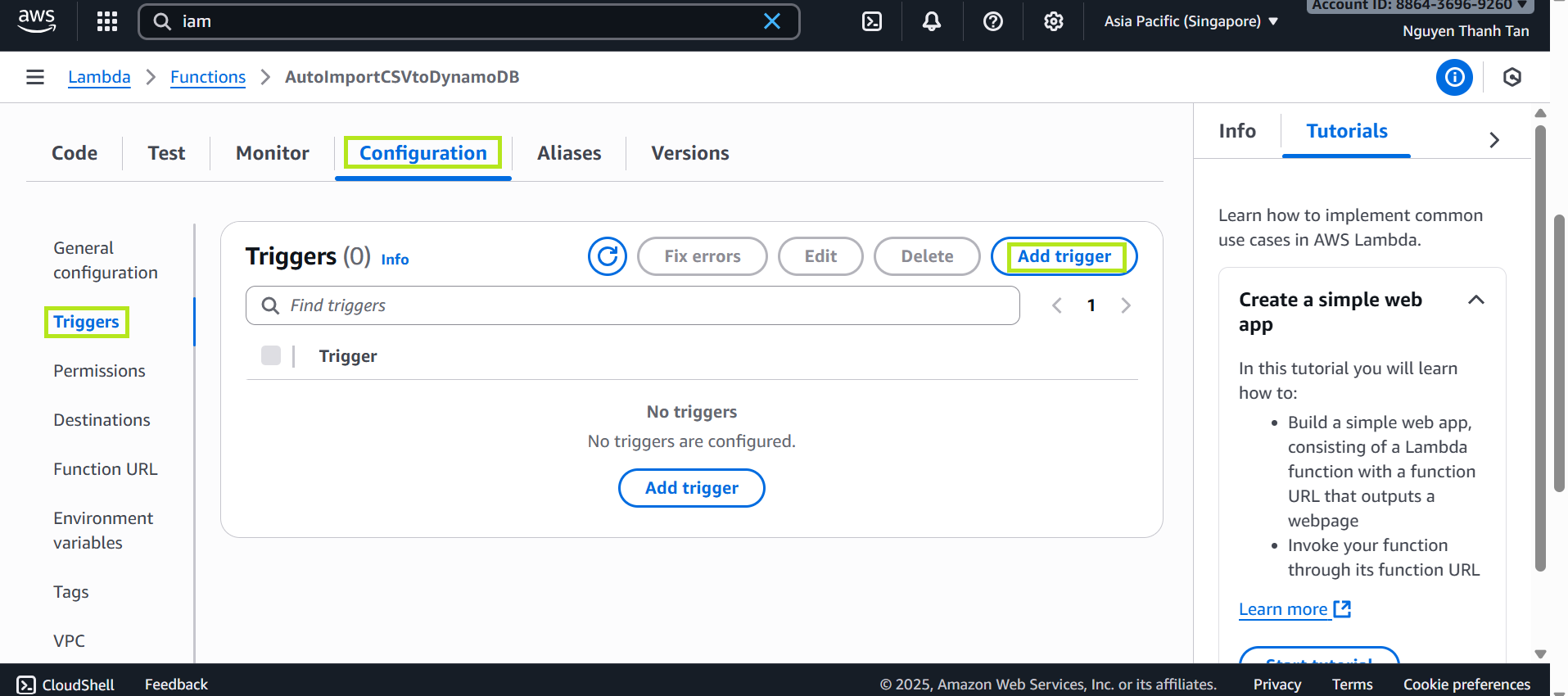
- Choose S3.
- Select Bucket
flyora-bucket. - Event type:
All object create events.
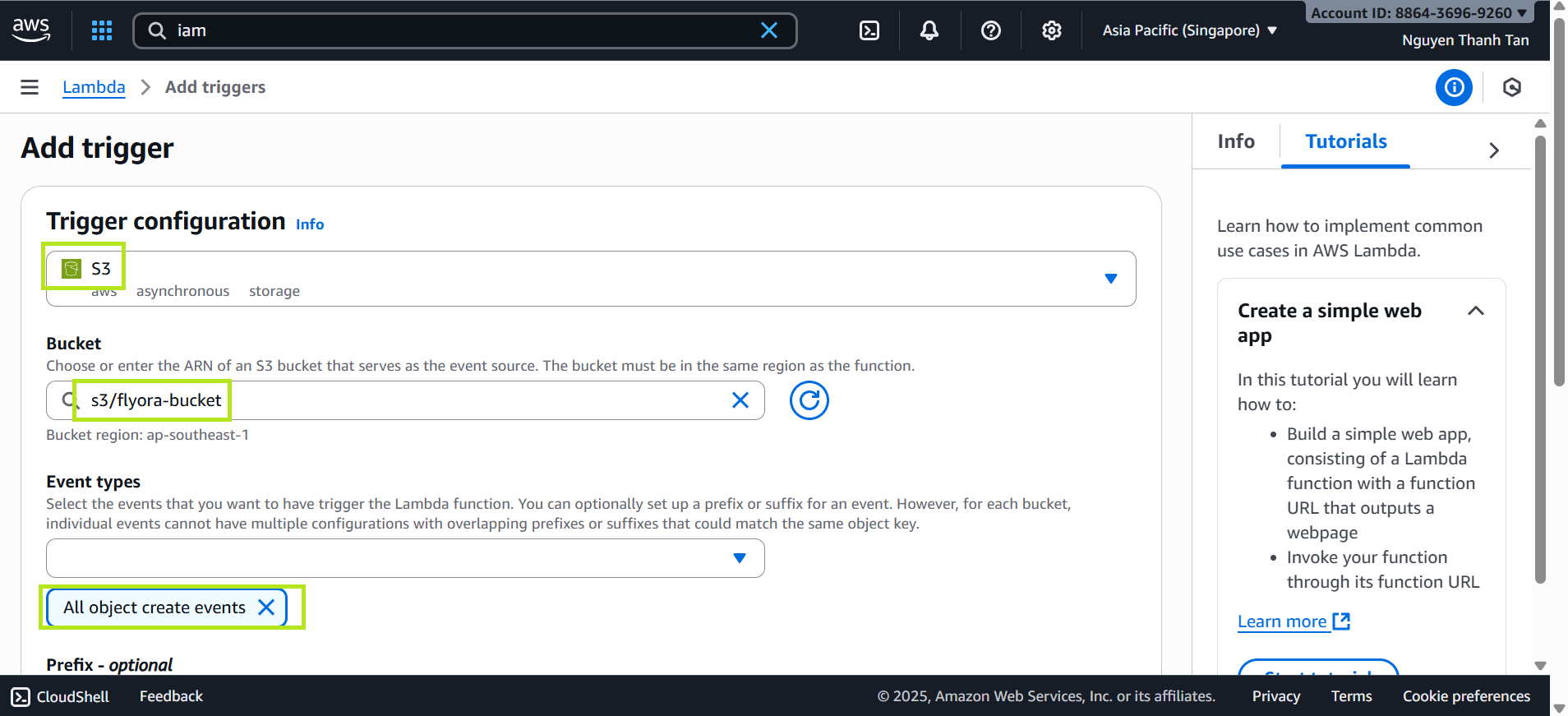
- Click Add to save.
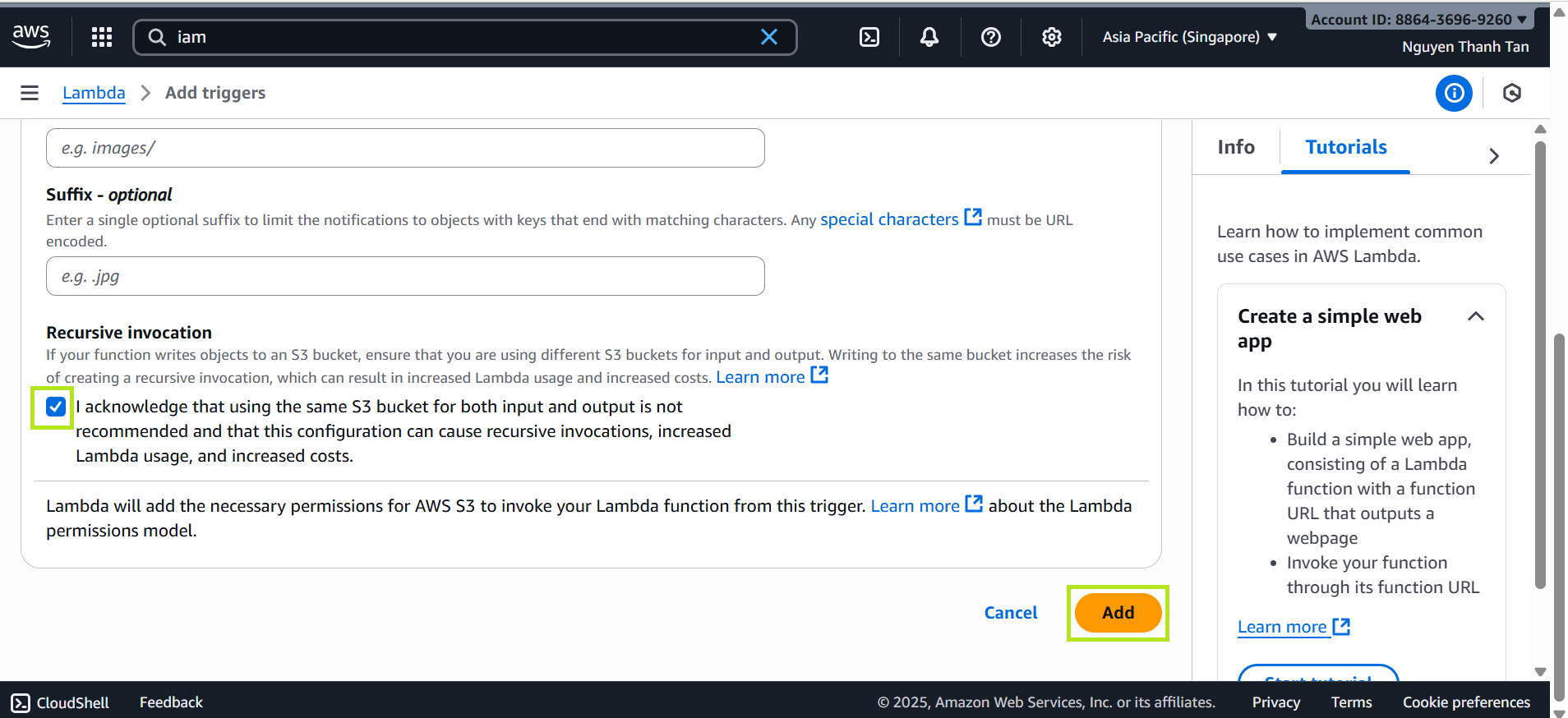
Paste the Lambda Code
- Paste the following code:
import boto3
import csv
import io
import json
from botocore.exceptions import ClientError
from decimal import Decimal

dynamodb = boto3.resource('dynamodb')
s3 = boto3.client('s3')

# -------------------------
# Hàm kiểm tra kiểu dữ liệu của mẫu (Detect Type)
# -------------------------
def detect_type(value):
    val_str = str(value).strip()
    # Check Int/Float
    try:
        float(val_str)
        return 'N' # Number
    except ValueError:
        pass
    return 'S' # String

# -------------------------
# Hàm chuyển đổi dữ liệu (Convert)
# -------------------------
def convert_value(value):
    if value is None: return None
    val_str = str(value).strip()
    if val_str == "": return None

    # Int check
    try:
        if float(val_str).is_integer():
            return int(float(val_str))
    except ValueError:
        pass

    # Decimal check (cho Float)
    try:
        return Decimal(val_str)
    except Exception:
        pass

    # Boolean
    if val_str.lower() == "true": return True
    if val_str.lower() == "false": return False

    return val_str

# -------------------------
# Tạo bảng Dynamic dựa trên kiểu dữ liệu phát hiện được
# -------------------------
def create_table_if_not_exists(table_name, pk_name, pk_type):
    existing_tables = dynamodb.meta.client.list_tables()['TableNames']
    if table_name in existing_tables:
        print(f"Table '{table_name}' already exists.")
        return

    print(f"Creating table: {table_name} | PK: {pk_name} | Type: {pk_type}")

    table = dynamodb.create_table(
        TableName=table_name,
        KeySchema=[{'AttributeName': pk_name, 'KeyType': 'HASH'}],
        AttributeDefinitions=[{'AttributeName': pk_name, 'AttributeType': pk_type}],
        BillingMode='PAY_PER_REQUEST'
    )
    table.wait_until_exists()
    print("Table created successfully.")

# -------------------------
# Main Handler
# -------------------------
def lambda_handler(event, context):
    try:
        for record in event['Records']:
            bucket = record['s3']['bucket']['name']
            key = record['s3']['object']['key']

            print(f"Processing: {key}")
            response = s3.get_object(Bucket=bucket, Key=key)

            # 1. QUAN TRỌNG: Dùng 'utf-8-sig' để xóa BOM, giúp nhận diện số chính xác
            body = response['Body'].read().decode('utf-8-sig')

            reader = csv.DictReader(io.StringIO(body))
            # Clean headers
            reader.fieldnames = [name.strip() for name in reader.fieldnames]

            items = list(reader)
            if not items: continue

            # Lấy thông tin Partition Key (PK)
            pk_name = reader.fieldnames[0]
            table_name = key.split('.')[0]

            # 2. QUAN TRỌNG: Phát hiện kiểu dữ liệu dựa trên dòng đầu tiên
            first_pk_val = items[0].get(pk_name)
            pk_type = detect_type(first_pk_val) # Sẽ trả về 'N' nếu là số, 'S' nếu là chữ

            # Tạo bảng đúng kiểu (N hoặc S)
            create_table_if_not_exists(table_name, pk_name, pk_type)

            table = dynamodb.Table(table_name)

            count = 0
            with table.batch_writer() as batch:
                for row in items:
                    clean_item = {}
                    is_valid = True

                    for k, v in row.items():
                        if not k or k.strip() == "": continue

                        clean_k = k.strip()
                        val = convert_value(v) # Chuyển đổi sang Int/Decimal/Bool

                        if val is None: continue

                        # 3. QUAN TRỌNG: Xử lý Partition Key theo đúng kiểu của Bảng
                        if clean_k == pk_name:
                            if pk_type == 'N':
                                # Nếu bảng là Number, bắt buộc Key phải là Number
                                if not isinstance(val, (int, Decimal)):
                                    print(f"SKIPPING ROW: Key '{val}' is not a number but table requires Number.")
                                    is_valid = False
                                    break
                            else:
                                # Nếu bảng là String, ép kiểu sang String
                                val = str(val)

                        clean_item[clean_k] = val

                    if is_valid and pk_name in clean_item:
                        batch.put_item(Item=clean_item)
                        count += 1

            print(f"Success: Imported {count} items into {table_name} (PK Type: {pk_type})")

        return {'statusCode': 200, 'body': json.dumps('OK')}

    except Exception as e:
        print(f"ERROR: {str(e)}")
        import traceback
        traceback.print_exc()
        return {'statusCode': 500, 'body': json.dumps(str(e))}
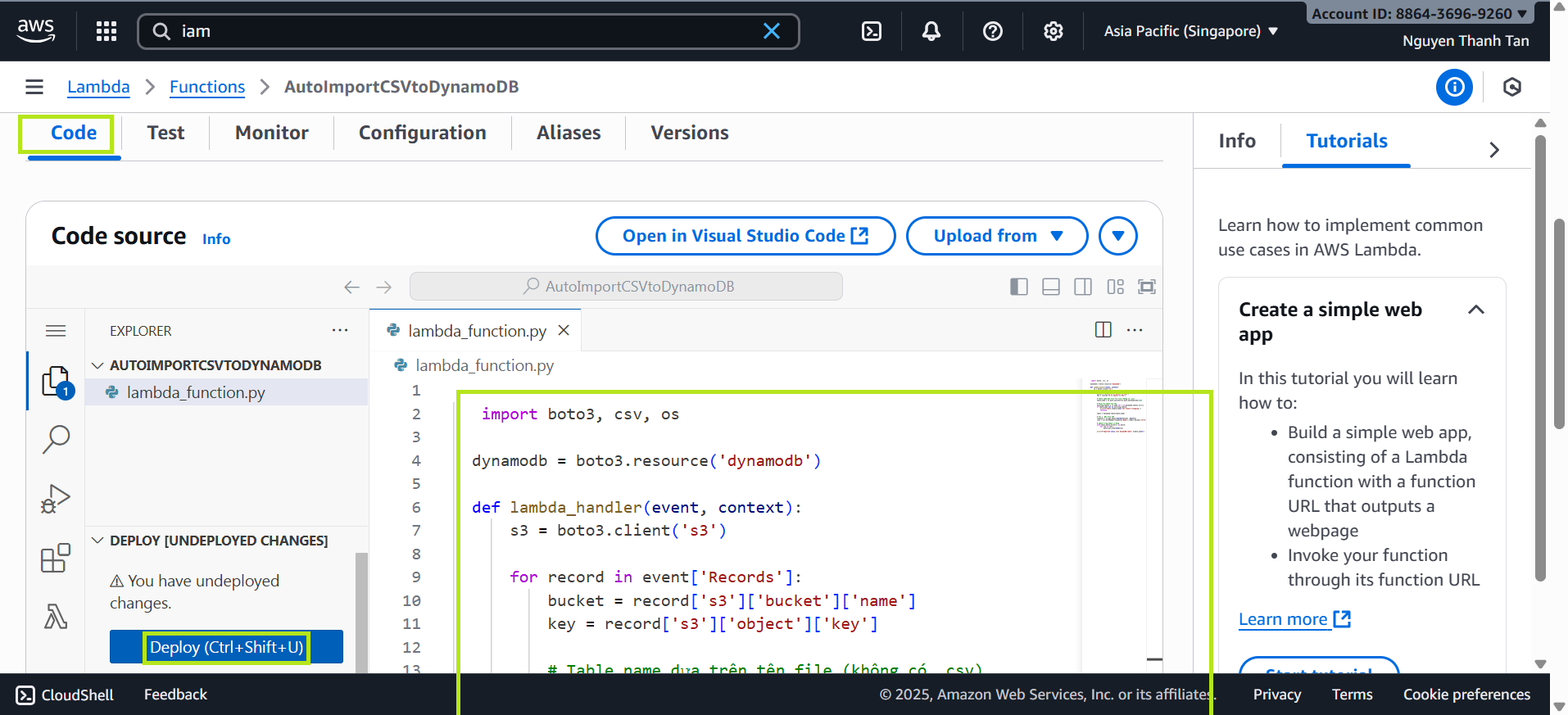
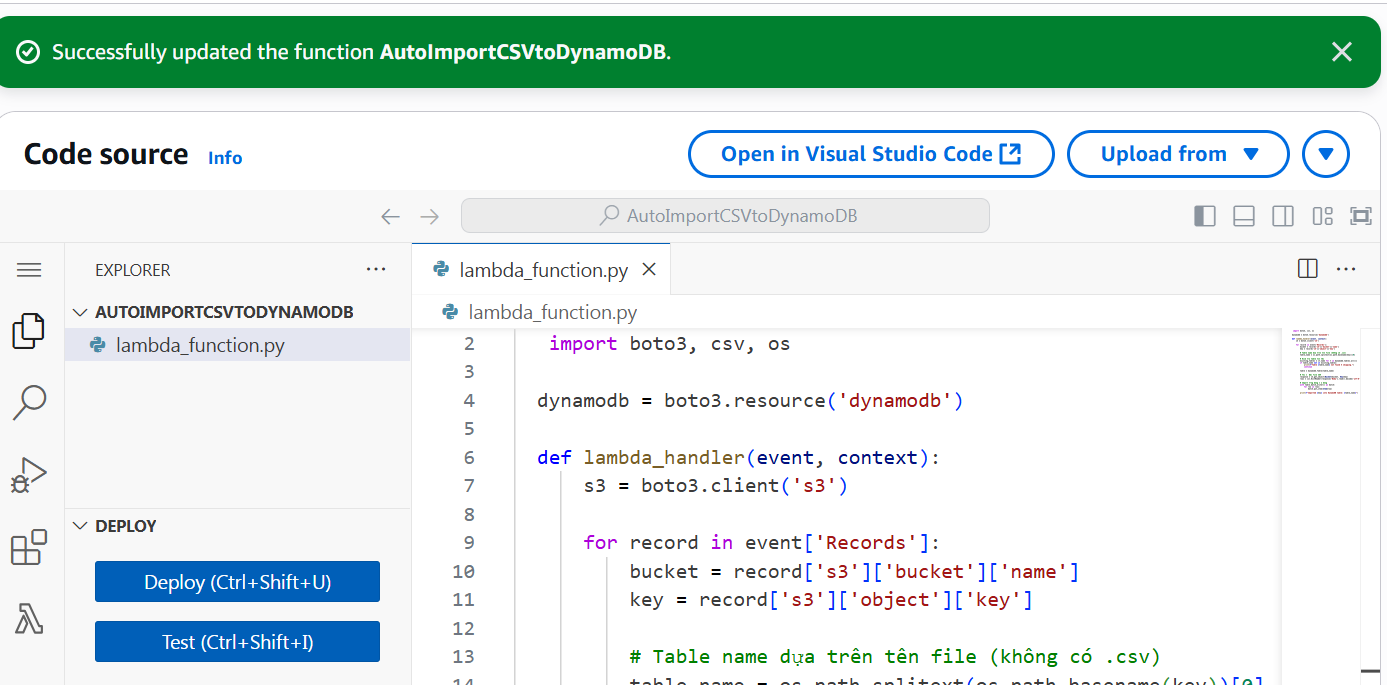
- Click Deploy and confirm it shows Successfully.