Create Lambda Function to Handle DynamoDB Requests
Objective
Create a new Lambda Function to process requests to DynamoDB through API Gateway.
Steps
Download the backend file from here.
Step 1: Create IAM Role
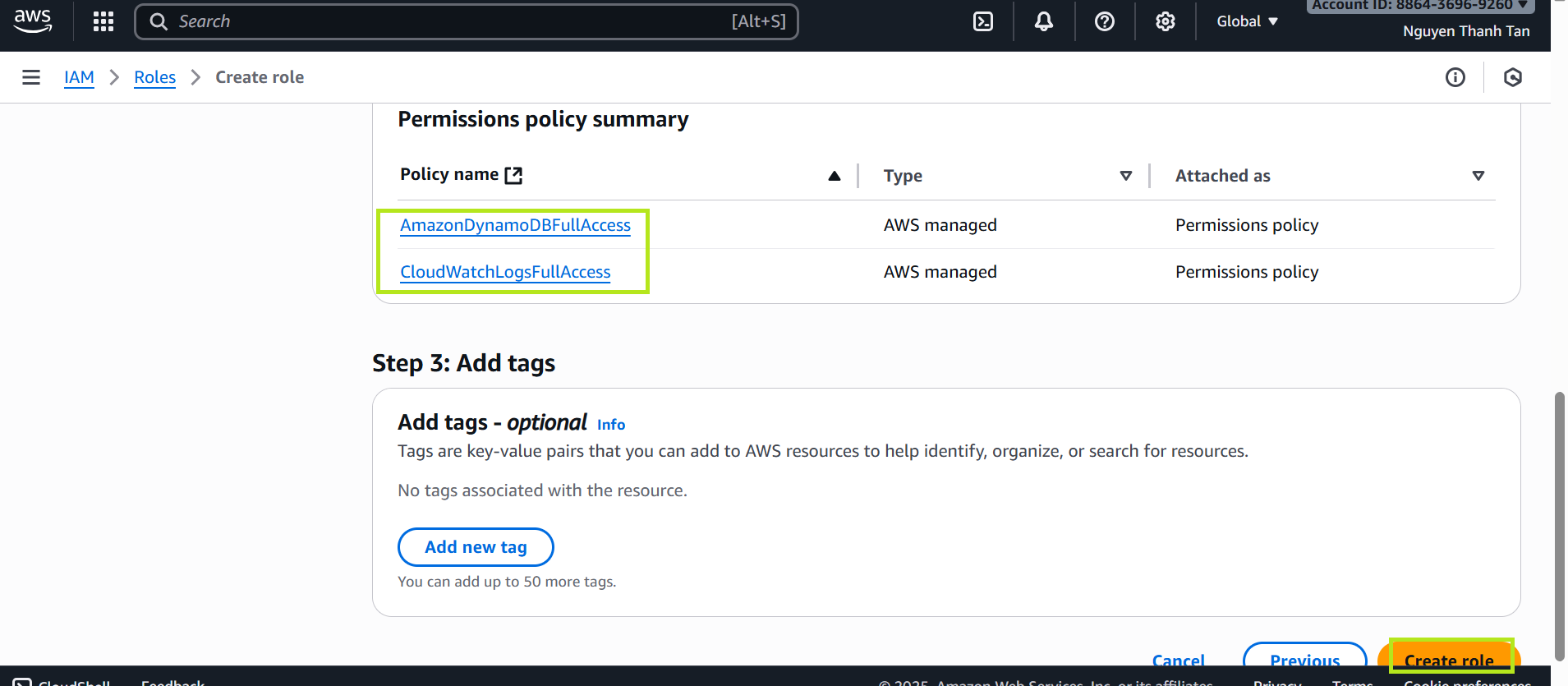
- Open IAM Console → Roles → Create role
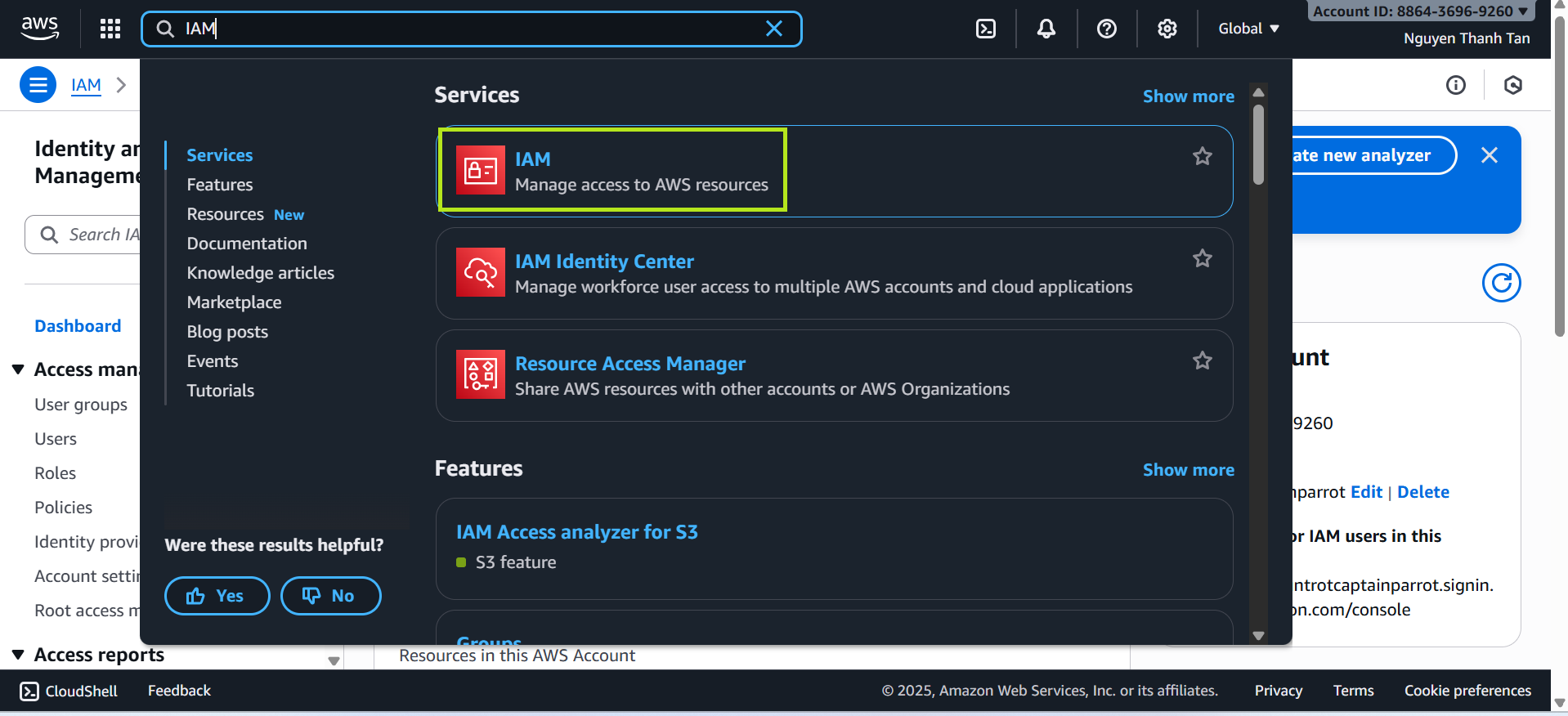
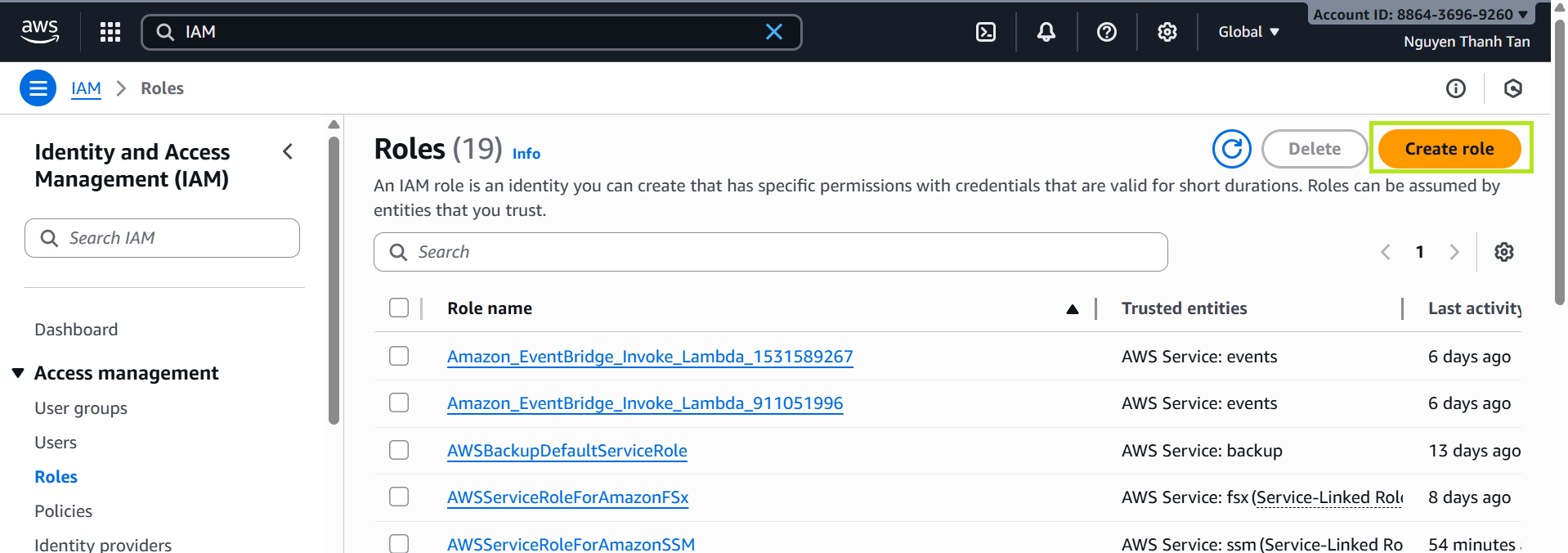
- Select
Trusted entity: AWS Service → Lambda
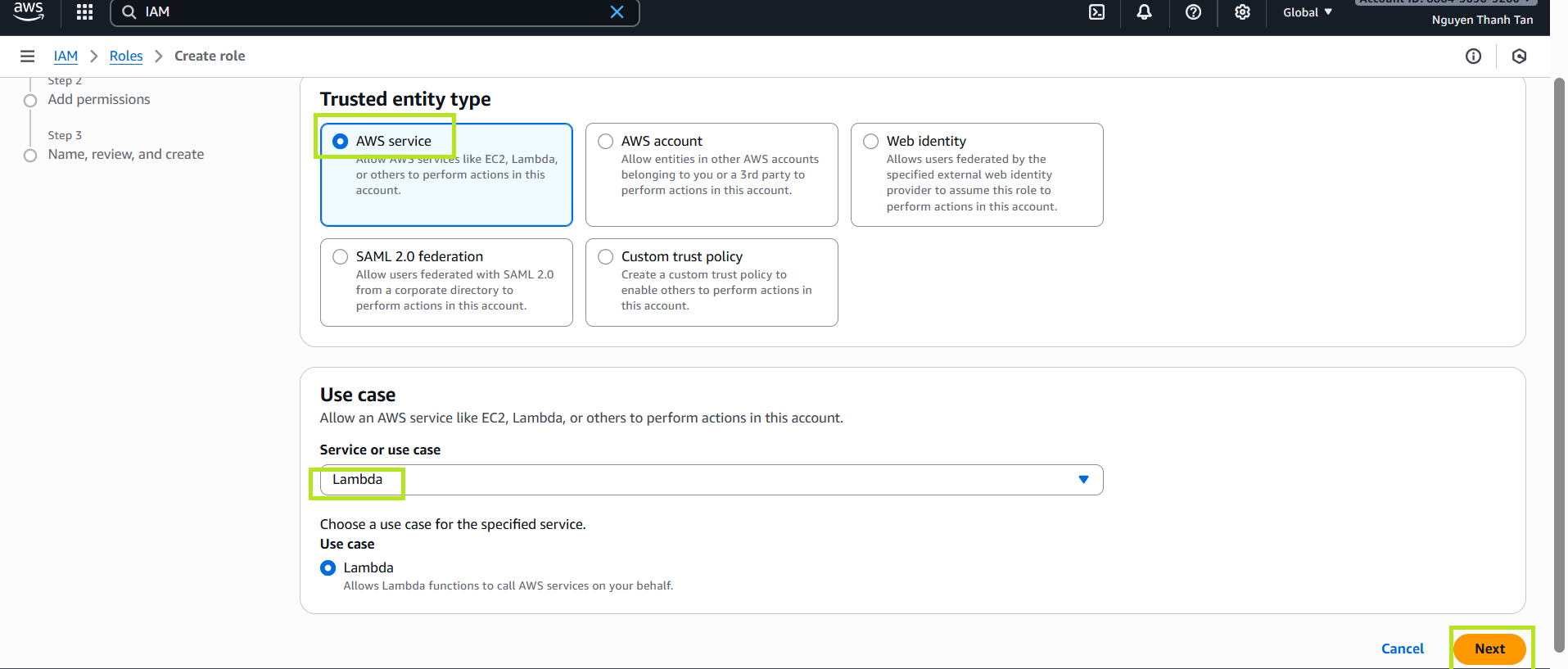
Attach the following permissions:
AmazonDynamoDBFullAccessCloudWatchLogsFullAccess
Set the role name: LambdaAPIAccessRole
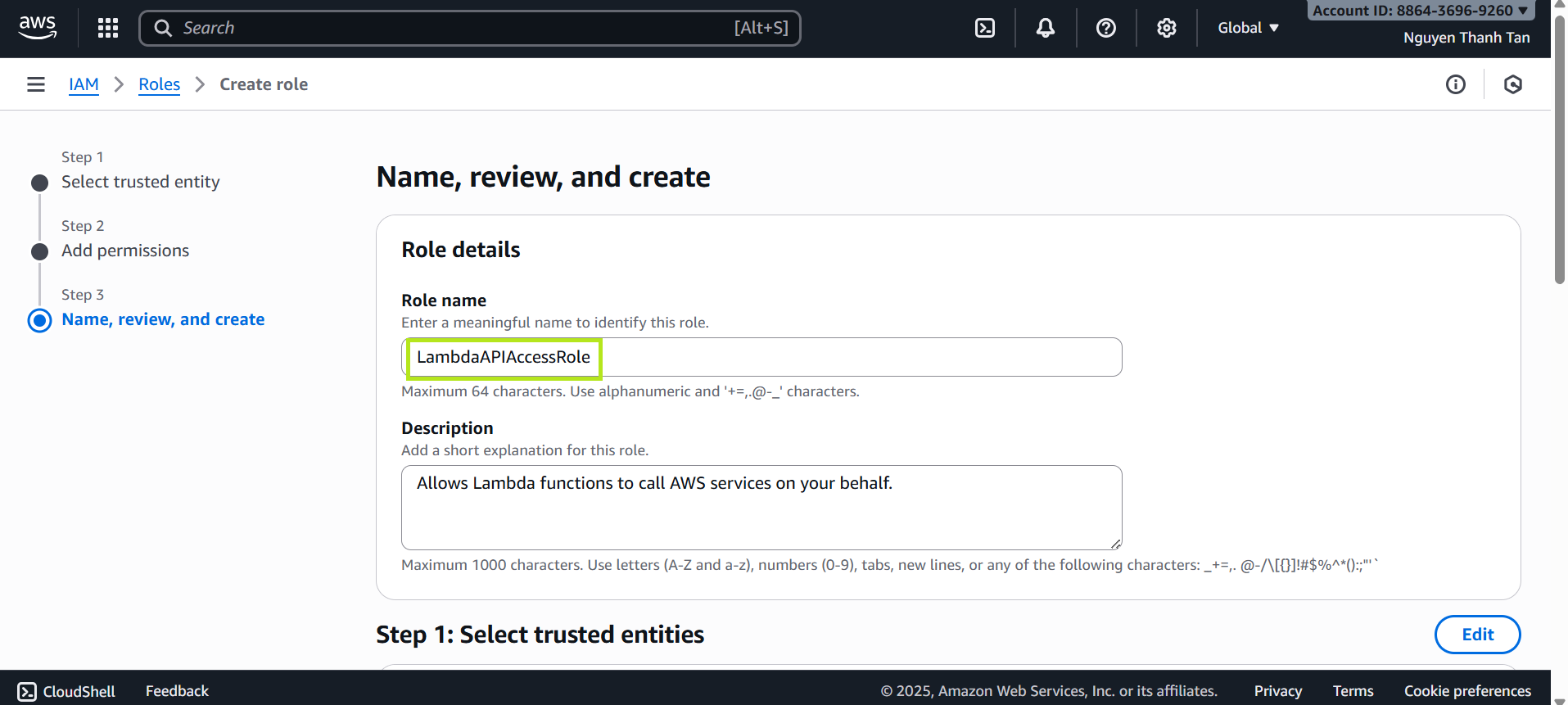
Step 2: Create Lambda Function
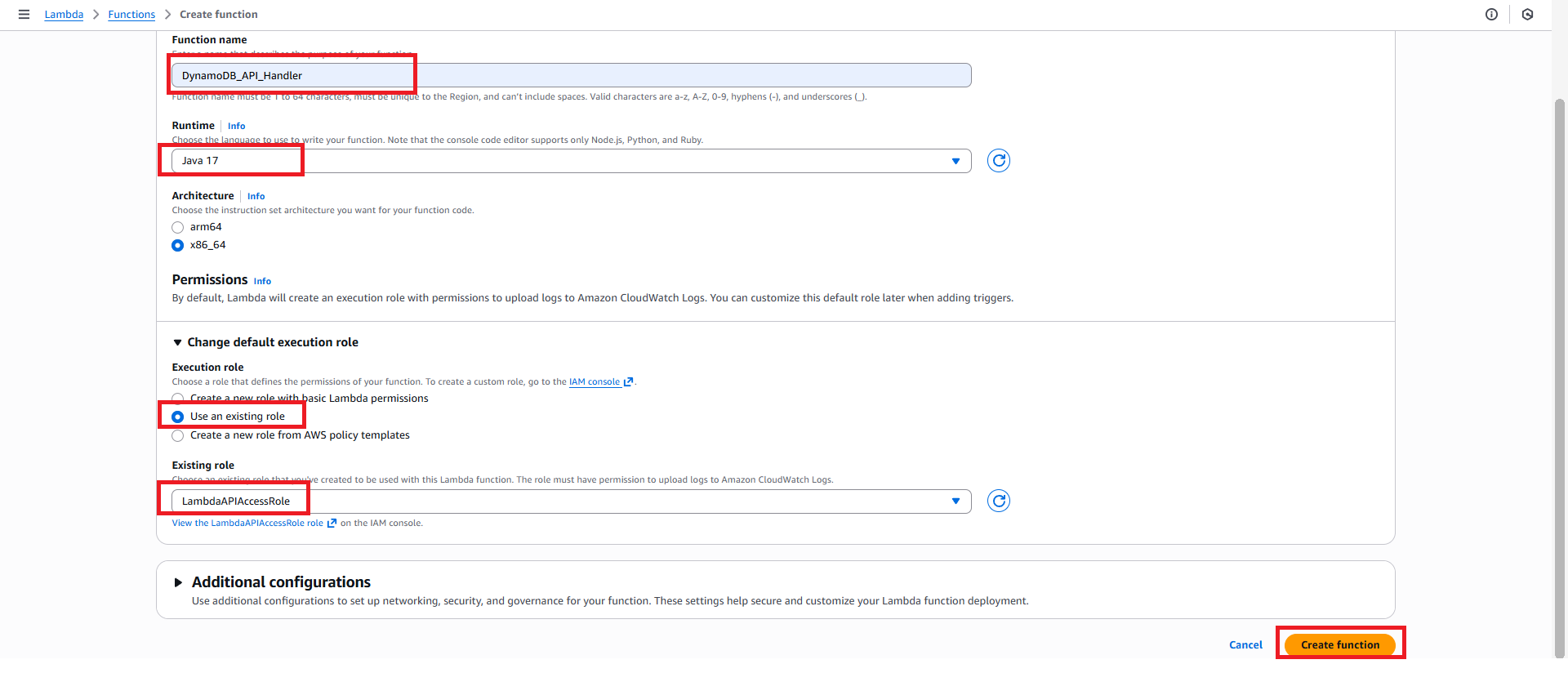
- Go to AWS Lambda → Create function
- Select Author from scratch
- Function name:
DynamoDB_API_Handler - Runtime: Java 17
- Choose IAM Role: LambdaAPIAccessRole
Step 3: Deploy the JAR File
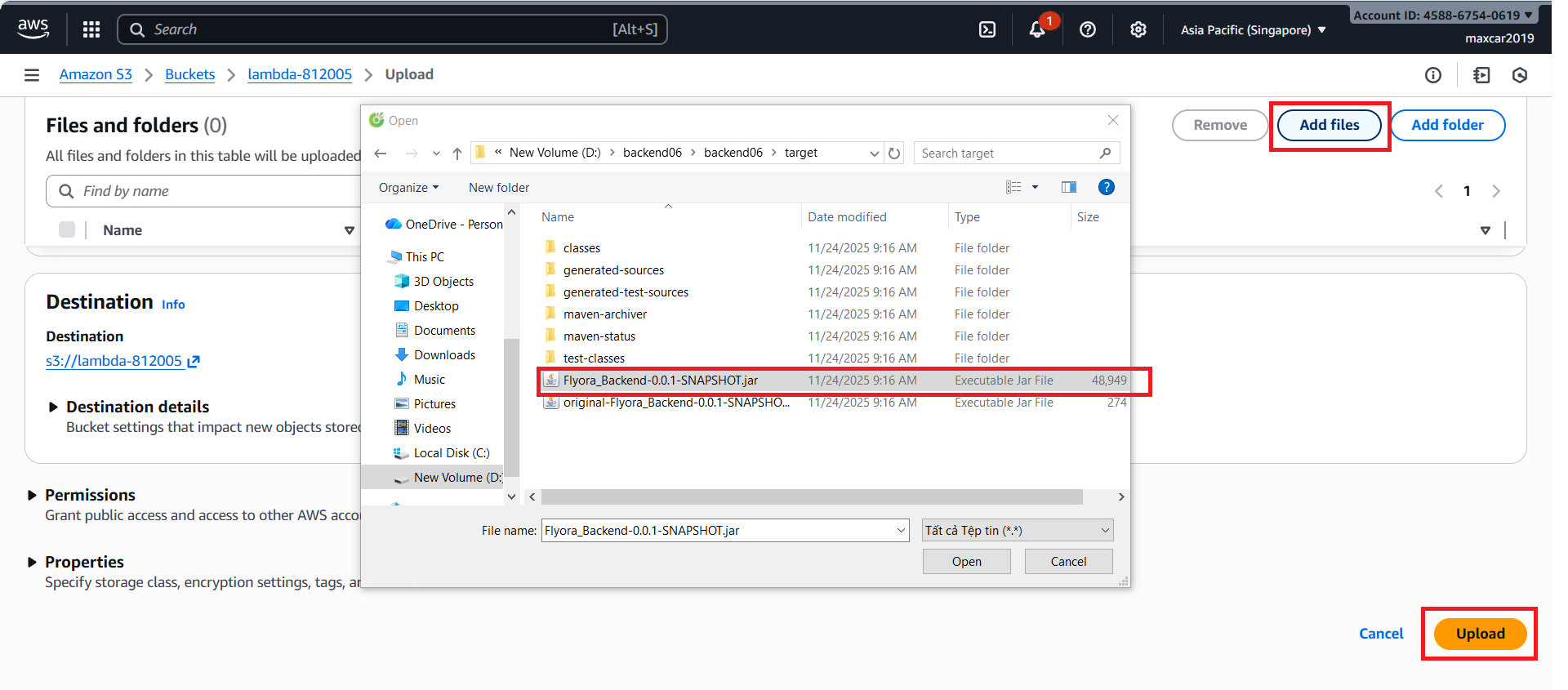
- Go to S3 → Upload → Add files
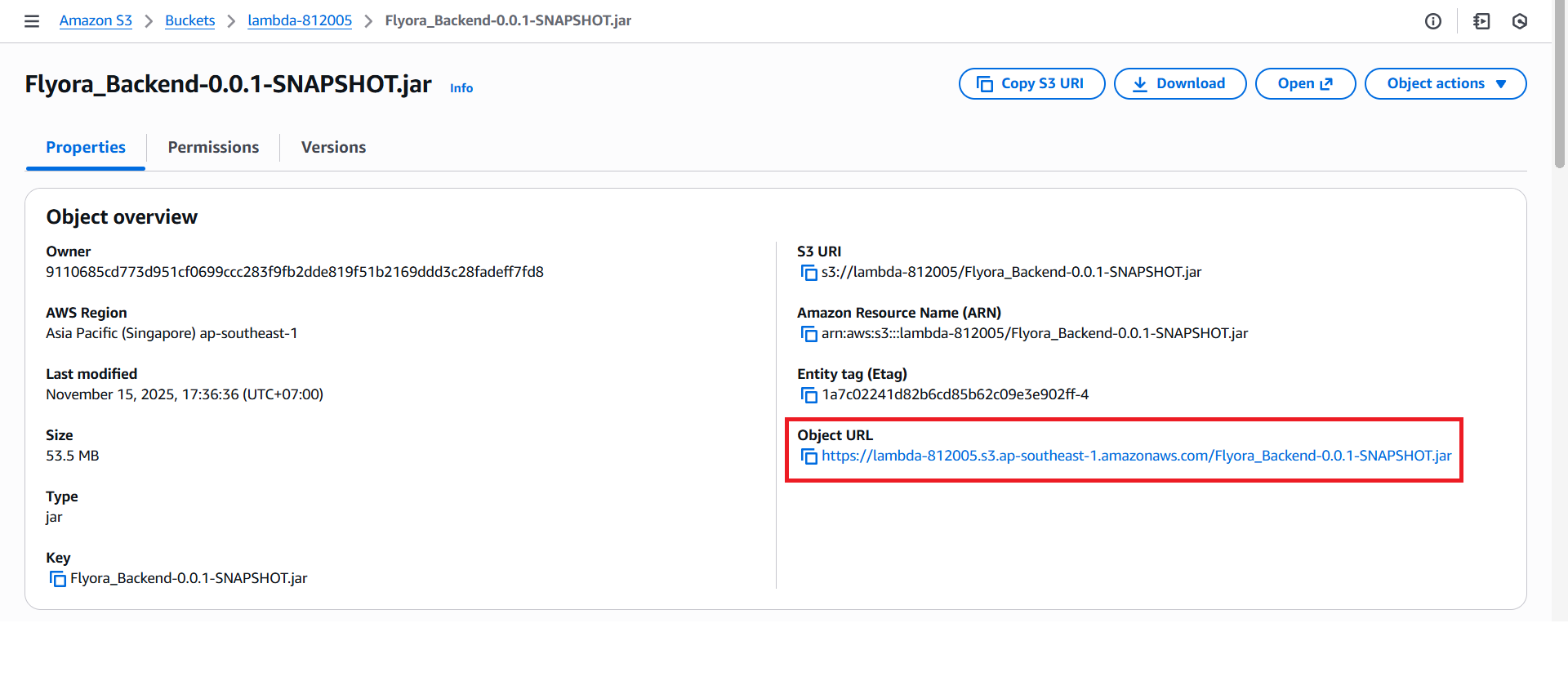
Upload the jar file, then copy the Object URL
- Go to AWS Lambda → Upload from S3
Paste the object URL you copied
- Go to AWS Lambda → Code → Runtime settings → Edit
- Set Handler:
org.example.flyora_backend.handler.StreamLambdaHandler::handleRequest
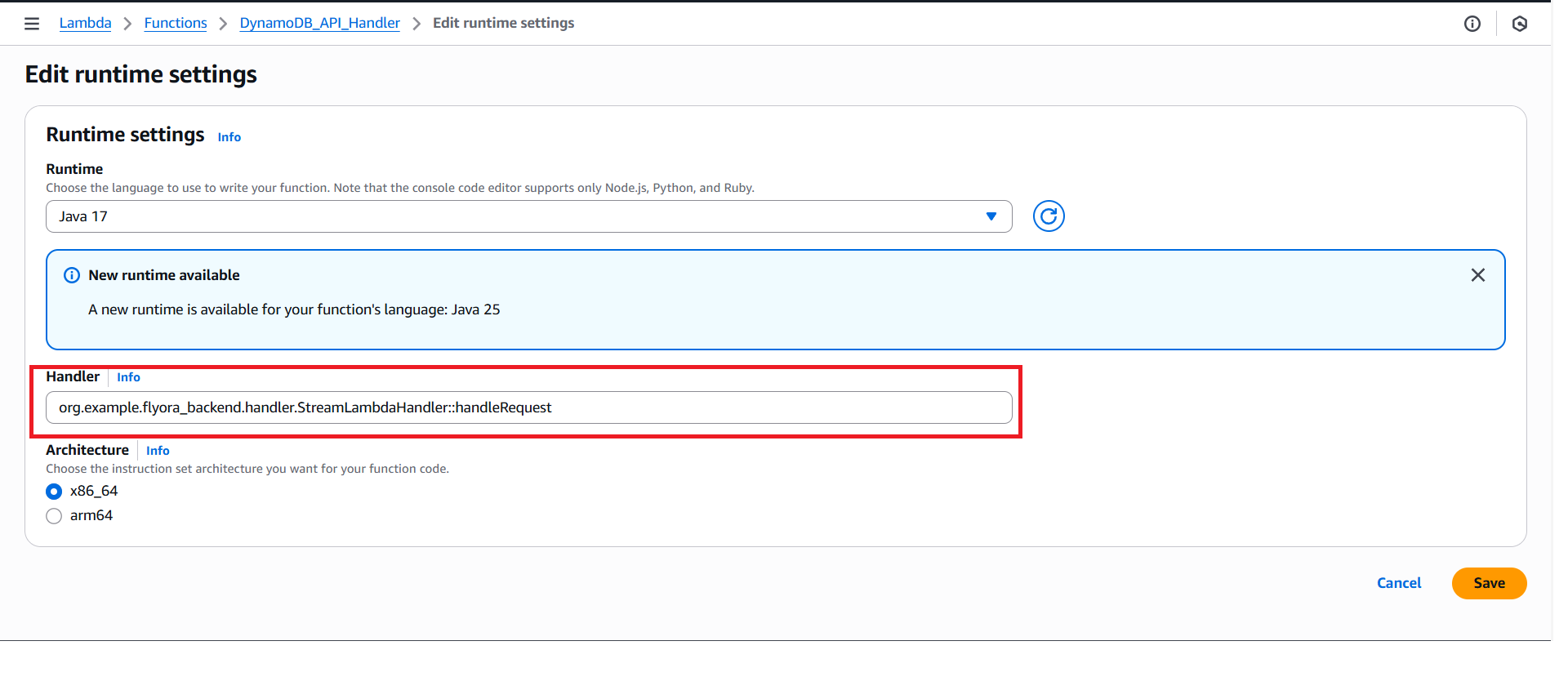
Step 4: Configure Lambda Function
- Go to AWS Lambda → Configuration → General configuration → Edit
- Set Timeout: 1 min
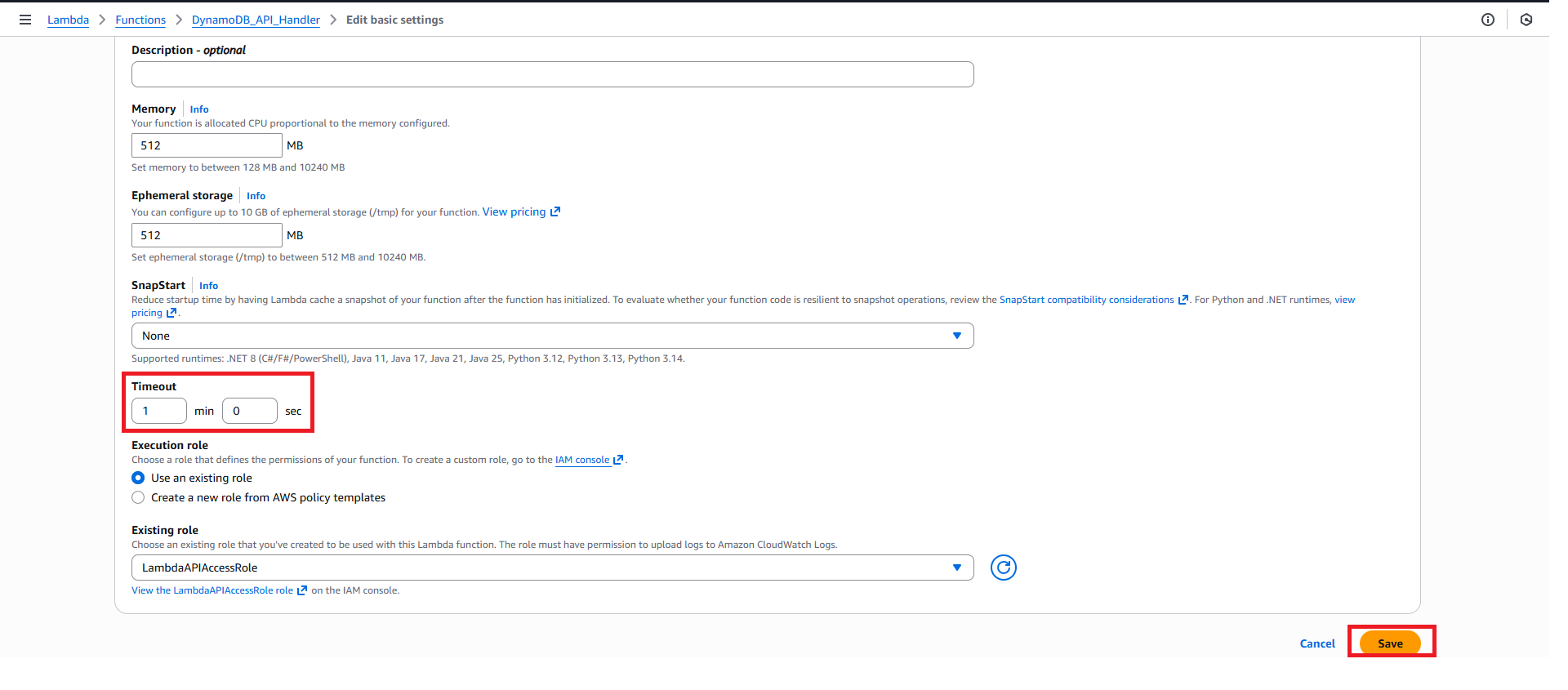
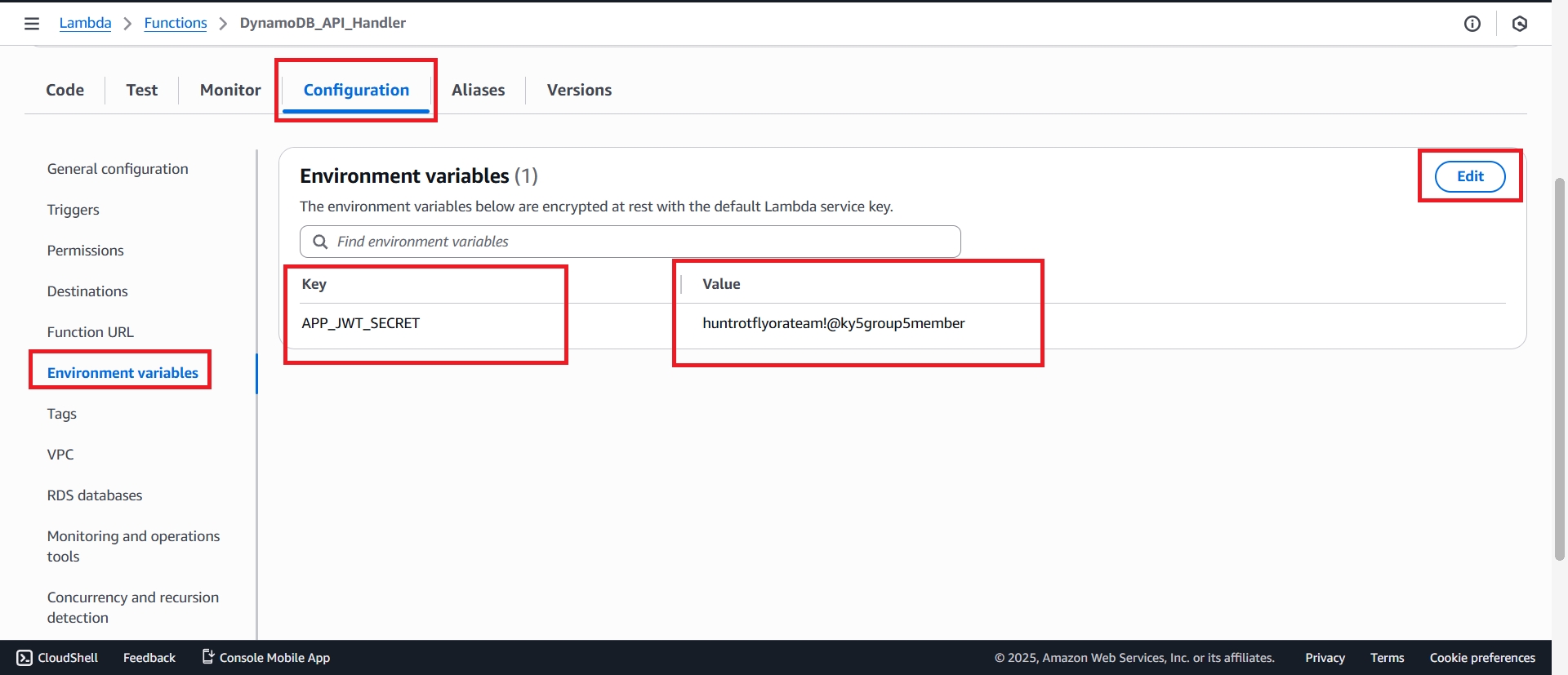
- Go to AWS Lambda → Configuration → Environment variables → Edit
- Add:
- Key:
APP_JWT_SECRET - Value:
huntrotflyorateam!@ky5group5member
- Key:
- Key:
GHN_TOKEN; Value:445c659d-5586-11f0-8c19-5aba781b9b65