Create Logic for Lambda Function
Create Logic for Lambda Function
Implementation Steps
1. Access Lambda Service
- Go to AWS Management Console → search for Lambda.
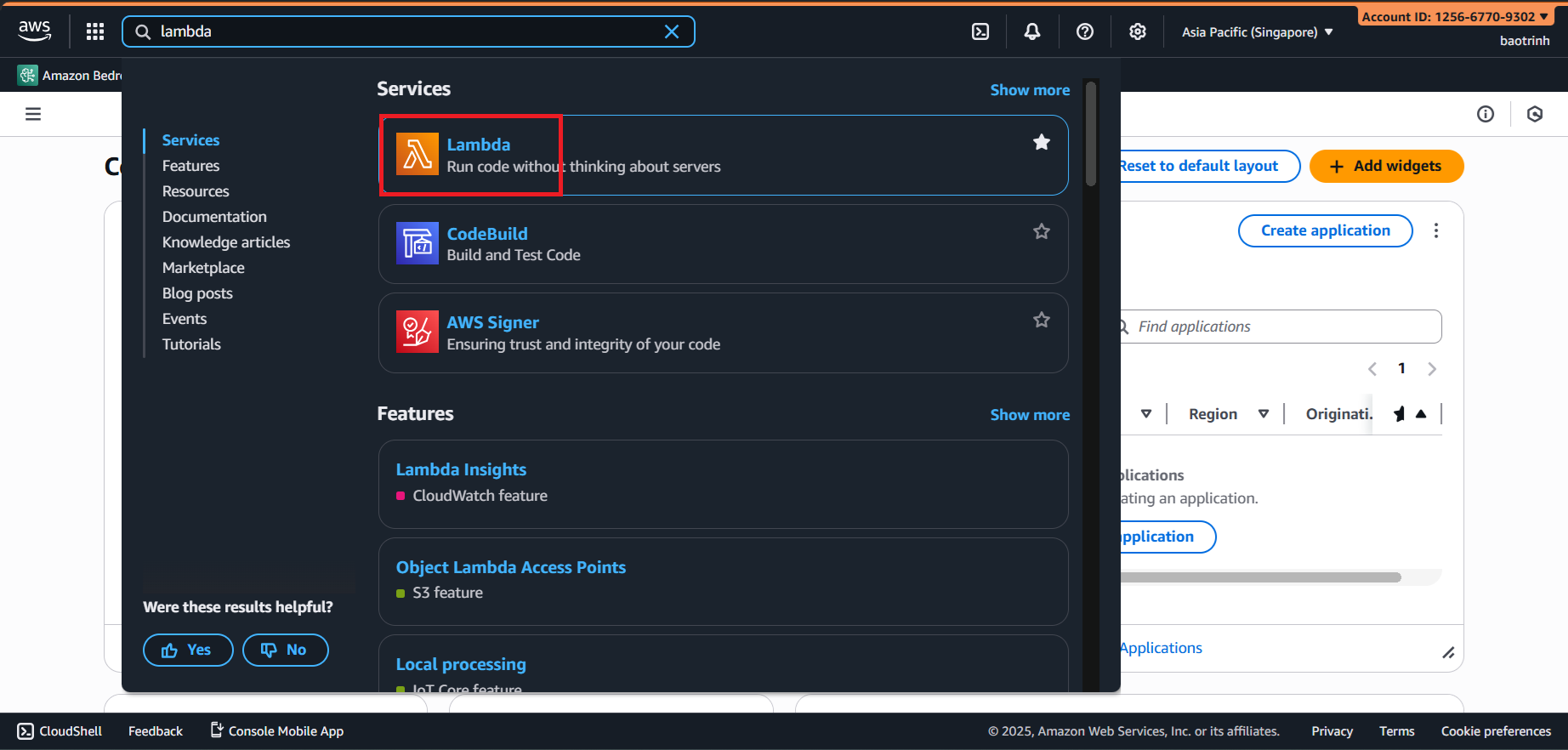
First, go to the Layers section to create a layer so the Lambda function has the library to connect to PostgreSQL (psycopg2).
Access the GitHub link to download the appropriate Python version, here we use
psycopg2-3.11: https://github.com/jkehler/awslambda-psycopg2After downloading, put the entire
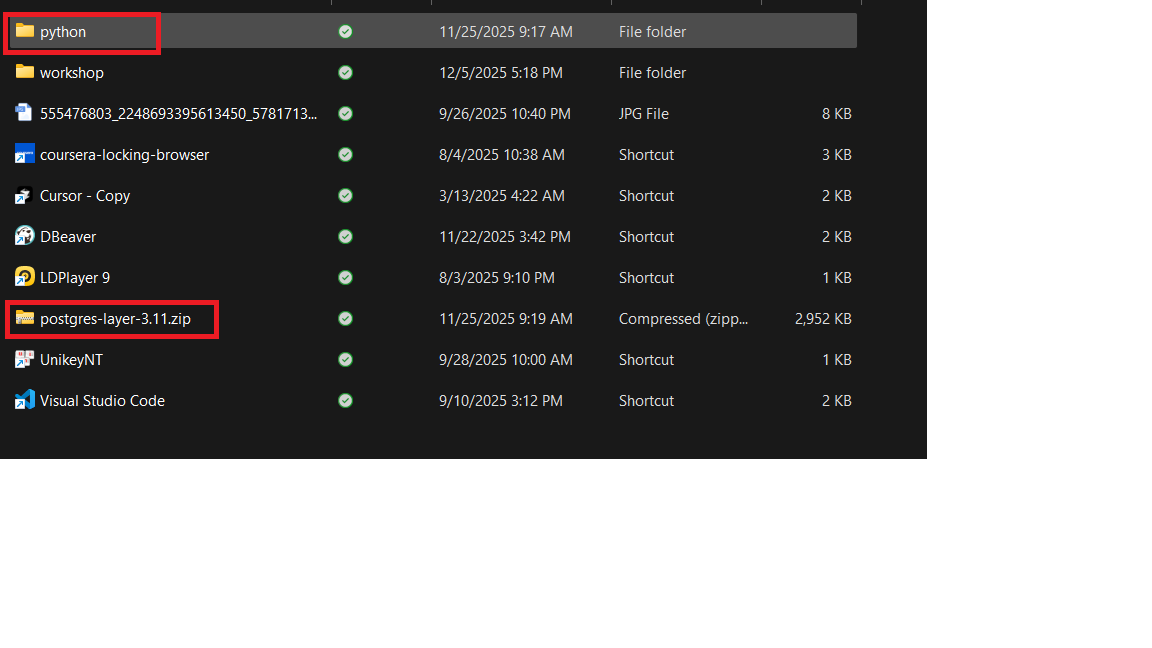
psycopg2-3.11folder into a folder named (python), then zip that folder and name it (postgres-layer-3.11).
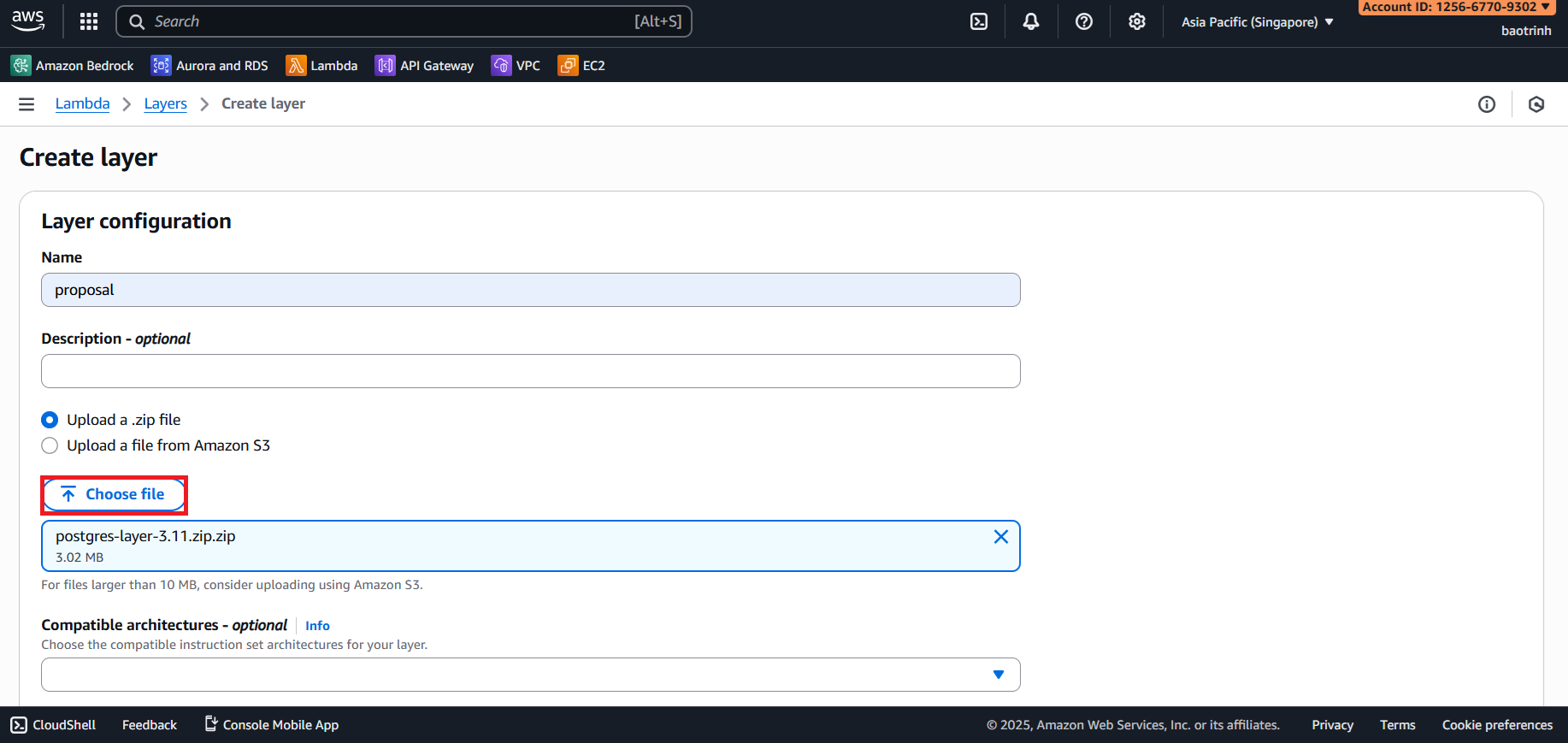
- Click Create layer, name the layer, upload the
postgres-layer-3.11zip file → Create.
2. Create Lambda
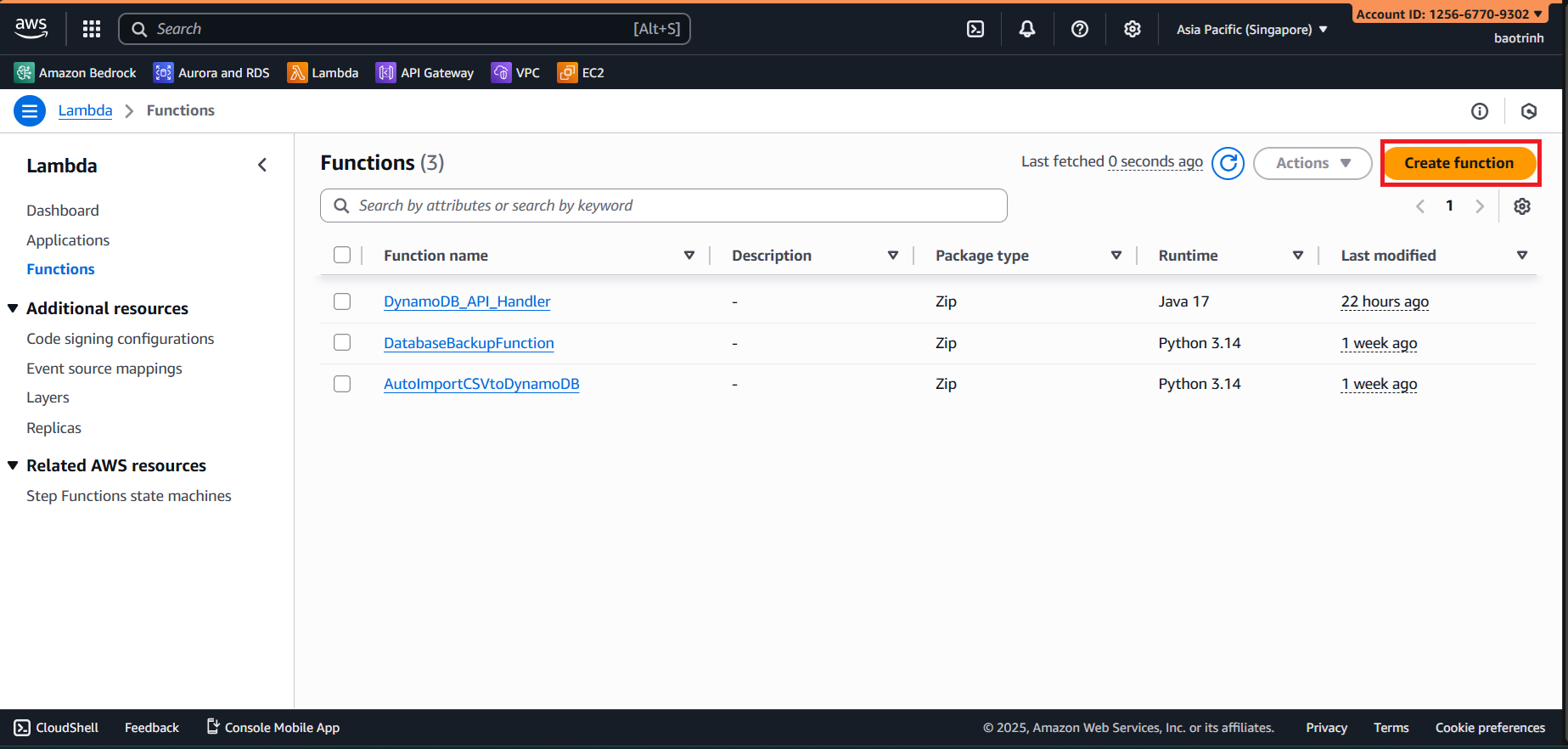
- Functions → Create function.
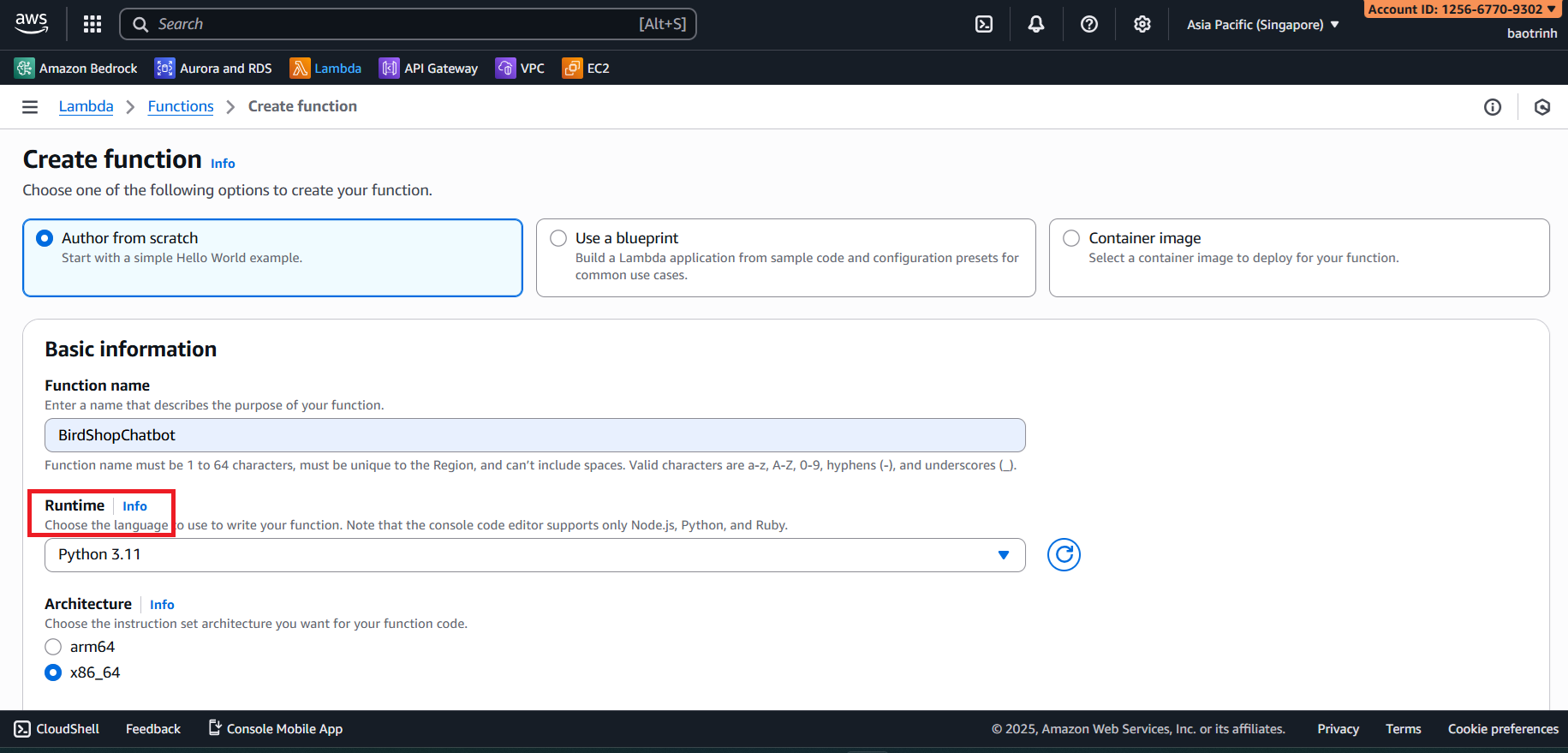
- Name the Lambda function and select runtime Python 3.11.
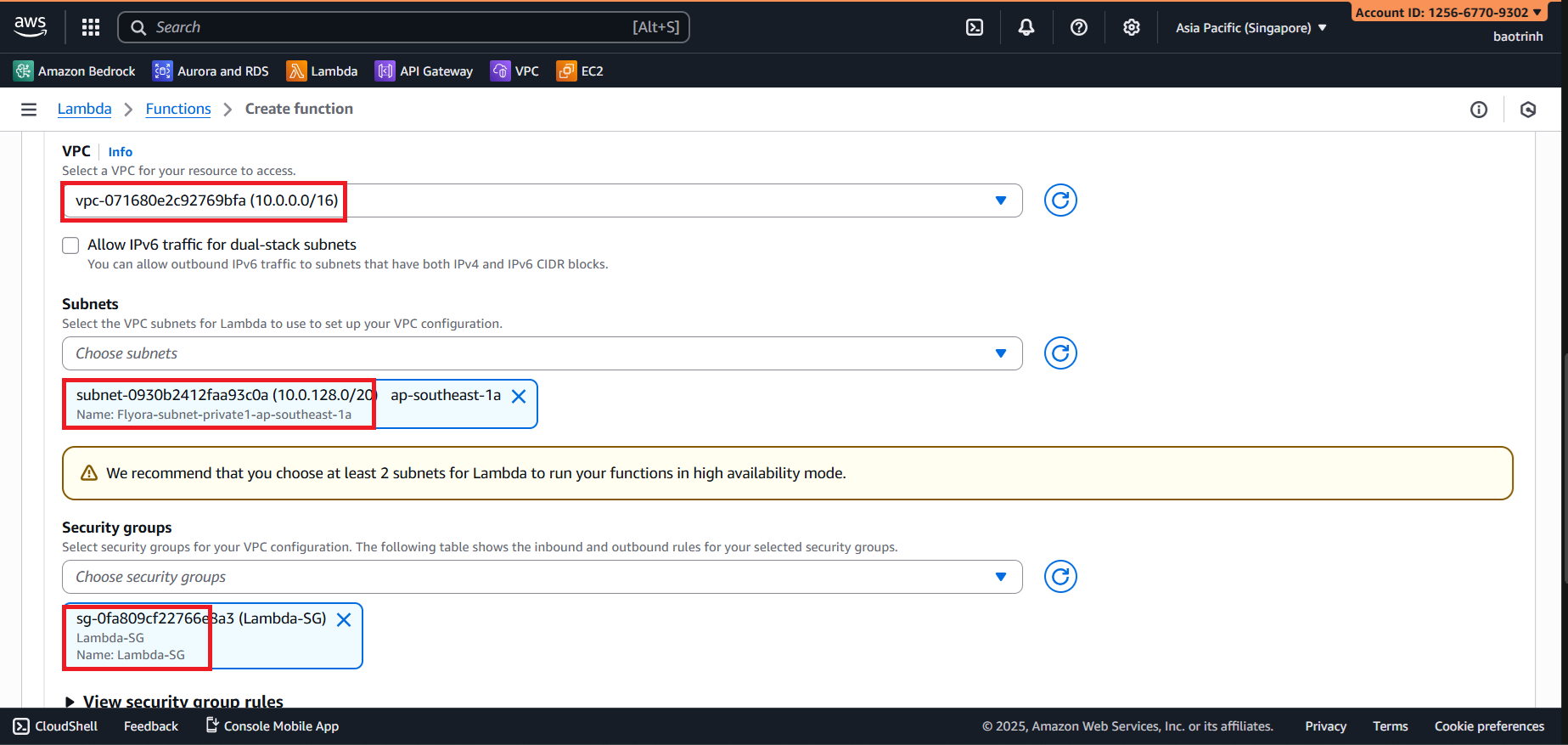
- In Additional configurations, check VPC, select the created VPC, select 1 private subnet for Subnet, and select
Lambda-SGfor Security group.
- After the Lambda function is created, we will go to the layer section to add the created layer.
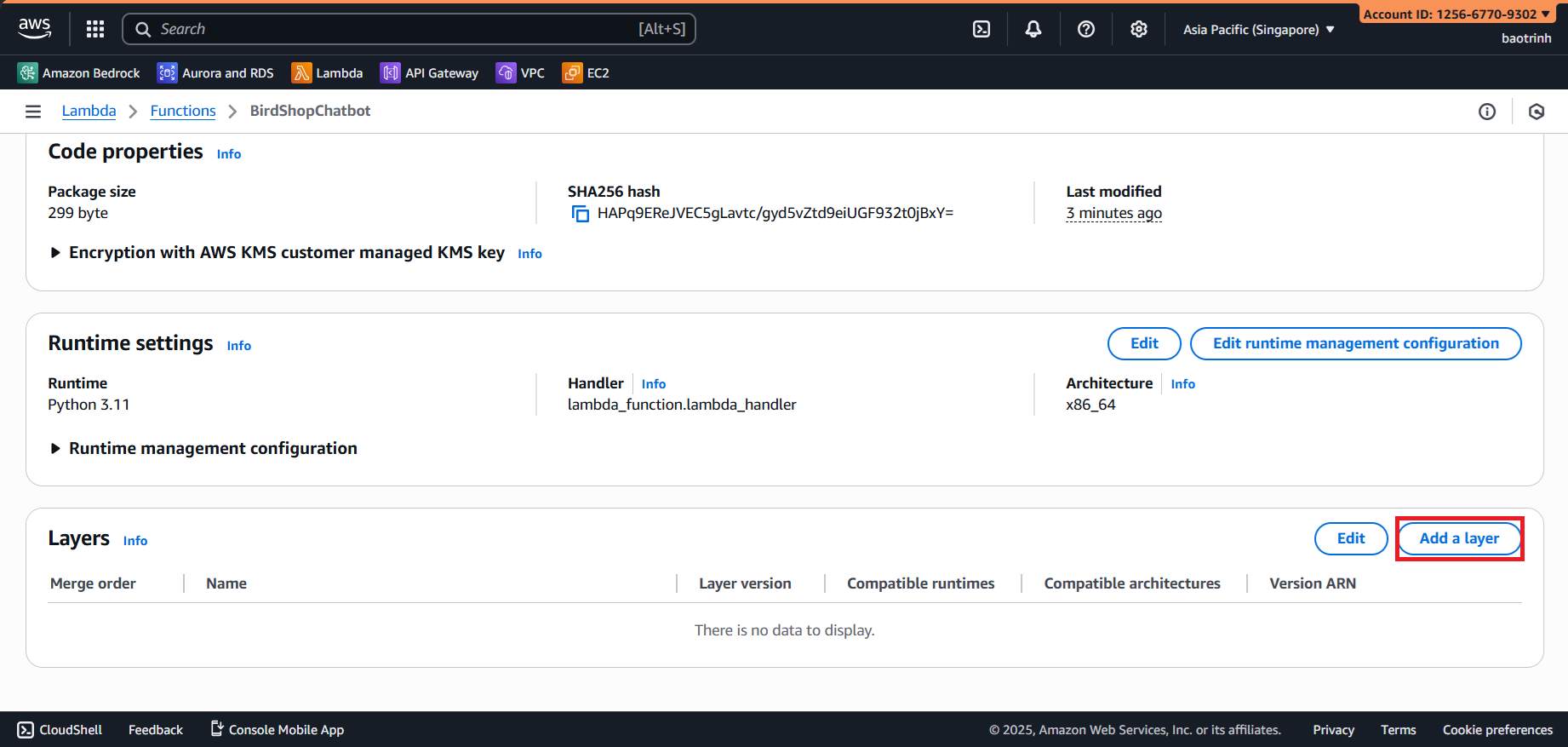
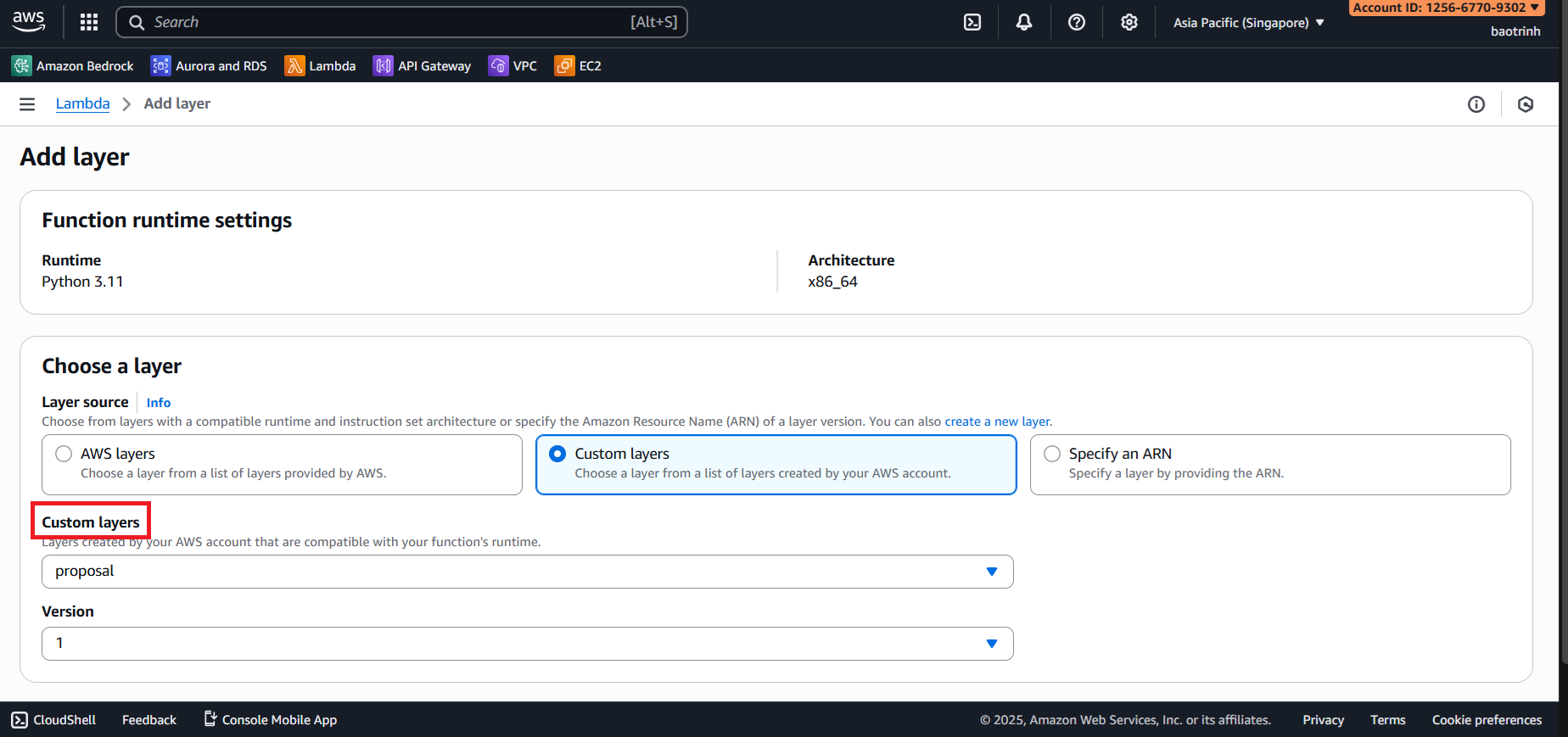
- Select Custom layers, choose the created layer, select version 1 → Add.
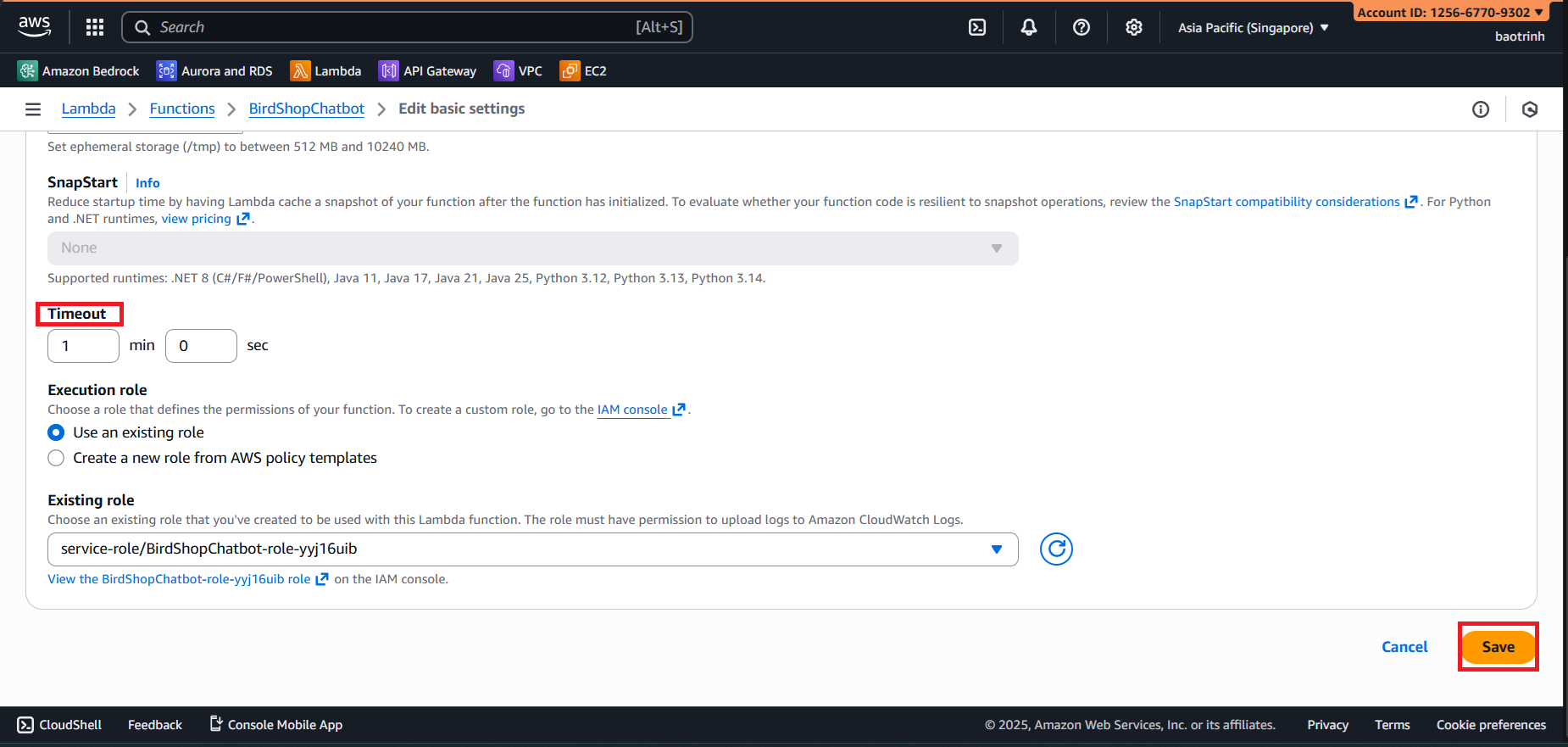
- Go to the Configuration tab, in General configuration, increase the timeout to 1 minute.
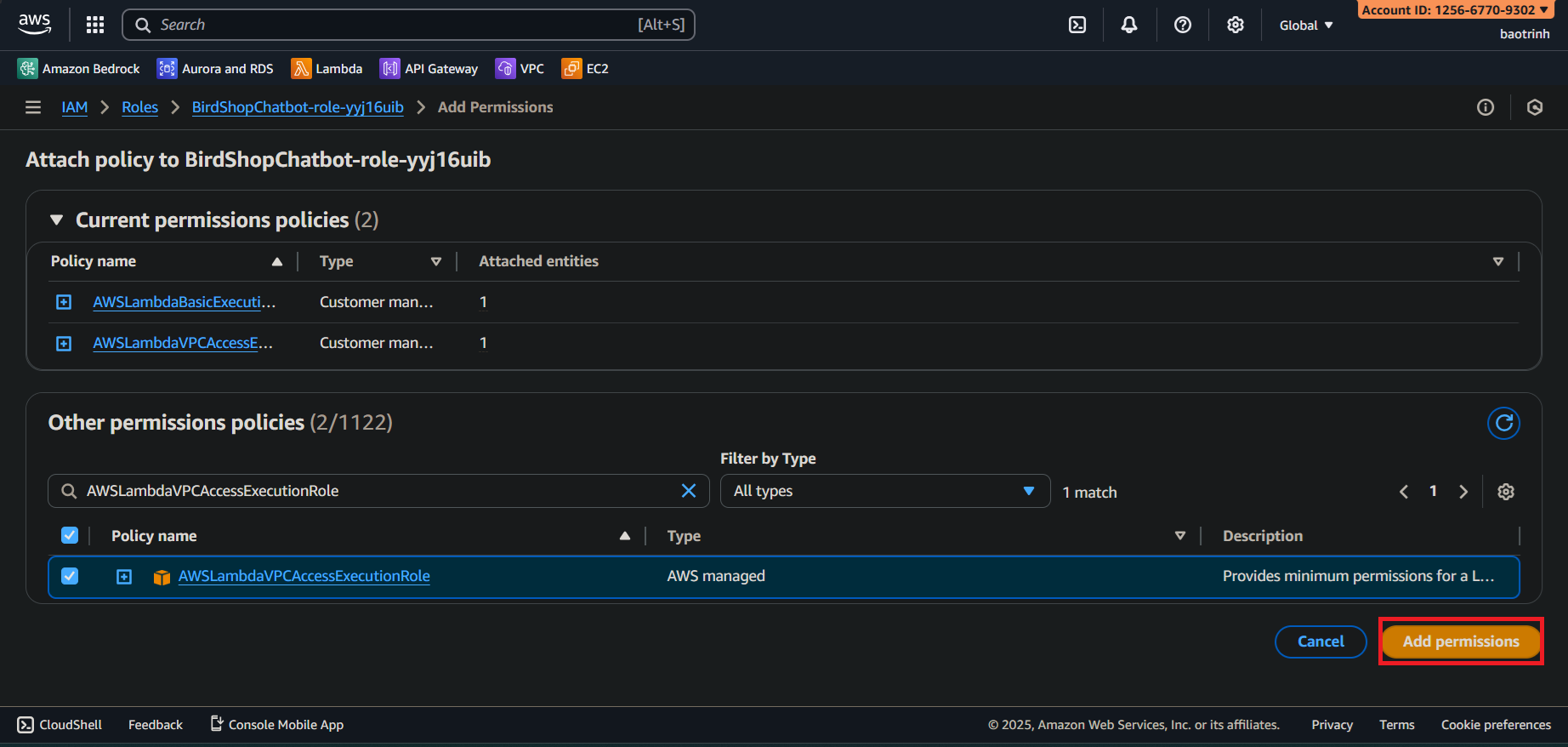
- In Permissions, add
AmazonBedrockFullAccessandAWSLambdaVPCAccessExecutionRole.
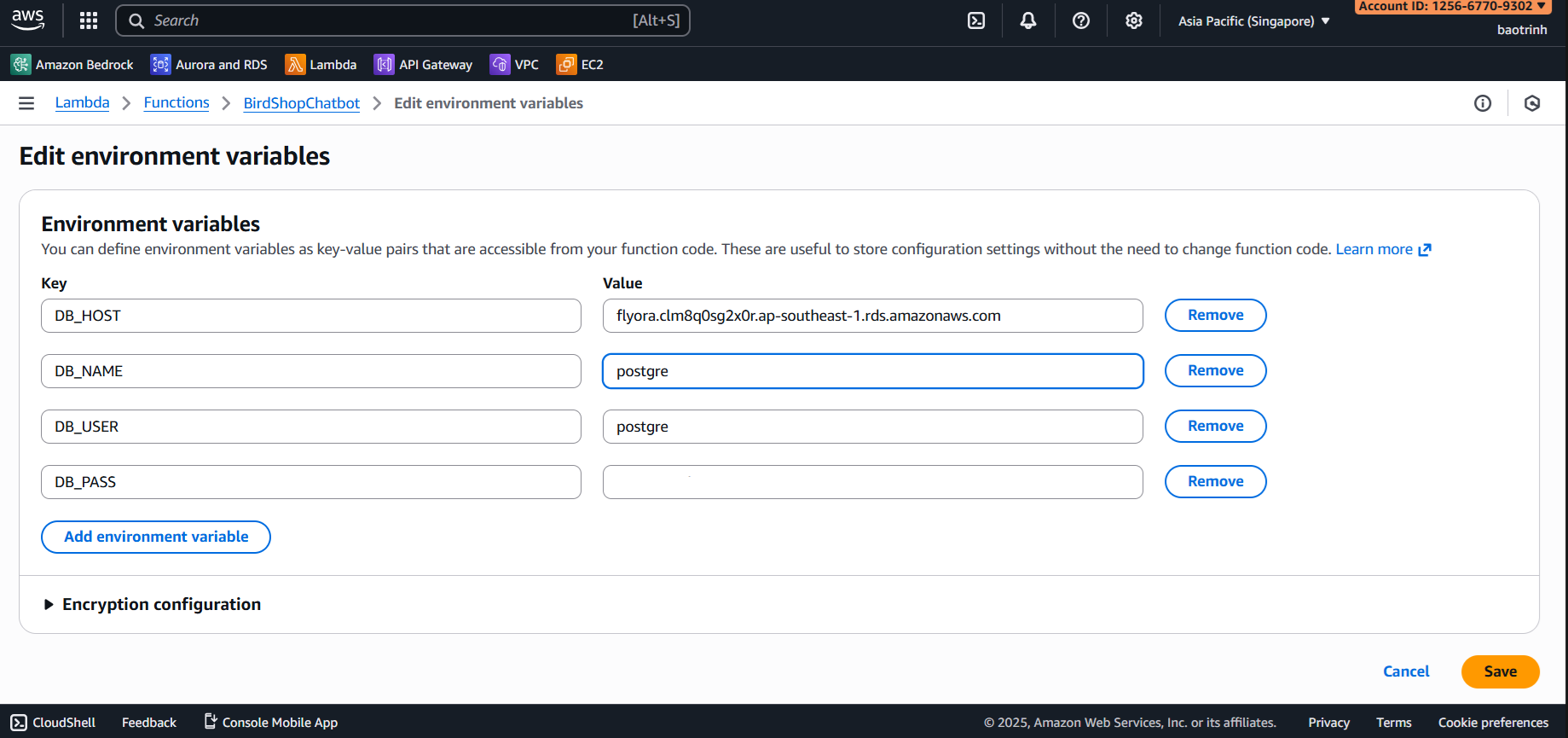
- In Environment variables, add the following variables:
DB_HOST,DB_NAME,DB_USER,DB_PASS(Enter your RDS information).
After configuring, paste this Python code into the Lambda function and click Deploy.
import json
import boto3
import psycopg2
import os

# --- CONFIGURATION ---
DB_HOST = os.environ.get('DB_HOST')
DB_NAME = os.environ.get('DB_NAME')
DB_USER = os.environ.get('DB_USER')
DB_PASS = os.environ.get('DB_PASS')

# Use ap-southeast-1 region
bedrock = boto3.client(service_name='bedrock-runtime', region_name='ap-southeast-1')

# --- 1. EMBEDDING FUNCTION (COHERE) ---
def get_embedding(text):
    try:
        body = json.dumps({
            "texts": [text],
            "input_type": "search_query",
            "truncate": "END"
        })
        response = bedrock.invoke_model(
            body=body,
            modelId="cohere.embed-multilingual-v3",
            accept="application/json", contentType="application/json"
        )
        return json.loads(response['body'].read())['embeddings'][0]
    except Exception as e:
        print(f"Embed Error: {e}")
        return None

# --- 2. SAFE METADATA HANDLING FUNCTION ---
def format_product_info(metadata):
    """
    This function helps normalize data even if the CSV file is missing columns
    """
    if not metadata: return None

    # Get name (Prioritize common keys)
    name = metadata.get('name') or metadata.get('product_name') or metadata.get('title') or "Unnamed Product"

    # Get price (If not present, leave empty or 'Contact')
    price = metadata.get('price') or metadata.get('gia') or metadata.get('display_price')
    price_str = f"- Price: {price}" if price else ""

    # Get type (if available from smart import script)
    category = metadata.get('type') or "Product"

    # Create description string for AI to read
    # Example: "Bird Species: Parrot. - Price: 500k"
    ai_context = f"Category/Product: {name} ({category}) {price_str}"

    # Create object for Frontend display (Product Card)
    frontend_card = {
        "id": metadata.get('id') or metadata.get('product_id'),
        "name": name,
        "price": price if price else "Contact", # Frontend will show "Contact" if no price
        "image": metadata.get('image_url') or metadata.get('link_anh') or "", # Image can be empty
        "type": category # To let frontend know if this is a bird or a toy
    }

    return ai_context, frontend_card

# --- 3. MAIN HANDLER ---
def lambda_handler(event, context):
    print("Event:", event)

    try:
        # Parse Input
        if 'body' in event:
            try:
                body_data = json.loads(event['body']) if isinstance(event['body'], str) else event['body']
            except: body_data = {}
        else: body_data = event

        user_question = body_data.get('question', '')
        if not user_question: return {'statusCode': 400, 'body': json.dumps('Missing question')}

        # A. Create Vector
        q_vector = get_embedding(user_question)
        if not q_vector: return {'statusCode': 500, 'body': json.dumps('Vector creation error')}

        # B. Search DB
        conn = psycopg2.connect(host=DB_HOST, database=DB_NAME, user=DB_USER, password=DB_PASS)
        cur = conn.cursor()

        # Retrieve metadata for processing
        sql = """
            SELECT content, metadata
            FROM knowledge_base
            ORDER BY embedding <=> %s
            LIMIT 3
        """
        cur.execute(sql, (json.dumps(q_vector),))
        results = cur.fetchall()
        cur.close(); conn.close()

        # C. Process Results (MOST IMPORTANT)
        ai_contexts = []
        frontend_products = []

        for row in results:
            raw_content = row[0] # Original content at import
            raw_metadata = row[1] # JSON metadata

            # Call normalization function
            ai_text, card_data = format_product_info(raw_metadata)

            if ai_text:
                # Merge original content + identification content to be sure
                ai_contexts.append(f"{ai_text}. Details: {raw_content}")
                frontend_products.append(card_data)

        # If nothing is found
        if not ai_contexts:
            final_answer = "Sorry, the shop currently cannot find matching information in the database."
        else:
            # D. Send to LLM (Claude 3 Haiku)
            context_str = "\n---\n".join(ai_contexts)

            system_prompt = (
                "You are a consultant for the Bird Shop, named 'Smart Parrot'. "
                "Style: Friendly, Polite but Concise.\n\n"

                "HANDLING INSTRUCTIONS (PRIORITIZE IN ORDER):\n"
                "1. SOCIAL INTERACTION: If the customer just says hello (Hello, Hi...) or thanks: "
                "-> Greeting back warmly and ask what they are looking for. DO NOT list products unless asked.\n"

                "2. PRODUCT CONSULTATION: When customer asks about goods:\n"
                "-> Answer concisely: Product Name + Price + Stock status (if any).\n"
                "-> Do not describe in flowery detail unless asked specifically 'how is it'.\n"
                "-> If information is not in Context, say 'Sorry, the shop doesn't have this item yet'.\n"
            )

            user_msg = f"Reference Information:\n{context_str}\n\nQuestion: {user_question}"

            # Call Claude 3 Haiku
            claude_body = json.dumps({
                "anthropic_version": "bedrock-2023-05-31",
                "max_tokens": 300,
                "temperature": 0.1,
                "system": system_prompt,
                "messages": [{"role": "user", "content": user_msg}]
            })

            try:
                model_res = bedrock.invoke_model(
                    body=claude_body,
                    modelId="anthropic.claude-3-haiku-20240307-v1:0"
                )
                res_json = json.loads(model_res['body'].read())
                final_answer = res_json['content'][0]['text']
            except Exception as e:
                print(f"LLM Call Error: {e}")
                final_answer = "Sorry, the AI system is busy, please try again later."

        # E. Return Result
        return {
            'statusCode': 200,
            'headers': {
                'Access-Control-Allow-Origin': '*',
                'Access-Control-Allow-Methods': 'POST',
                'Content-Type': 'application/json'
            },
            'body': json.dumps({
                "answer": final_answer,
                "products": frontend_products # Frontend uses this to draw UI
            })
        }

    except Exception as e:
        print(f"System Error: {e}")
        return {'statusCode': 500, 'body': json.dumps(str(e))}
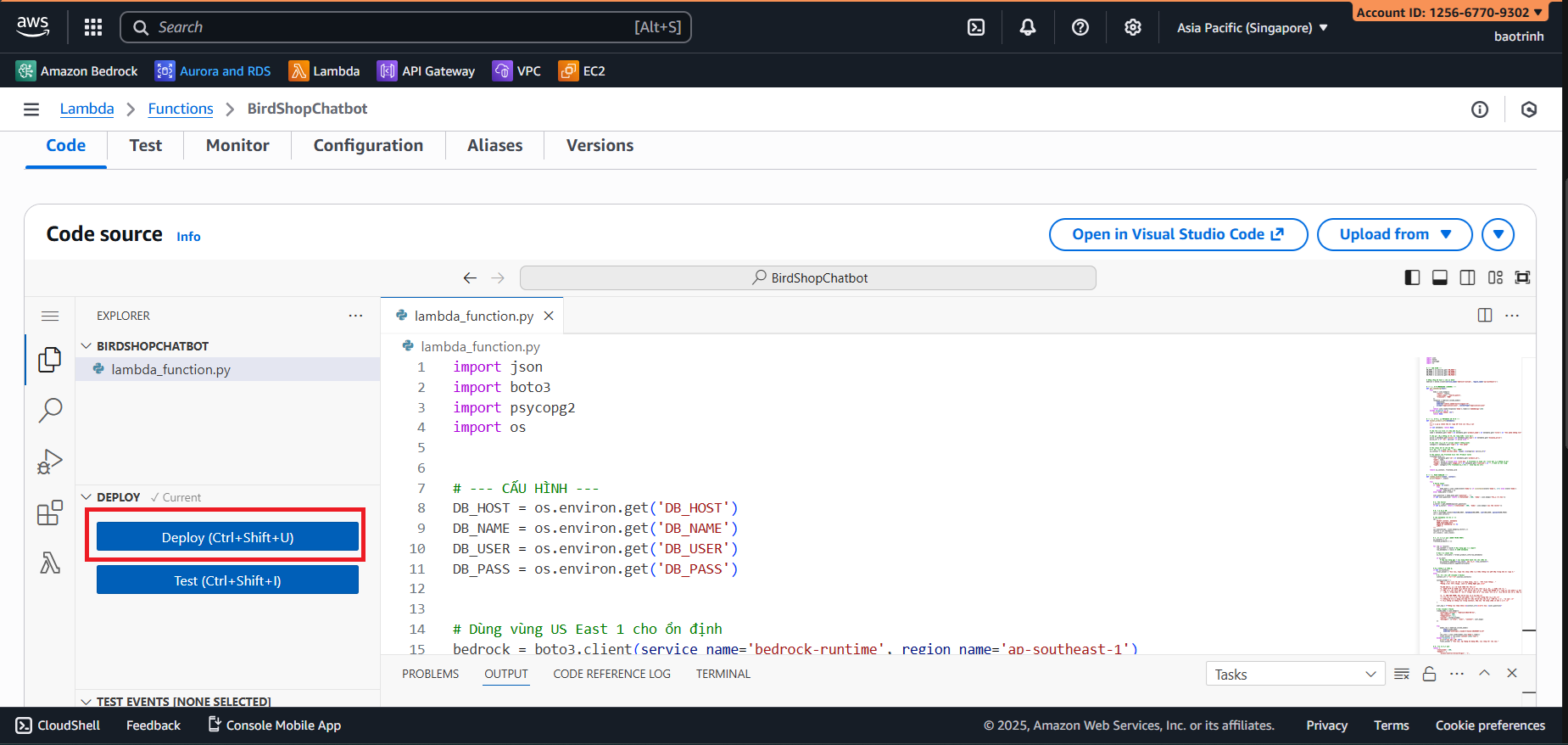
3. Integrate into Team’s API Gateway
- Access API Gateway Service.
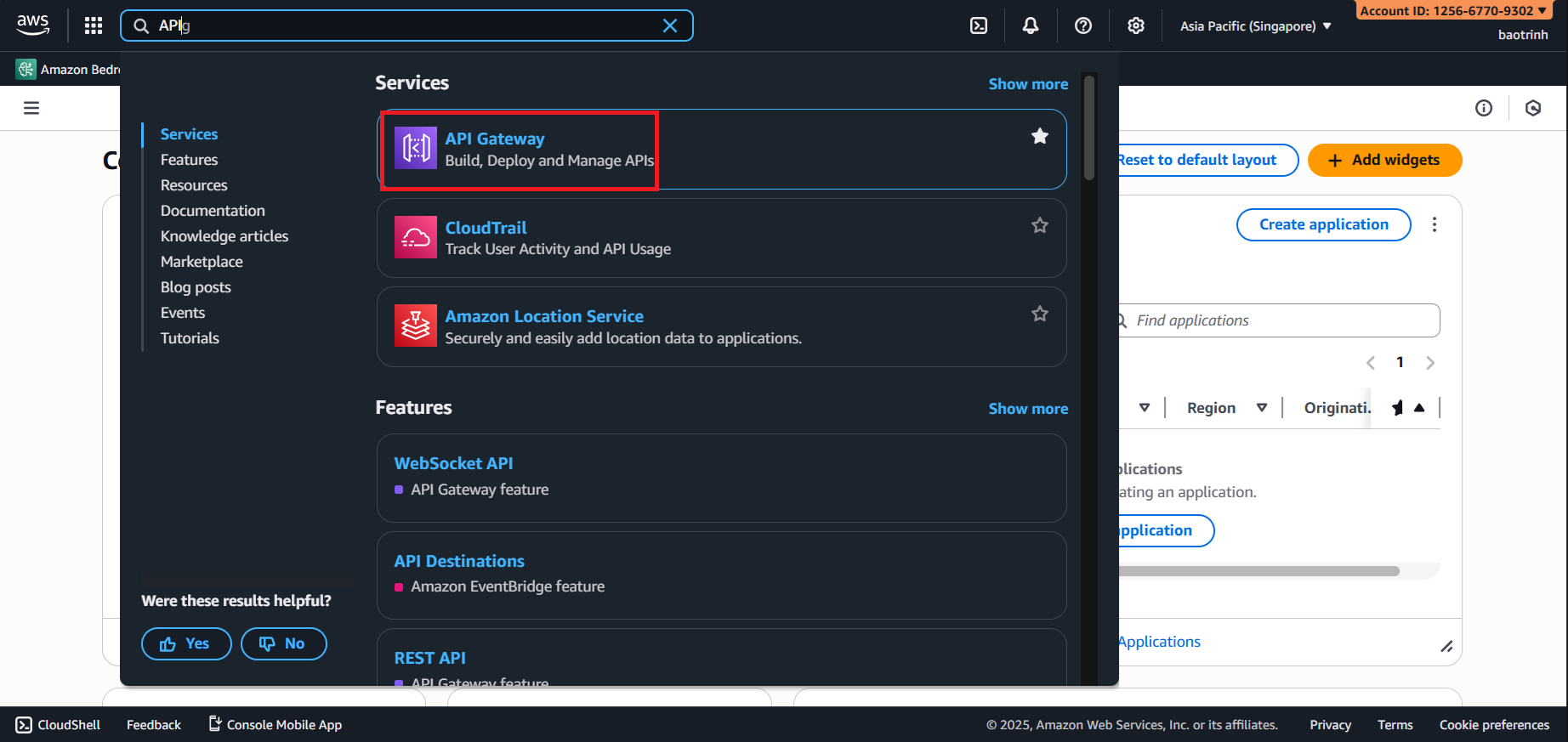
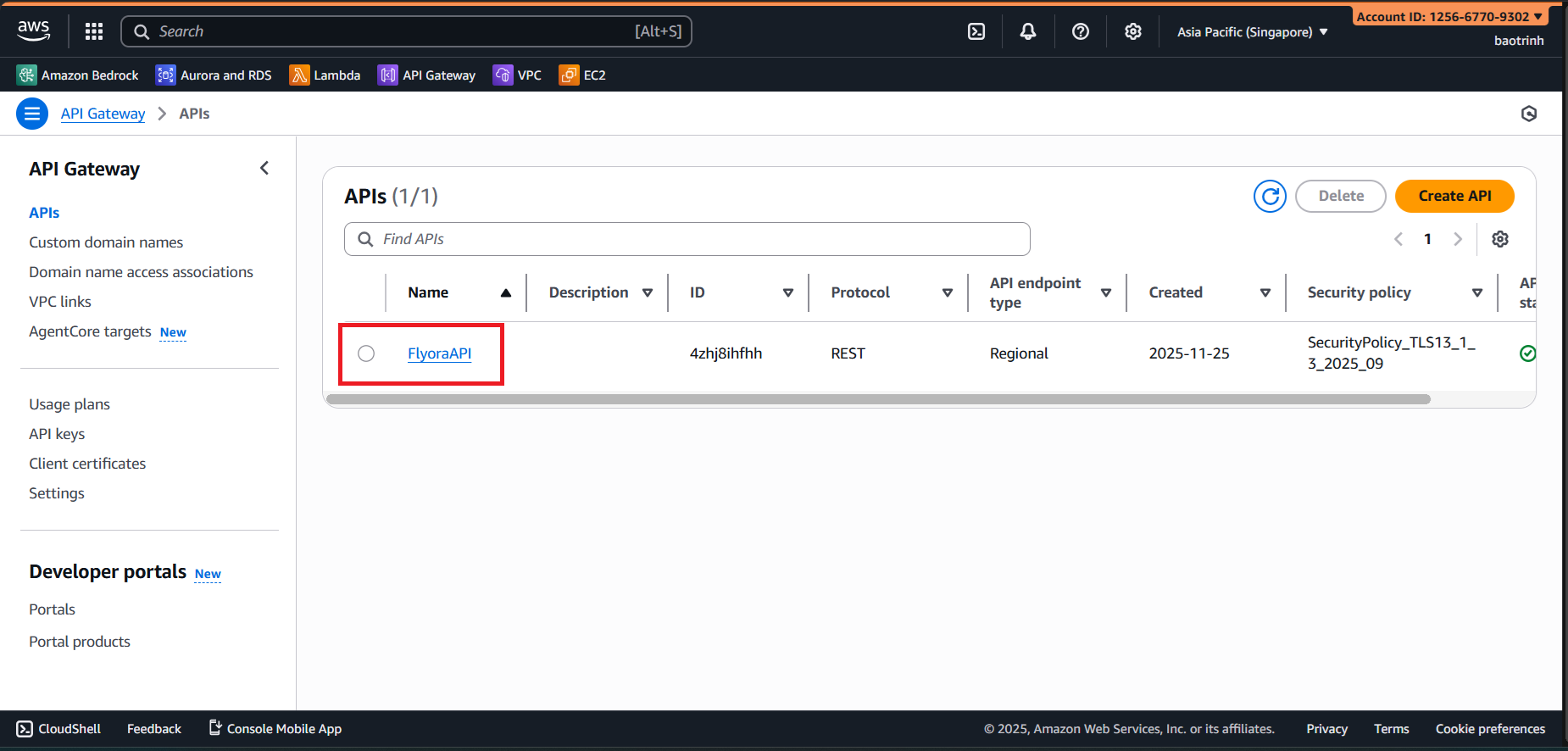
- Select the API created by the Backend.
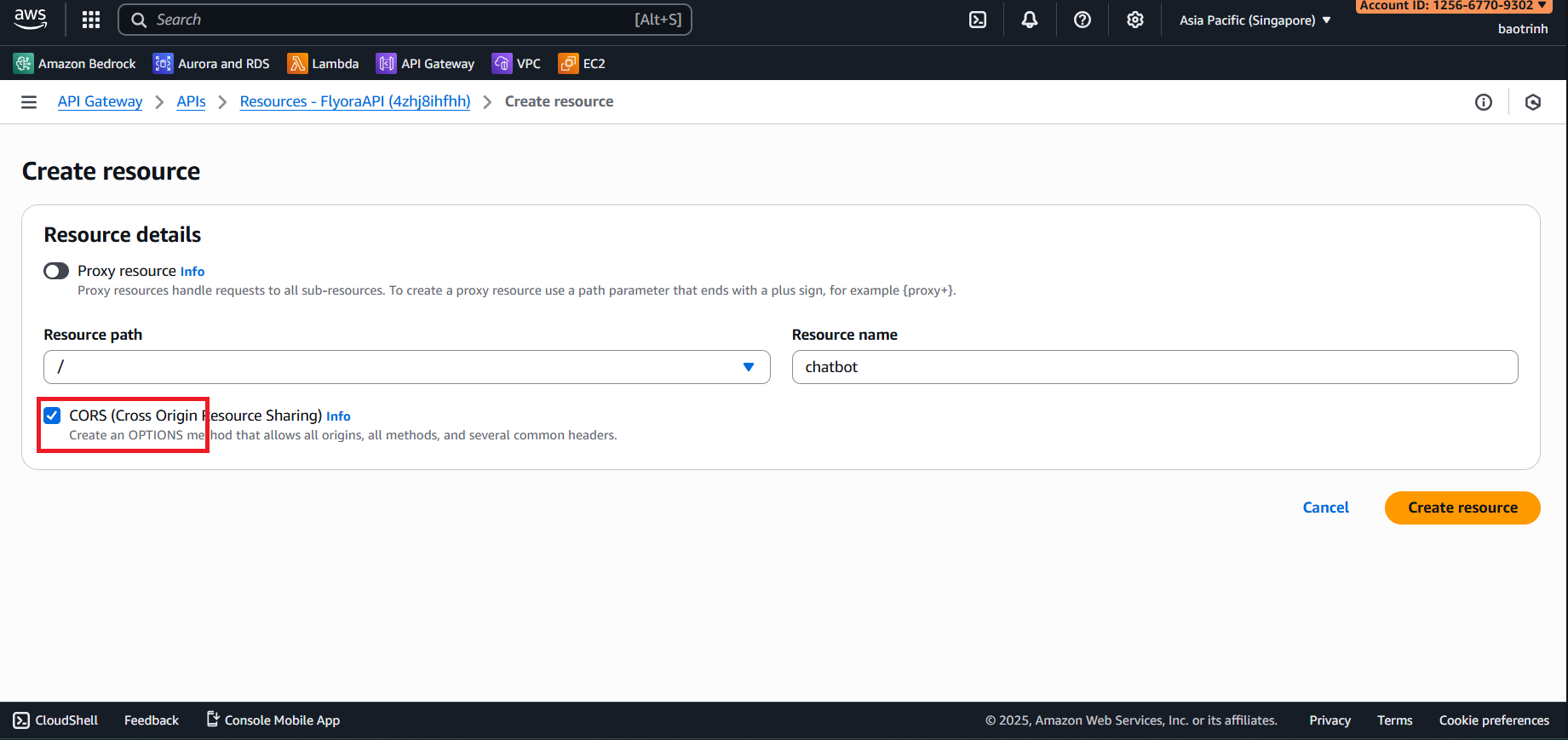
- Select Create resource.
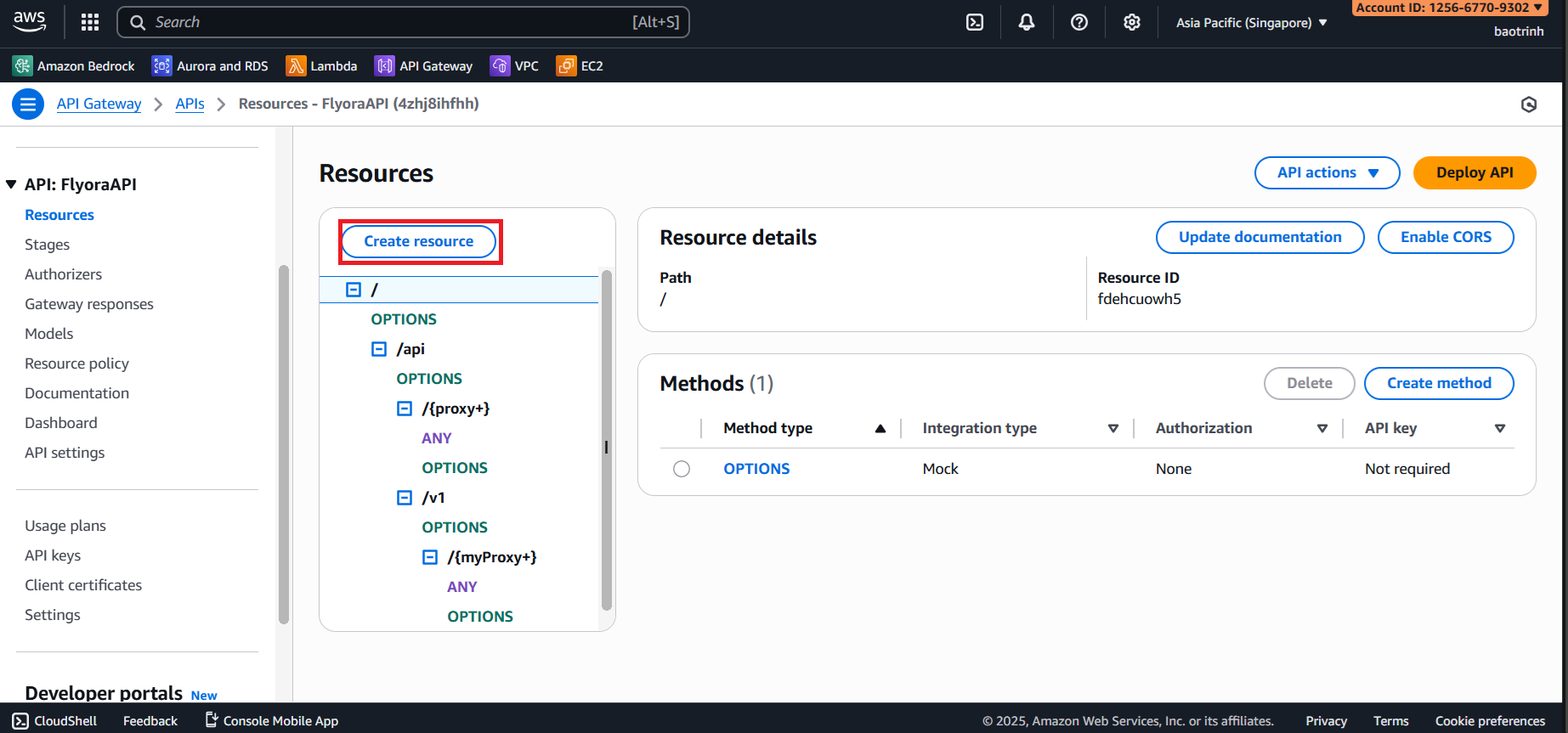
- Resource name
chatbotand check CORS.
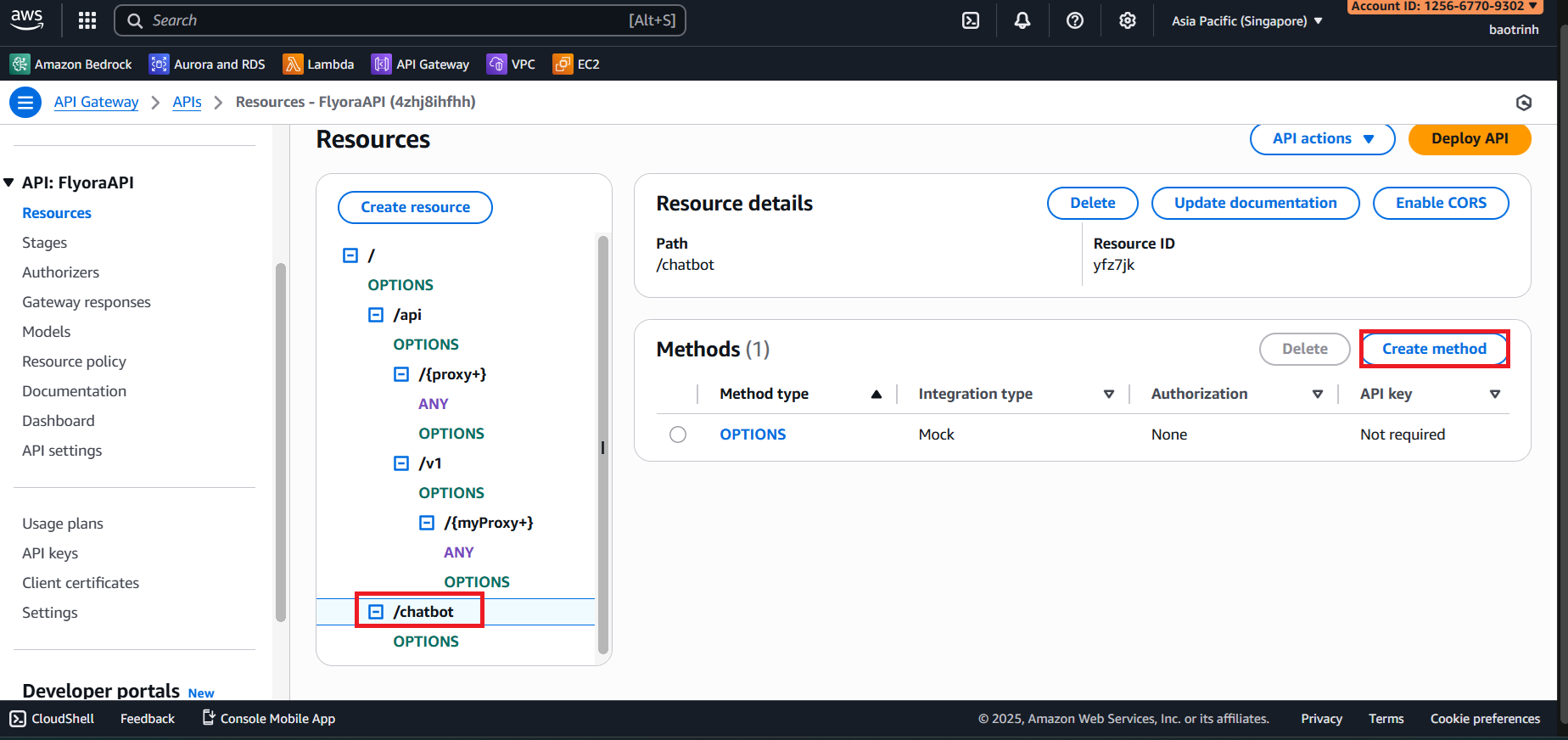
- Select the
chatbotresource and click Create method.
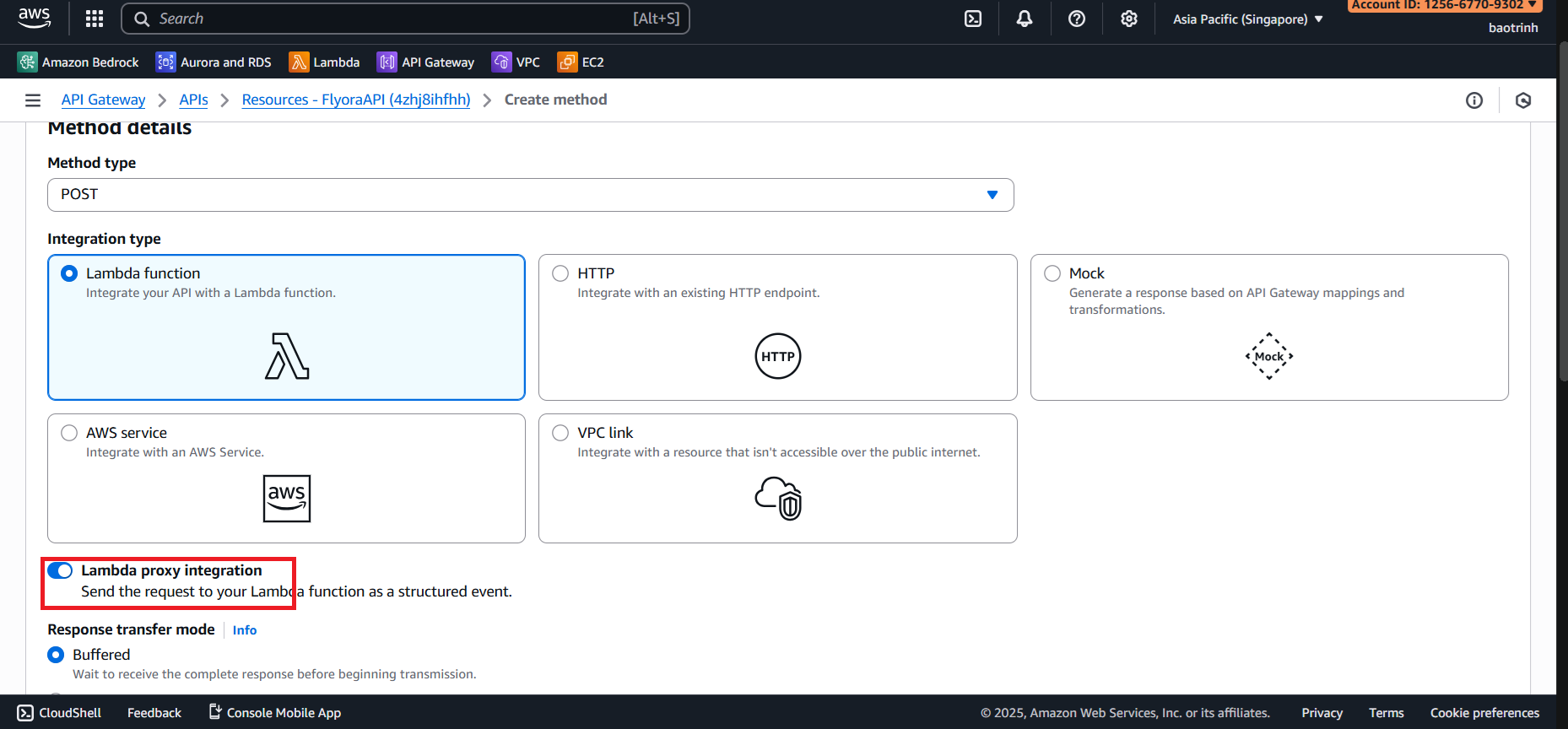
- Method type select POST, check Lambda proxy integration.
- Select the created Lambda Function (or VPC based on original context), then click Create method.
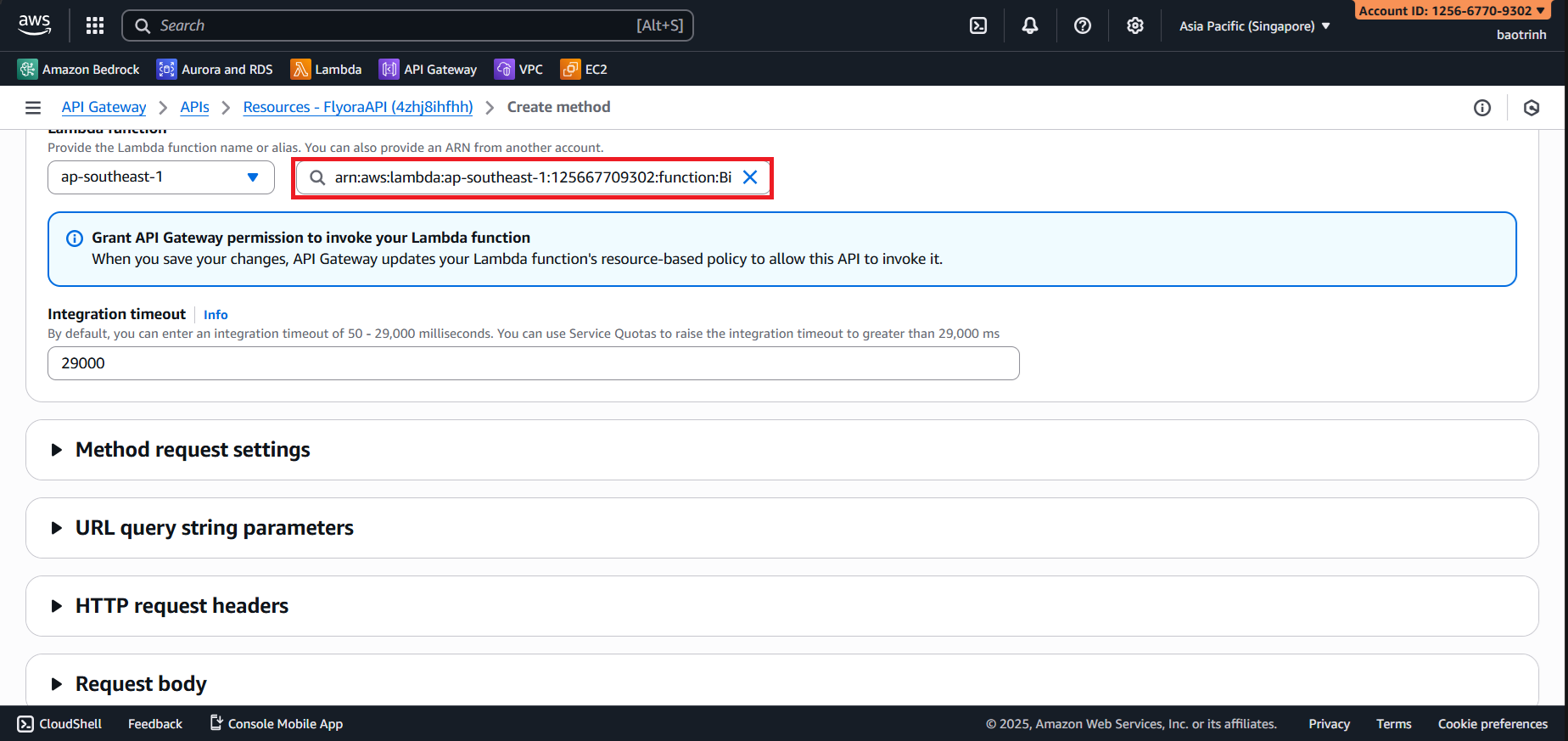
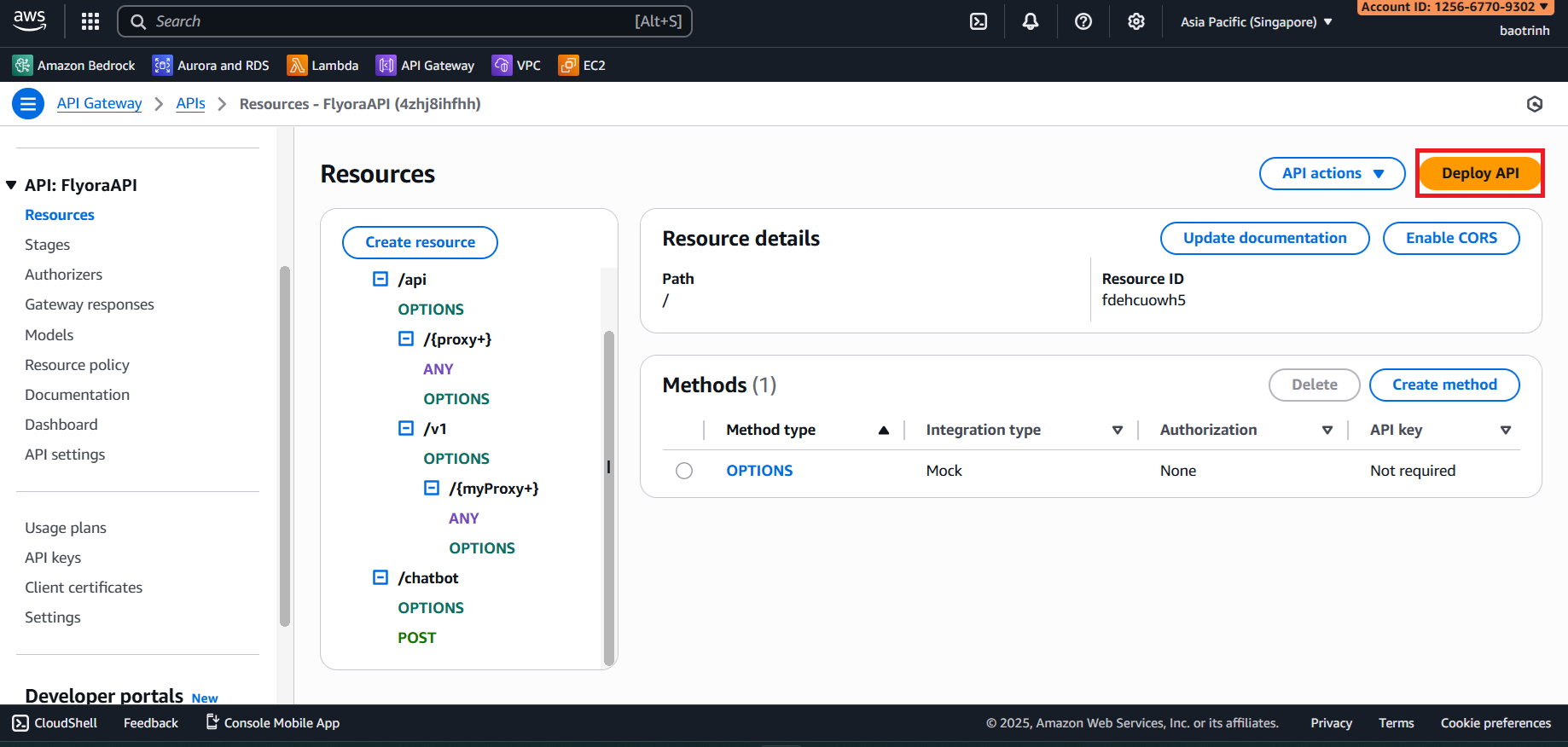
- After configuration is complete, click Deploy API.