AWS-Logo_White-Color
1.
Worklog
1.1.
Week 1: Foundations
1.2.
Week 2: Compute Services
1.4.
Week 4: Networking & Security
1.5.
Week 5: Monitoring & Management
1.6.
Week 6: Advanced Topics
1.7.
Week 7
1.8.
Week 8
1.9.
Week 9
1.3.
Week 3: Storage & Databases
3.
Translated Blogs
3.3.
AWS collaborates with Chugai Pharmaceutical Co. on quantum-inspired and constraint programming methods for cyclic peptide-protein docking
3.2.
Humane World for Animals uses AWS to scale global animal welfare programs
3.1.
AWS Big Data Blog - OpenSearch Serverless Monitoring
4.
Events Participated
4.1.
Event 1
4.2.
Event 2
4.3.
Event 3
4.4.
Event 4
4.5.
Event 5
4.6.
Event 6
4.7.
Event 7
5.
Workshop
5.1.
Introduction
5.2.
Backend Workshop (API & Data Layer)
5.2.1.
Prepare & Configure Lambda Trigger for S3
5.2.2.
Verify Data in DynamoDB
5.2.3.
Create Lambda Function to Handle DynamoDB Requests
5.2.4.
Create API Gateway and Integrate with Lambda
5.2.5.
Testing API using Postman
5.2.6.
S3 CSV Backup
5.2.7.
Integrating AWS X-Ray
5.3.
AI Workshop (Chatbot)
5.3.1.
Create VPC & Configure Security Groups for RDS and Lambda
5.3.2.
Configure RDS and Connect with DBeaver
5.3.3.
Create Logic for Lambda Function
5.4.
Frontend Workshop (UI)
5.4.1.
Hosting website with S3
5.4.2.
Distribute with CloudFront
5.4.3.
API Integration
5.5.
CI/CD Automation
5.6.
Clean Up Resources to Avoid AWS Charges
6.
Self-evaluation
7.
Sharing and Feedback
2.
Proposal
More
AWS Study Group
English
Tiếng Việt
Clear History
Workshop
Cloud Journey
Last Updated
30-01-2022
Team
Sử Trịnh
Gia Hưng
Thanh Hiệp
Internship Report
>
Workshop
>
Frontend Workshop (UI)
> Distribute with CloudFront
Create a CloudFront Distribution pointing to the S3 bucket
Distribute with CloudFront
Create a CloudFront Distribution pointing to the S3 bucket
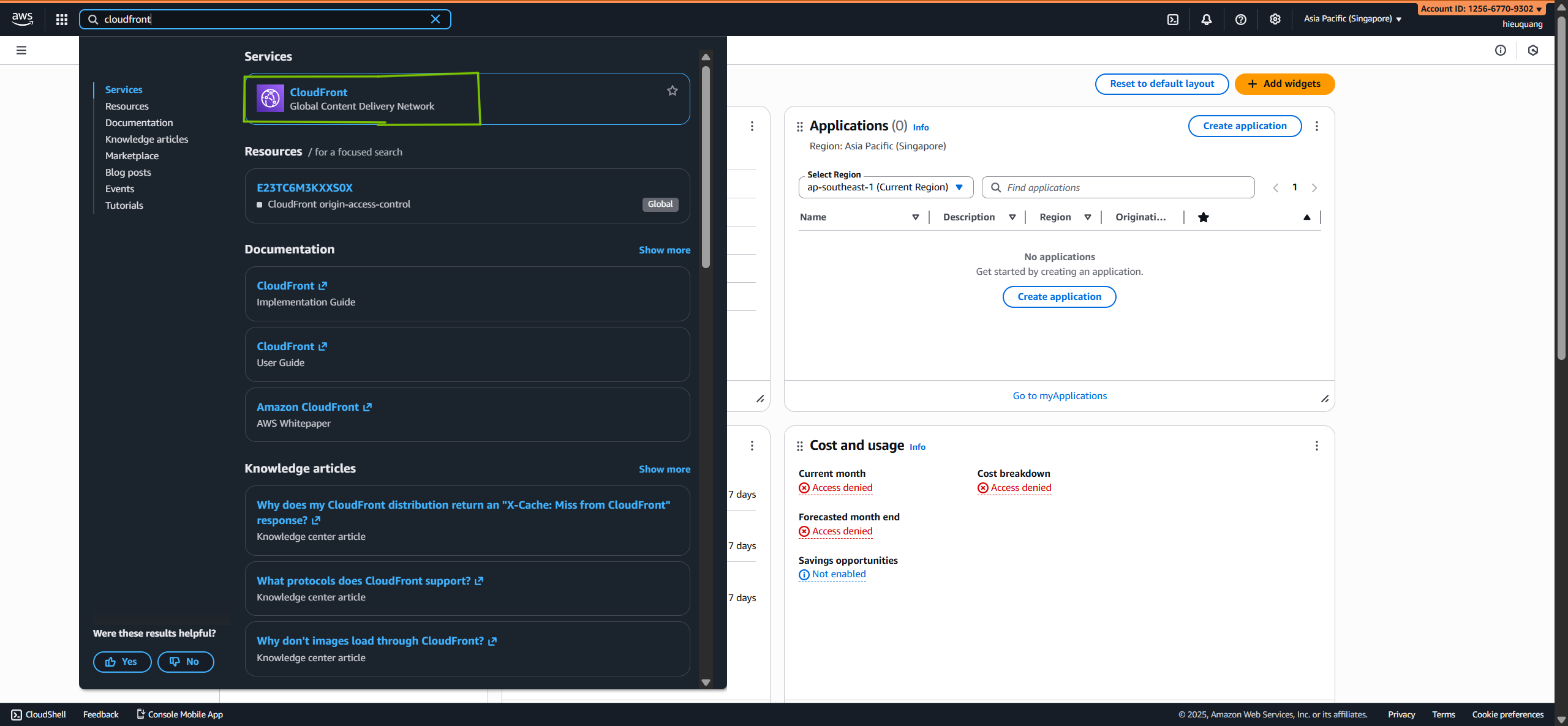
Go to the
Cloudfront
service.
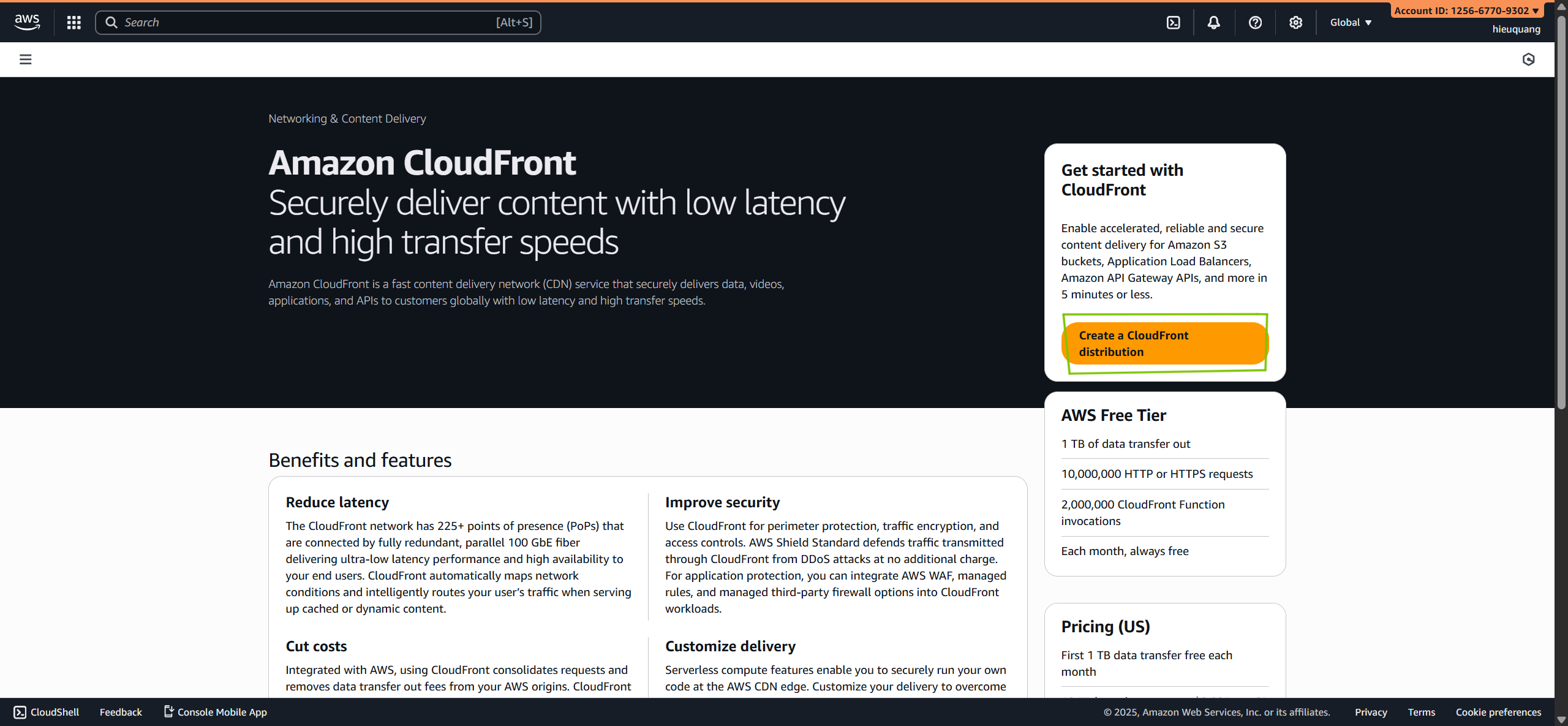
Create
Cloudfront Distribution
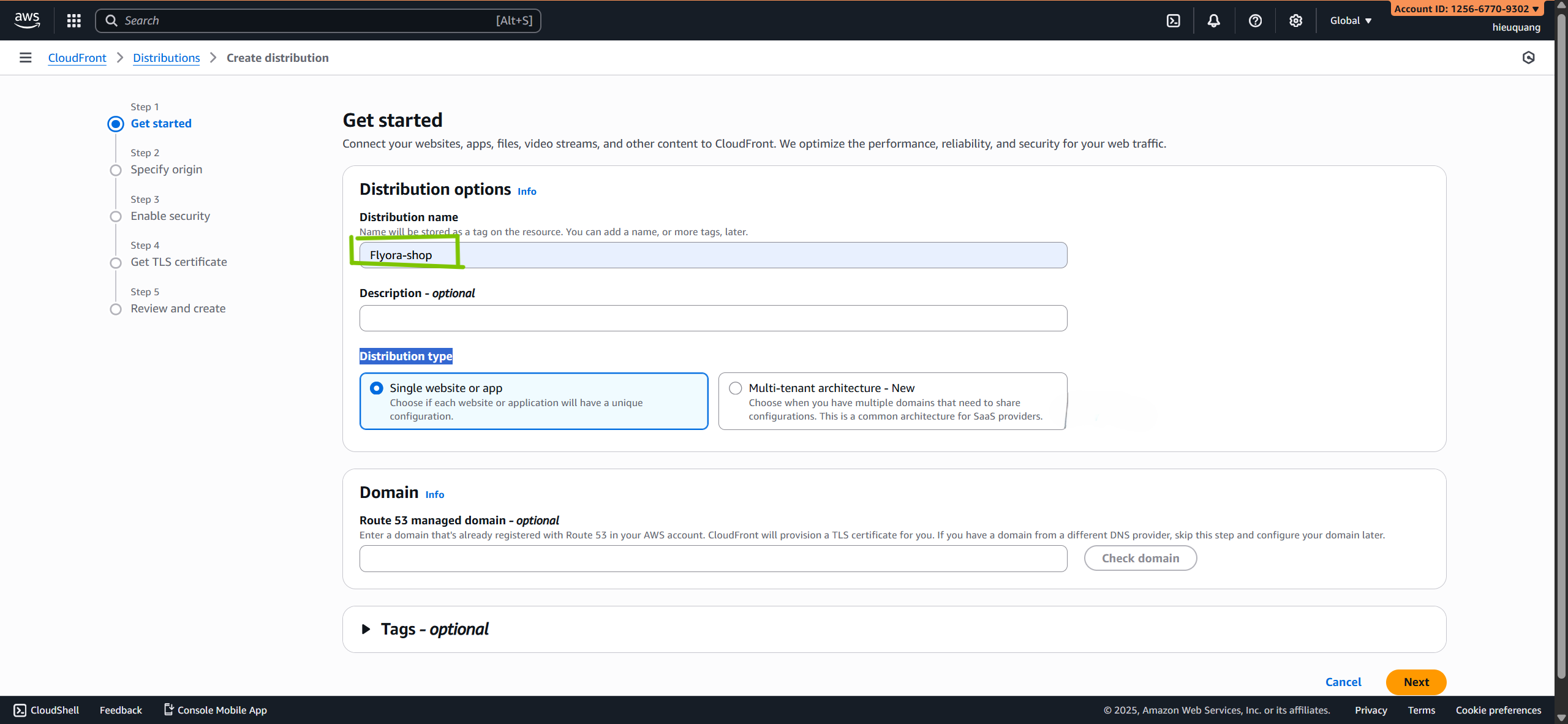
Enter a
Cloudfront name
(for example:
flyora-shop
).
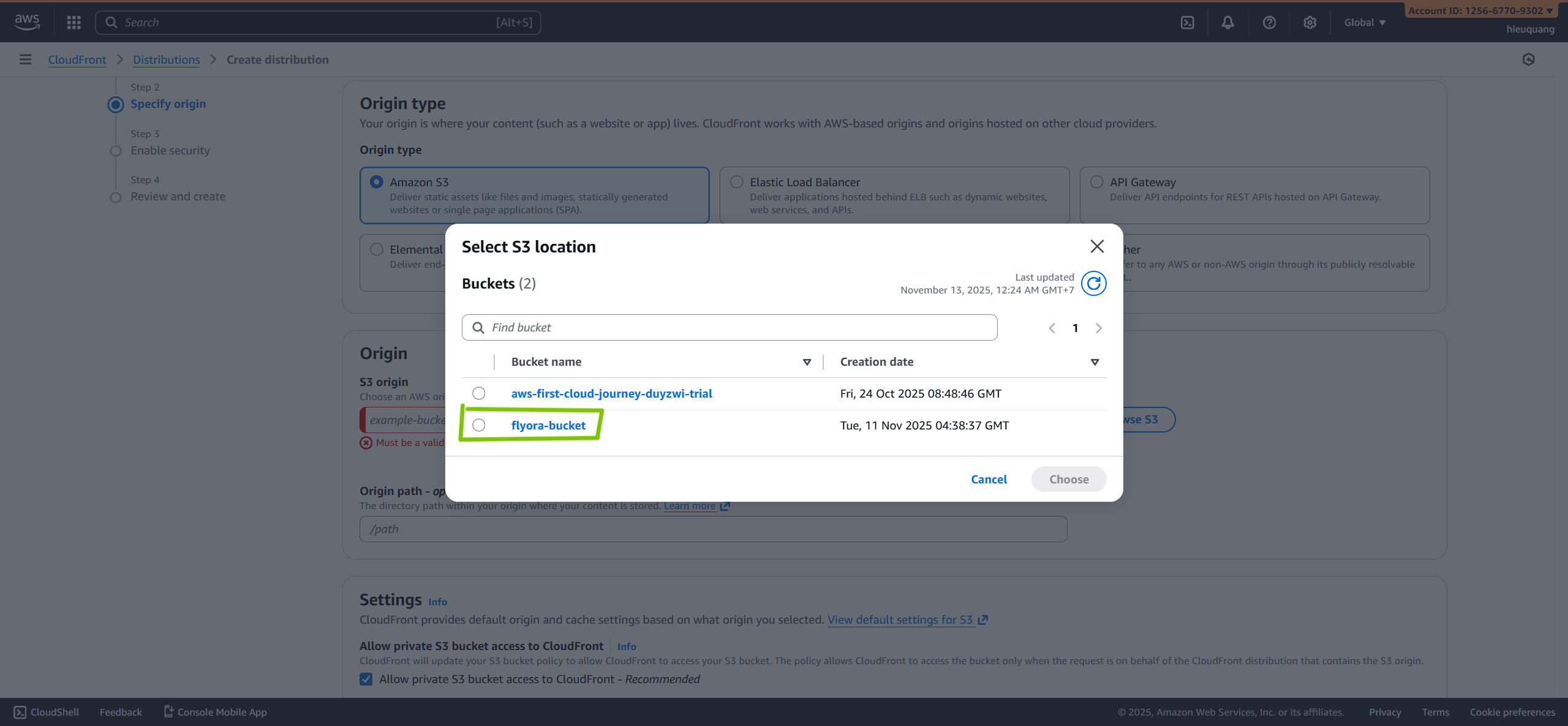
Select your
S3
you have created before
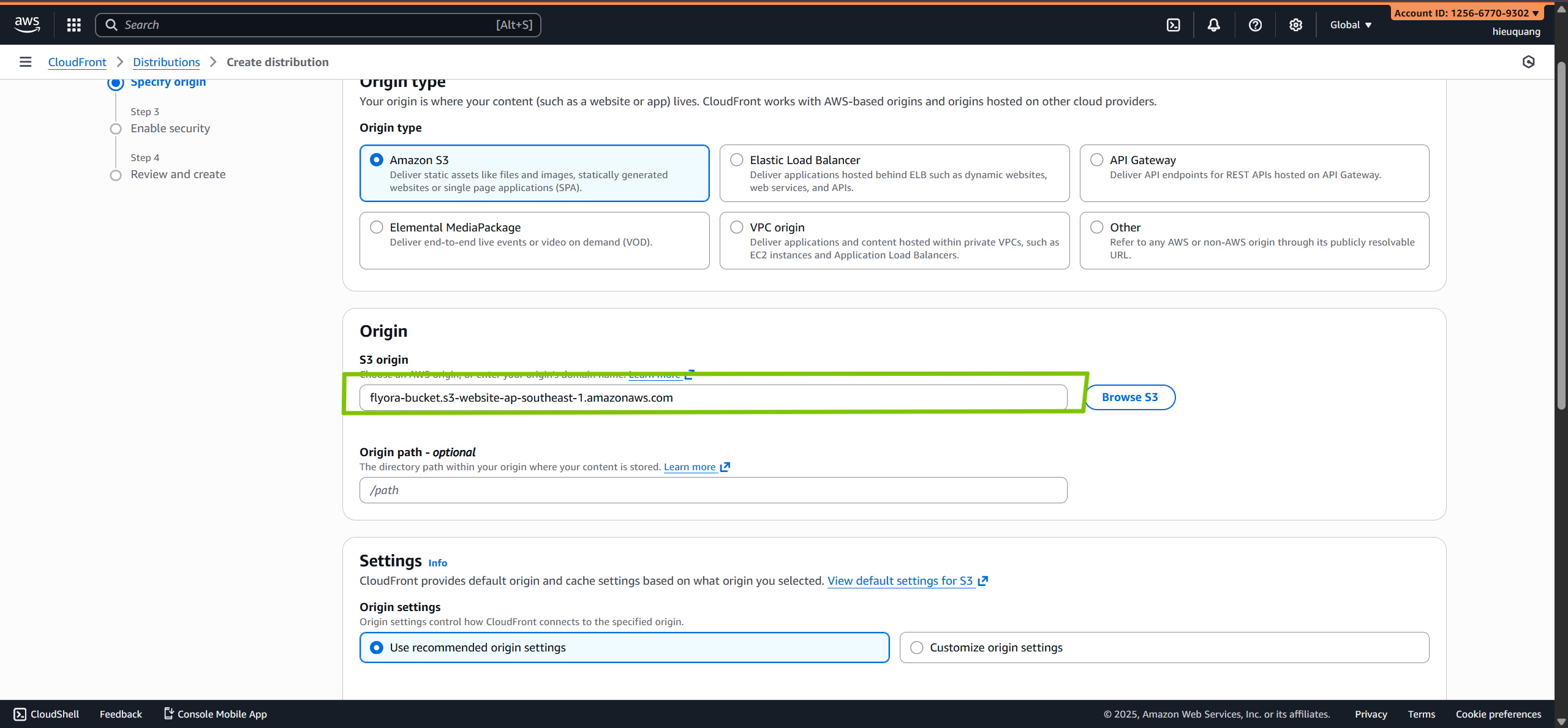
Turn on Website endpoint make sure you get a url like this
http://Your-S3-name.s3-website.ap-southeast-1.amazonaws.com/
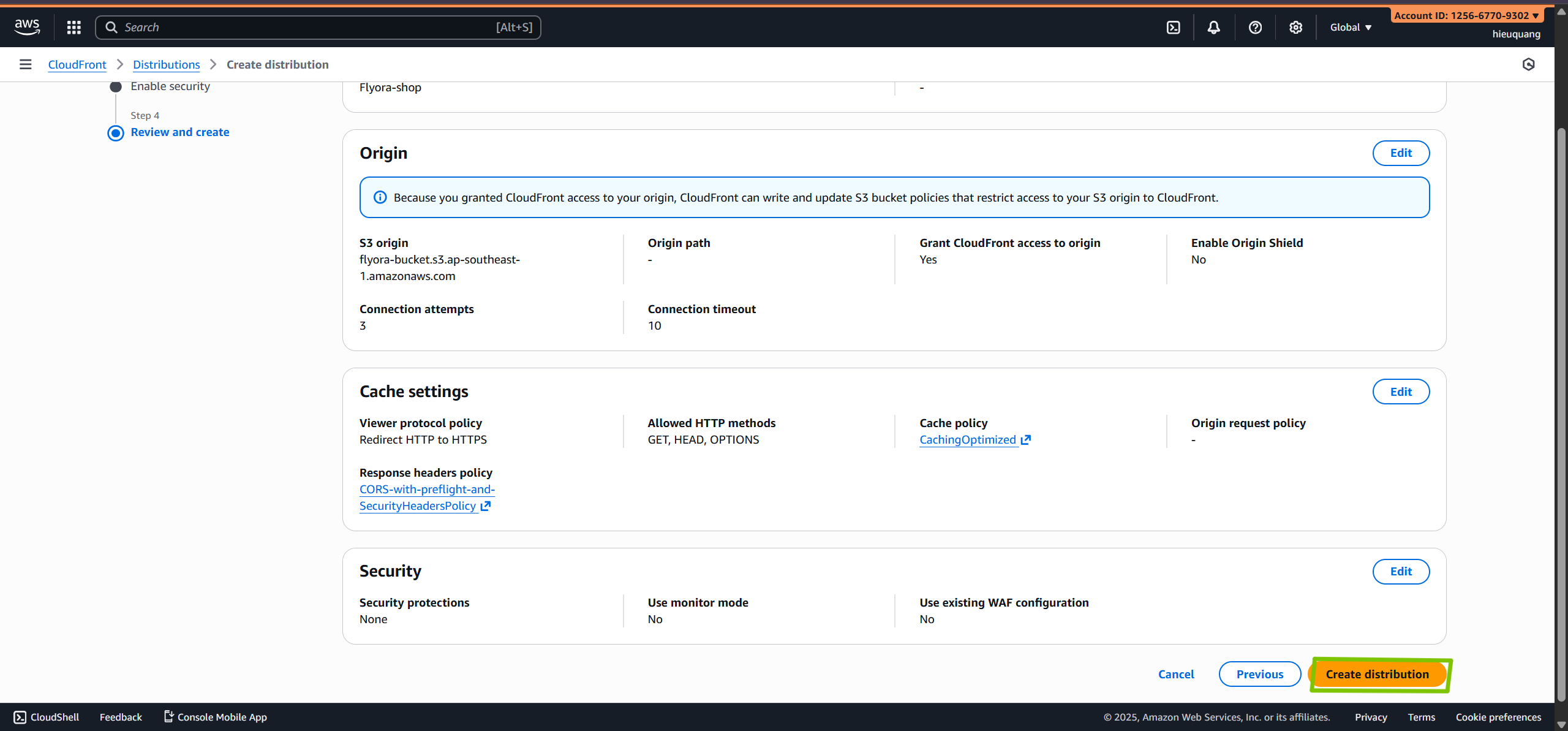
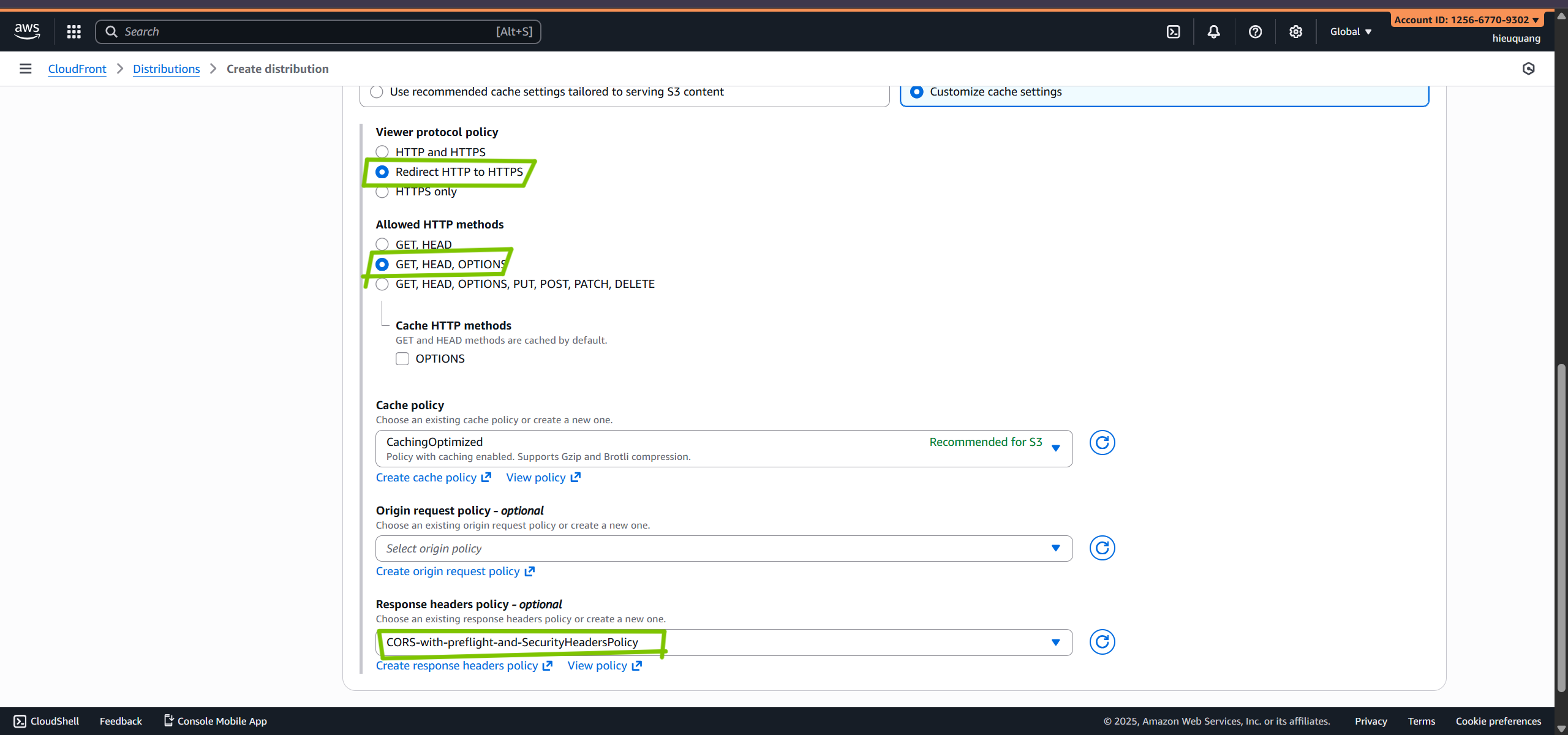
Configure:
Viewer protocol policy:
Redirect HTTP to HTTPS
Allowed HTTP method:
GET, HEAD , OPTION
Cache policy:
CatchingOptimized
Response headers policy:
CORS-with-preflight-and-SecurityHeadersPolicy
Choose do not enable securiy protections
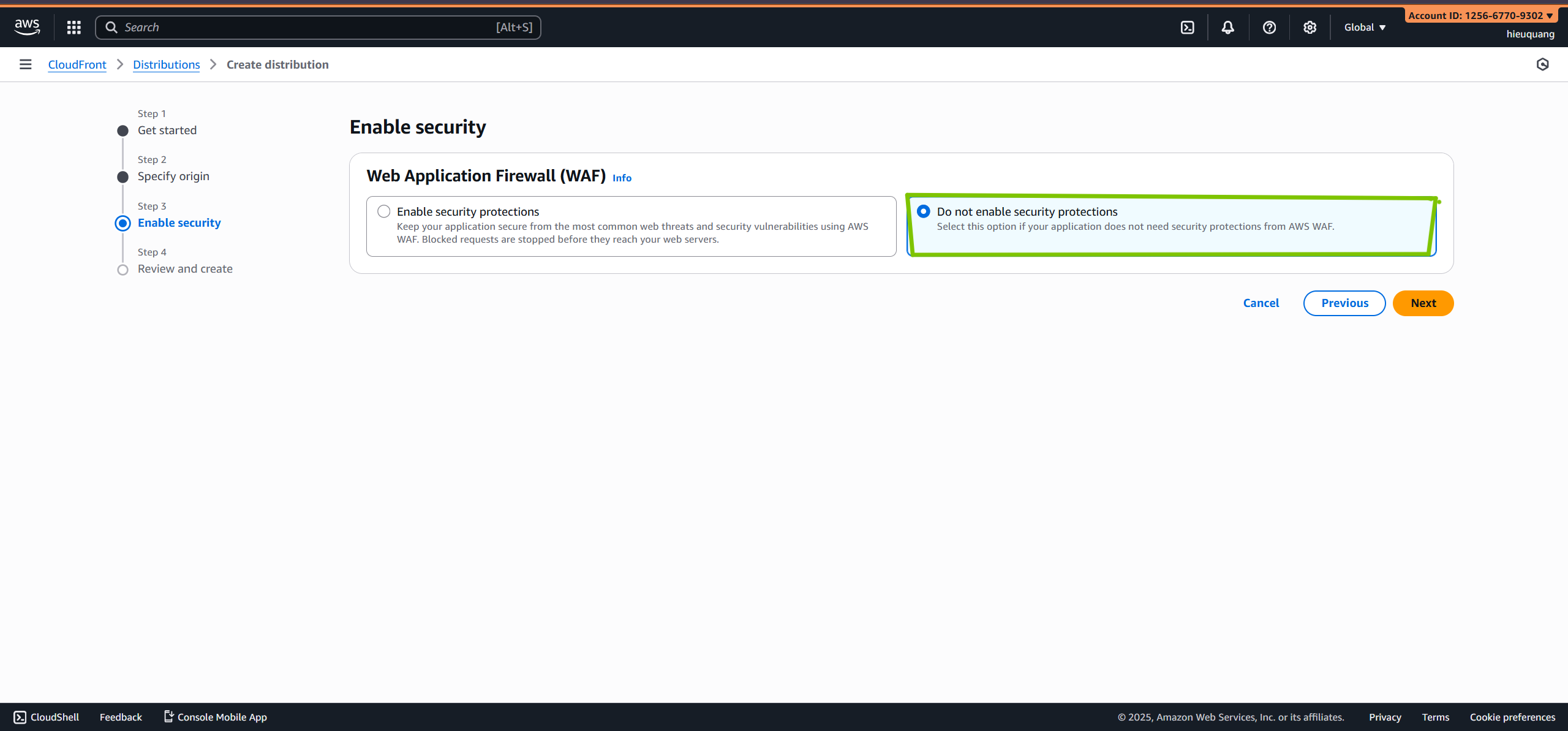
Review and click
Create Distribution
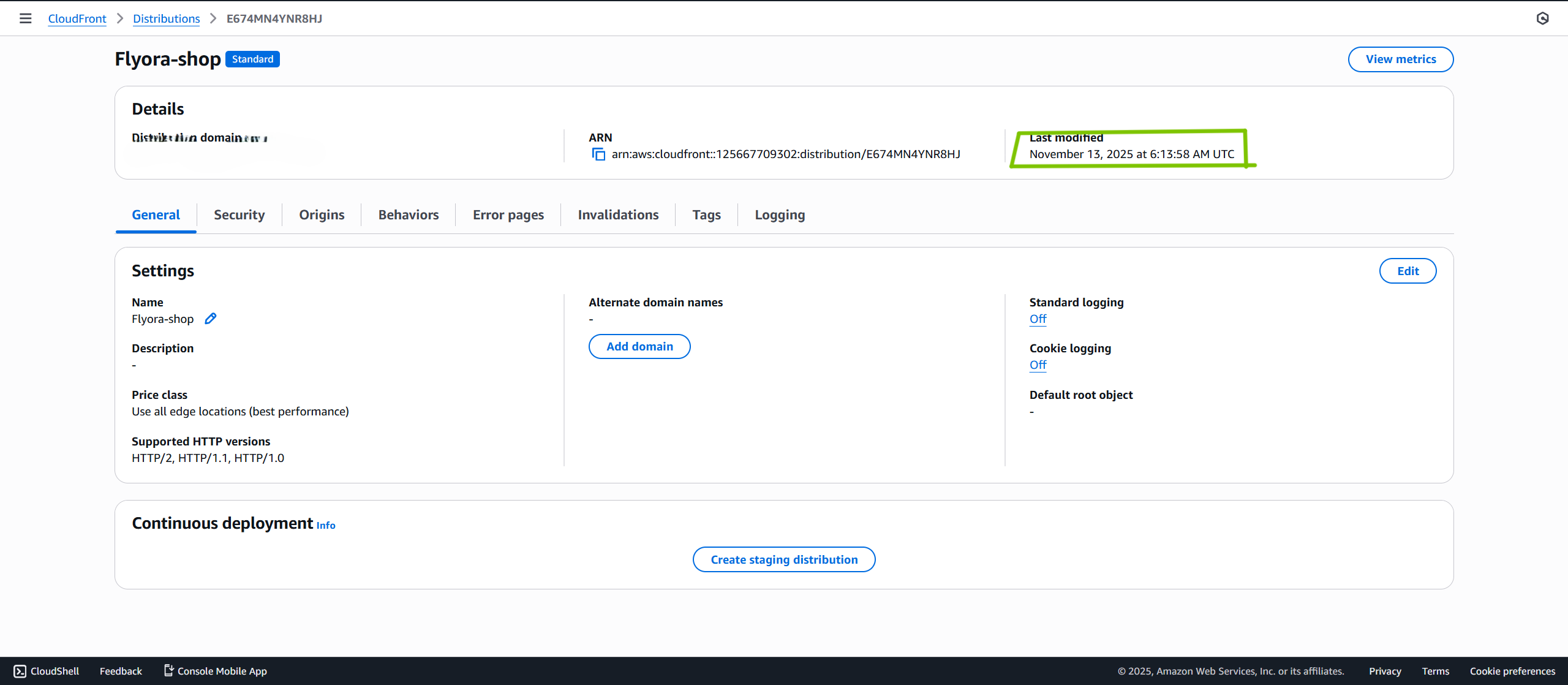
After Create Distribution you have to wait for 5 or 10 minutes to deploy and if it deploy successfully it will show you date you have deploy