CI/CD Automation
AWS CodeBuild Setup Guide for Flyora Frontend
This guide covers CI/CD setup for the Frontend Repository (React).
This guide walks you through setting up AWS CodeBuild and CodePipeline for the Flyora React frontend application.
Prerequisites
- AWS Account with appropriate permissions
- GitHub repository:
QuangHieu-lab/Flyora-shop buildspec.ymlfile in the repository root (see below)- AWS Region: Singapore (ap-southeast-1) (or your preferred region)
- S3 bucket for hosting static files
- CloudFront distribution (optional, for CDN)
Required: buildspec.yml File
Create a buildspec.yml file in the root of your repository with this content:
version: 0.2

phases:
  pre_build:
    commands:
      - echo "Installing dependencies on `date`"
      - npm ci
      - echo "Running linter..."
      - npm run lint --if-present || echo "No lint script configured"

  build:
    commands:
      - echo "Running tests on `date`"
      - npm test -- --watchAll=false --passWithNoTests --coverage || echo "Tests completed"
      - echo "Building application on `date`"
      - npm run build
      - echo "Build completed on `date`"

  post_build:
    commands:
      - echo "Post-build phase started on `date`"
      - echo "Checking if build directory exists..."
      - ls -la build/
      - echo "Build artifacts created successfully"
      - echo "Build completed successfully - artifacts ready for deployment"
      - echo "Use CodePipeline Deploy stage for S3 deployment"
      - echo "CloudFront invalidation will be handled by CodePipeline"

artifacts:
  files:
    - '**/*'
  base-directory: build
  name: BuildArtifact
  discard-paths: yes

cache:
  paths:
    - '/root/.npm/**/*'
    - 'node_modules/**/*'
Key Points:
- Uses
npm cifor faster, reliable installs - Runs linter if configured
- Runs tests with coverage
- Builds React application
- Deployment handled by CodePipeline Deploy stage (not in buildspec)
- Caches npm and node_modules
Step 1: Create S3 Bucket for Hosting
Before setting up CodeBuild, create an S3 bucket to host your React application:
- Go to S3 console
- Click “Create bucket”
- Bucket name:
flyora-frontend-hosting - Region: Singapore (ap-southeast-1)
- Uncheck “Block all public access” (for static website hosting)
- Enable “Static website hosting” in bucket properties
- Set Index document:
index.html - Set Error document:
index.html
Step 2: Navigate to CodeBuild
- Open your browser and go to: https://console.aws.amazon.com/codesuite/codebuild/projects
- Sign in to your AWS account
- Ensure you’re in the Singapore (ap-southeast-1) region
- Click “Create build project”
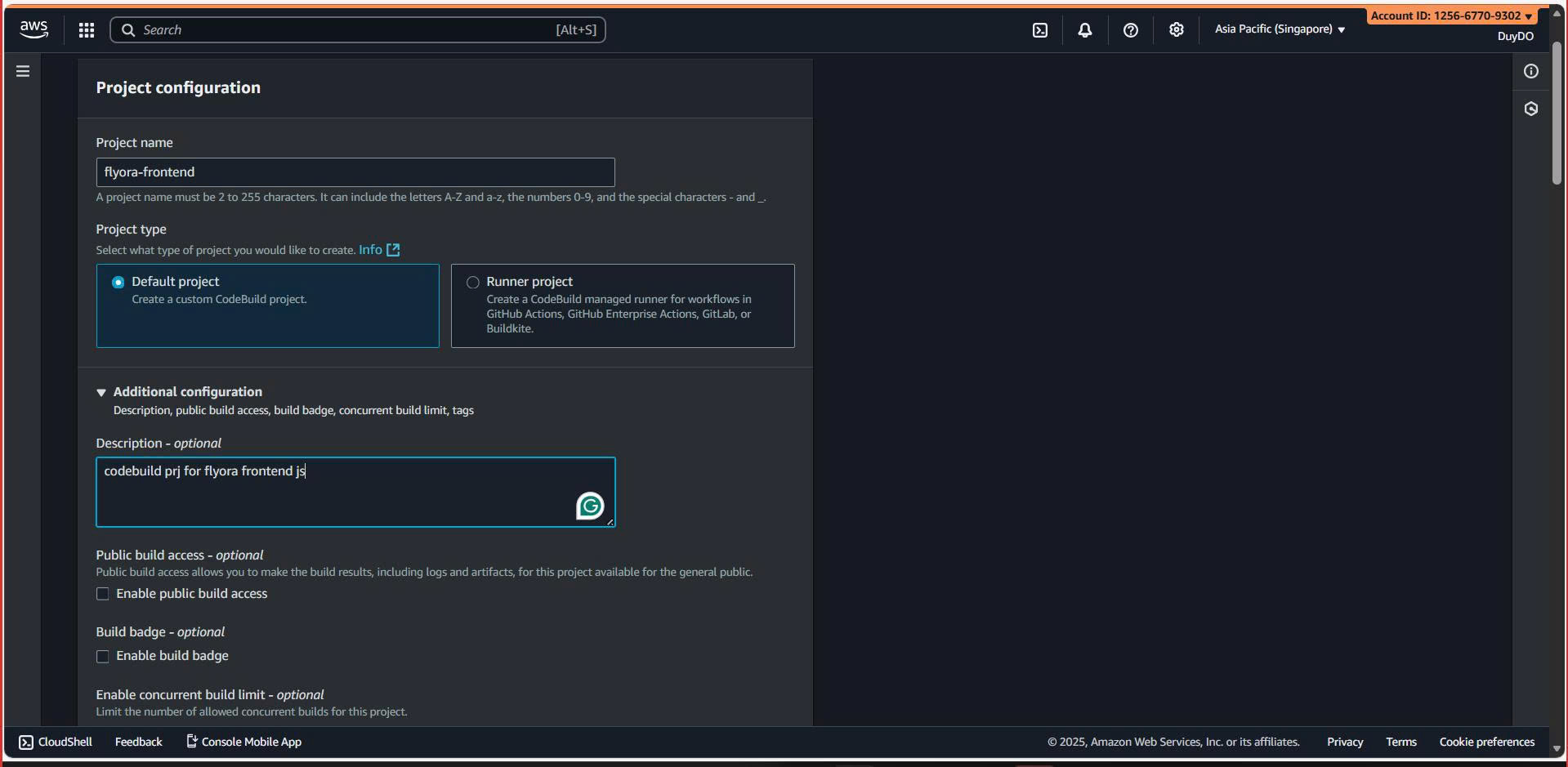
Step 3: Project Configuration
| Field | Value |
|---|---|
| Project name | flyora-frontend-build |
| Description | Build project for Flyora React frontend |
| Build badge | Leave unchecked |
Step 4: Source Configuration
| Field | Value |
|---|---|
| Source provider | GitHub |
| Repository | Repository in my GitHub account |
| GitHub repository | https://github.com/QuangHieu-lab/Flyora-shop |
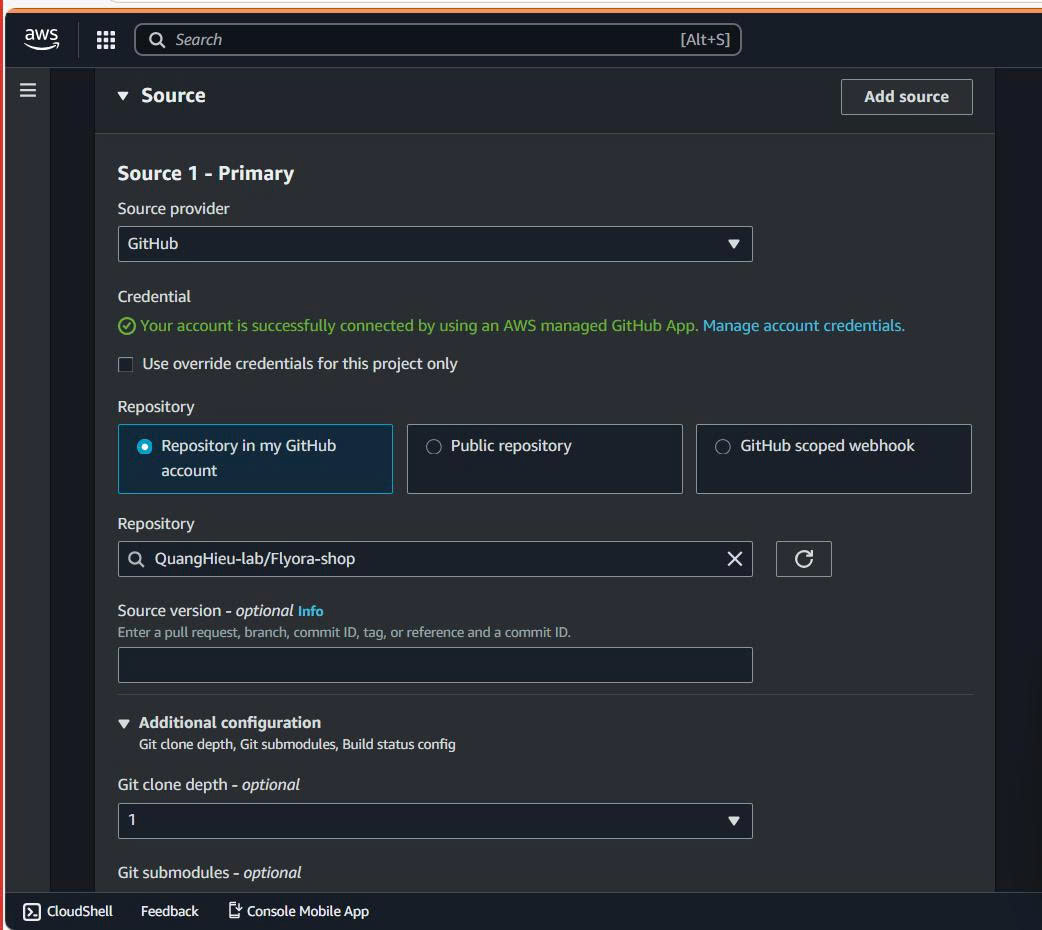 | Source version | Leave blank |
| Git clone depth |
| Source version | Leave blank |
| Git clone depth | 1 |
| Primary source webhook events | ⚠️ UNCHECK this |
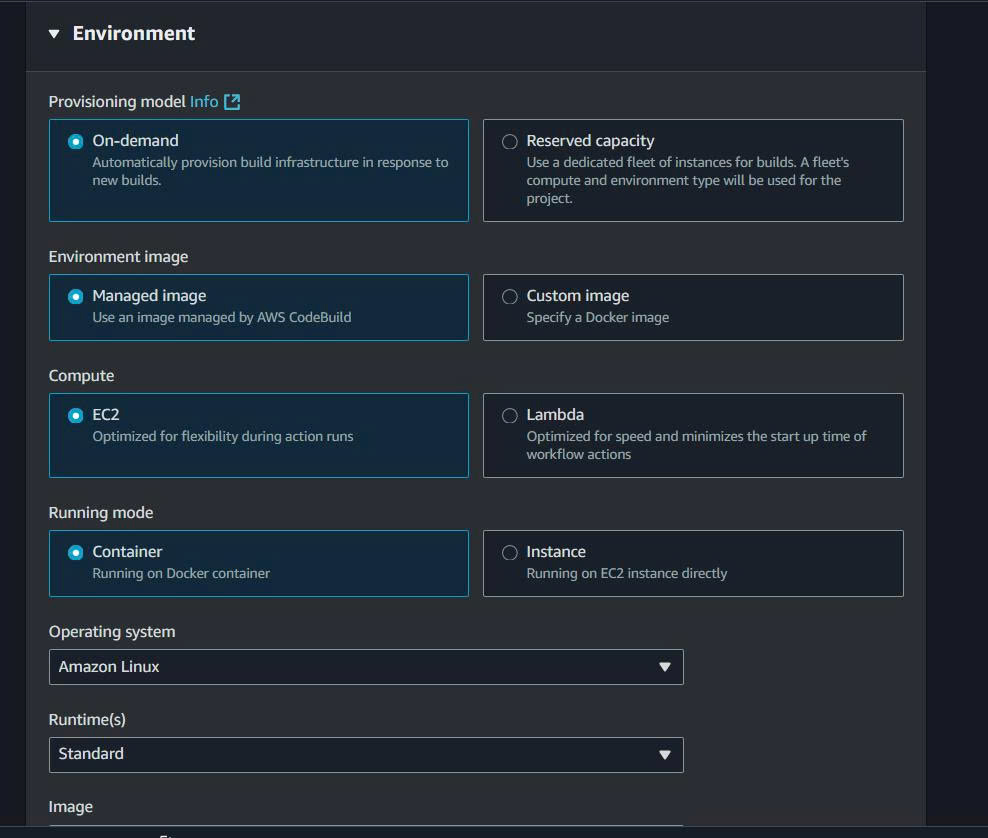
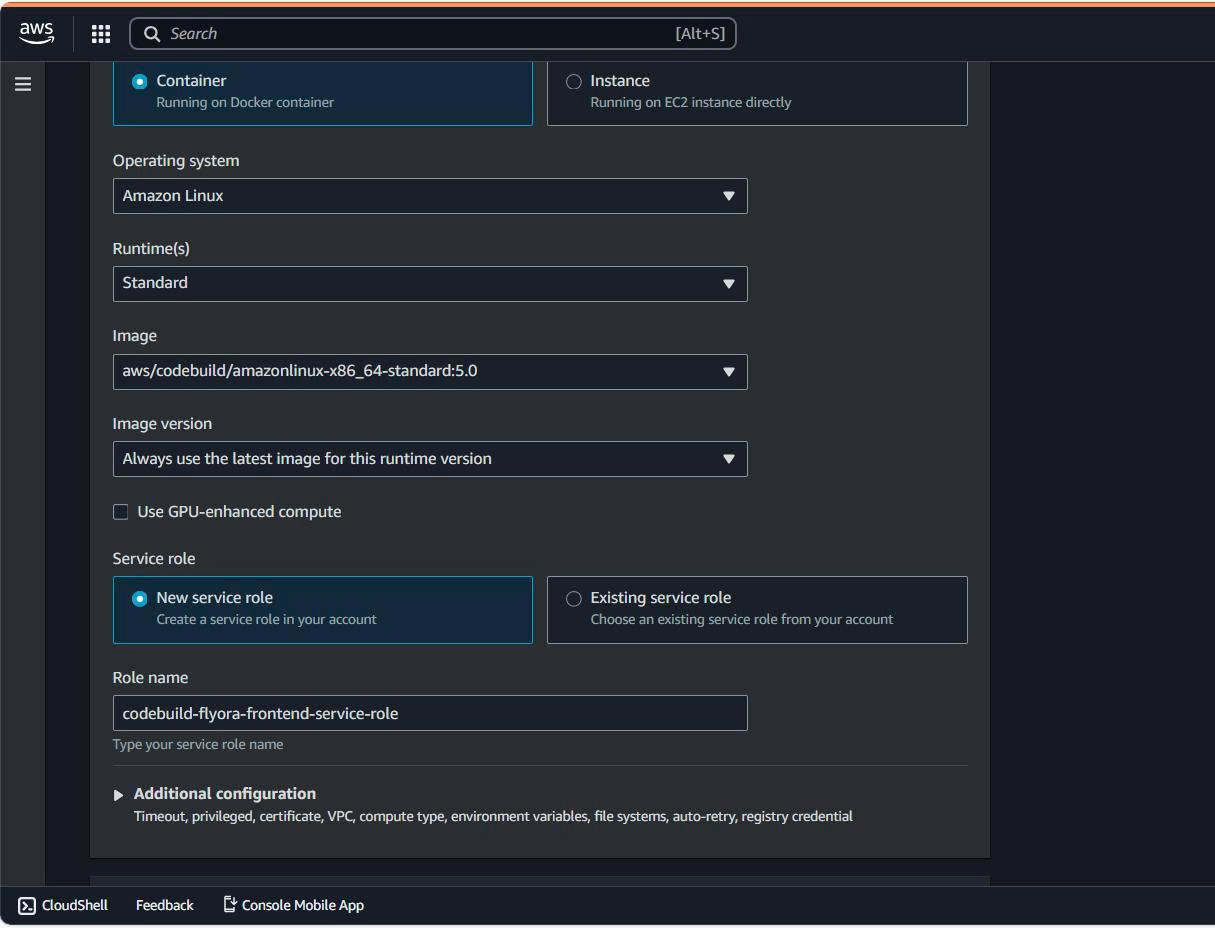
Step 5: Environment Configuration
| Section | Field | Value |
|---|---|---|
| Provisioning | Provisioning model | On-demand |
| Environment image | Managed image | |
| Operating system | Amazon Linux | |
| Runtime(s) | Standard | |
| Image | Latest (e.g., aws/codebuild/amazonlinux2-x86_64-standard:5.0) | |
| Service role | Service role | New service role |
Step 6: Environment Variables
Add these environment variables in CodeBuild:
| Name | Value | Type |
|---|---|---|
AWS_S3_BUCKET | flyora-frontend-hosting | Plaintext |
CLOUDFRONT_DISTRIBUTION_ID | Your CloudFront distribution ID (if using) | Plaintext |
REACT_APP_API_URL | Your backend API URL | Plaintext |
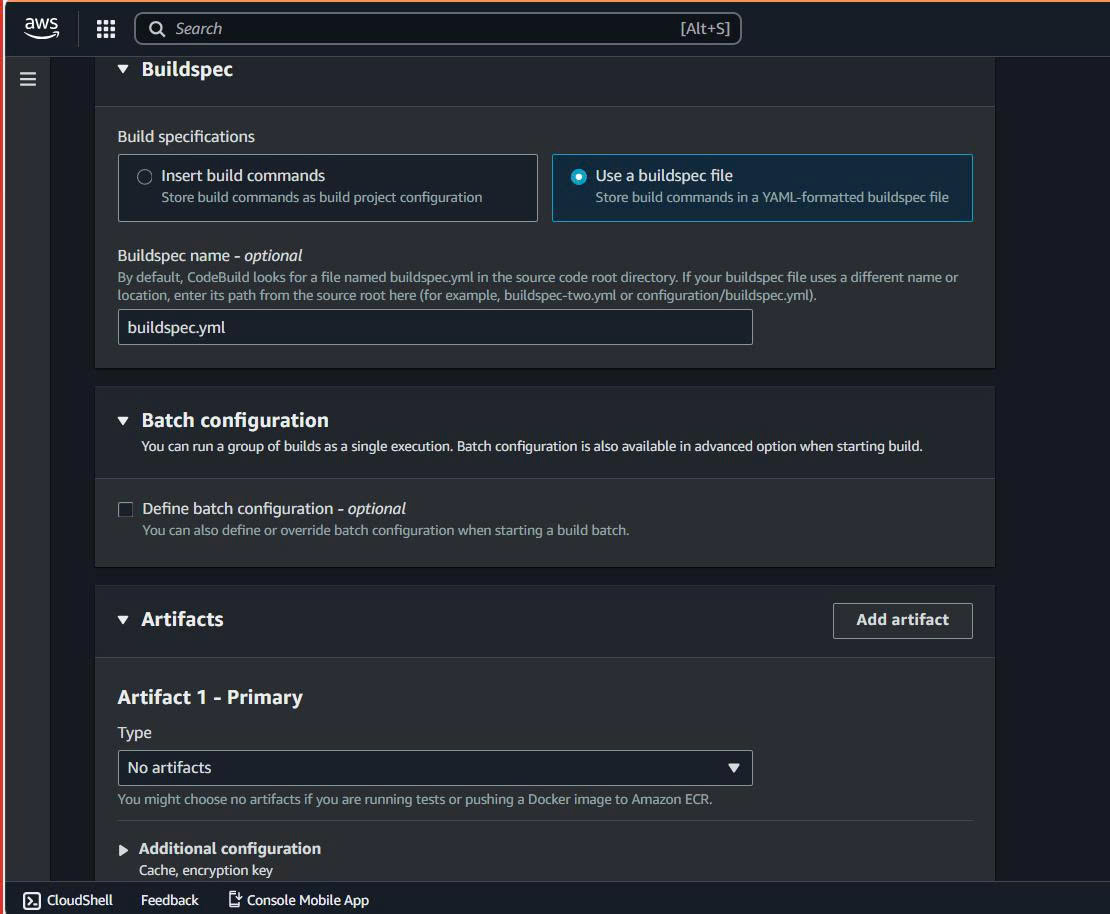
Step 7: Buildspec and Logs
Buildspec:
- Build specifications:
Use a buildspec file - Buildspec name: Leave blank
Logs:
- CloudWatch logs: ✅ Enable
- Group name:
/aws/codebuild/flyora-frontend
Step 8: IAM Permissions
The CodeBuild service role needs permissions to access S3 and CloudFront. Add this policy:
{
  "Version": "2012-10-17",
  "Statement": [
    {
      "Effect": "Allow",
      "Action": [
        "s3:PutObject",
        "s3:GetObject",
        "s3:DeleteObject",
        "s3:ListBucket"
      ],
      "Resource": [
        "arn:aws:s3:::flyora-frontend-hosting",
        "arn:aws:s3:::flyora-frontend-hosting/*"
      ]
    },
    {
      "Effect": "Allow",
      "Action": [
        "cloudfront:CreateInvalidation"
      ],
      "Resource": "*"
    }
  ]
}
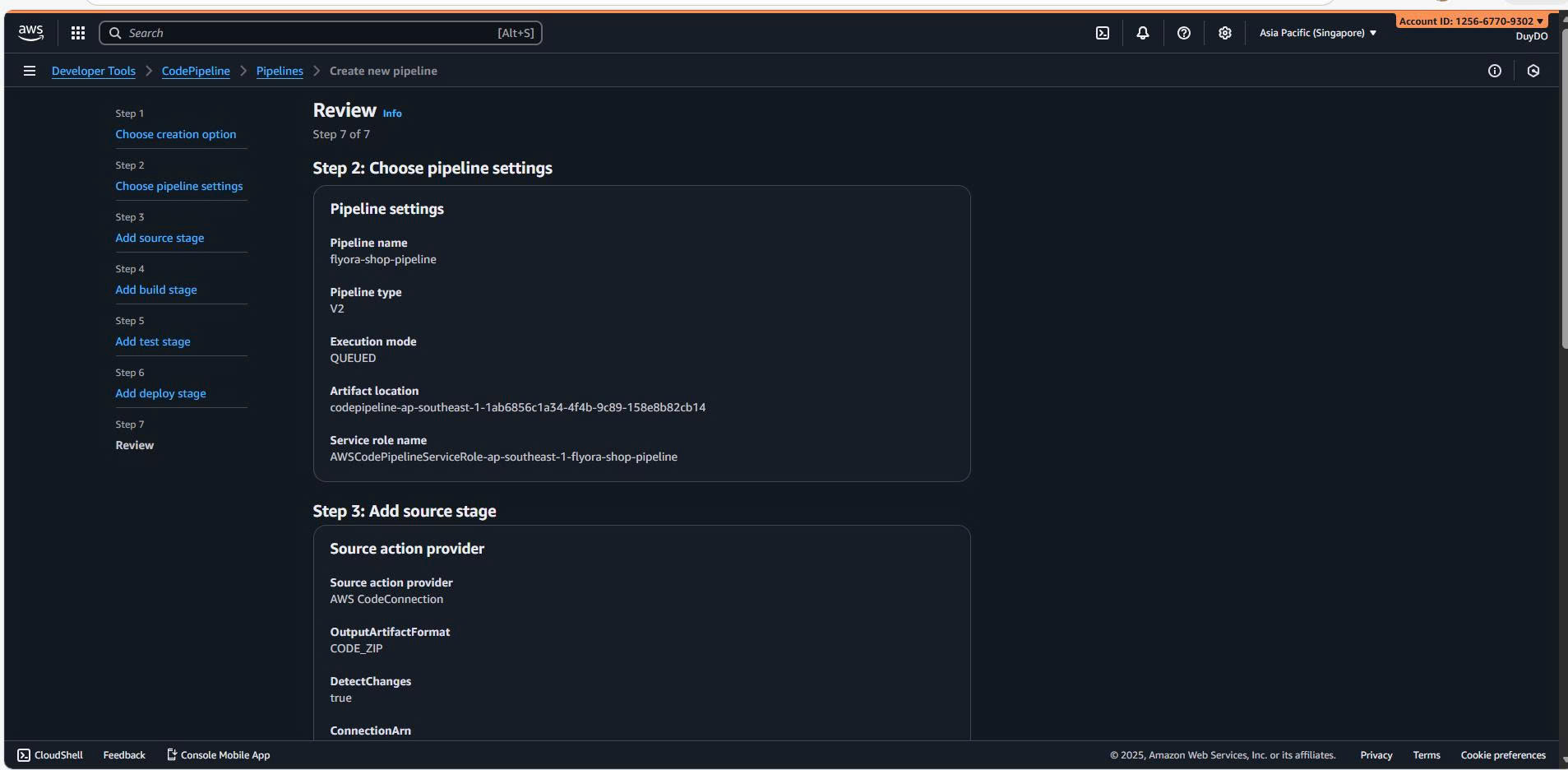
Step 9: Create CodePipeline
- Go to CodePipeline console
- Click “Create pipeline”
- Pipeline name:
flyora-frontend-pipeline - Source stage: GitHub (Version 2)
- Build stage: Select
flyora-frontend-build - Deploy stage: Add S3 deploy action
- Action provider: Amazon S3
- Bucket:
flyora-frontend-hosting - Extract file before deploy: ✅ Checked
Testing
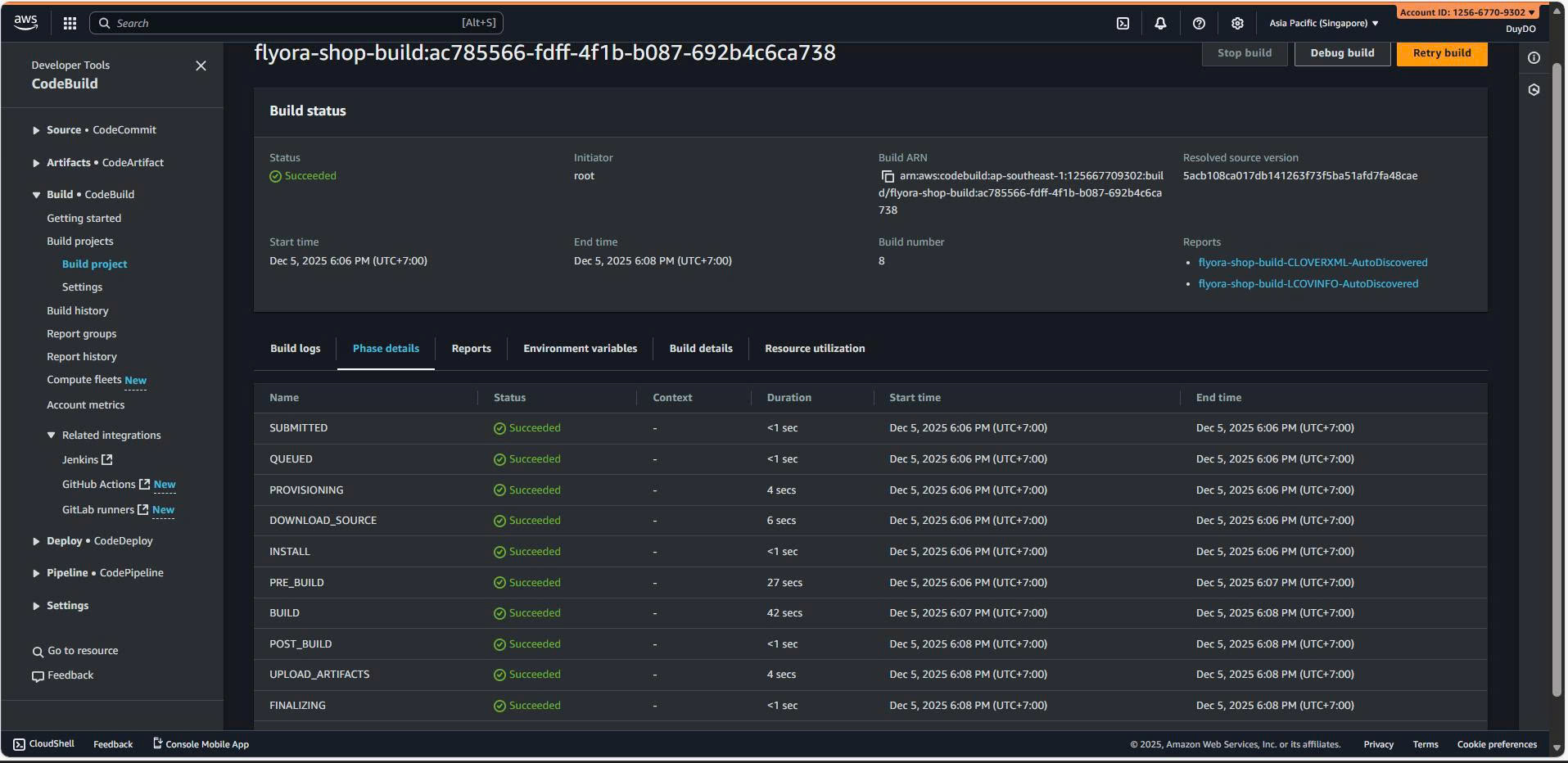
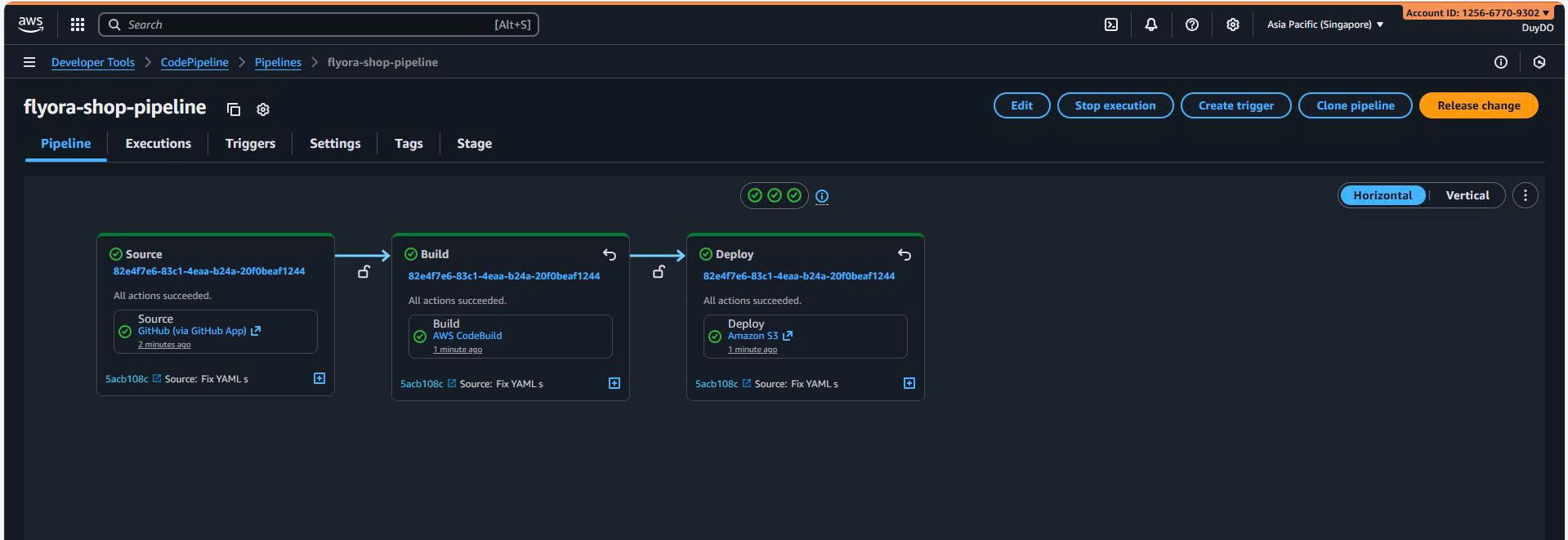
After pipeline creation:
- Make a change in your React repository
- Commit and push to GitHub
- Pipeline automatically triggers
- Check S3 bucket for updated files
- Access your website via S3 endpoint or CloudFront URL
Troubleshooting
Issue: Build fails with “npm: command not found”
Solution: Ensure runtime-versions: nodejs: 18 is set in buildspec.yml
Issue: S3 sync permission denied
Solution: Check IAM role has S3 permissions (see Step 8)
Issue: Website shows old content
Solution:
- Clear browser cache
- Invalidate CloudFront cache if using CDN
- Check S3 bucket has latest files
Quick Reference
| Resource | Value |
|---|---|
| Pipeline Name | flyora-frontend-pipeline |
| Build Project Name | flyora-frontend-build |
| S3 Bucket | flyora-frontend-hosting |
| Region | Singapore (ap-southeast-1) |
| Source | GitHub (QuangHieu-lab/Flyora-shop) |
| Buildspec | buildspec.yml (in repo root) |
| Logs | CloudWatch: /aws/codebuild/flyora-frontend |
Cost Estimate
| Item | Cost |
|---|---|
| CodePipeline | $1/month per active pipeline |
| CodeBuild (Free Tier) | 100 build minutes/month for 12 months |
| S3 Storage | ~$0.023/GB/month |
| S3 Requests | Minimal for static hosting |
| CloudFront | Free tier: 1TB data transfer/month |
| Monthly (estimated) | $1-3/month |
Summary
✅ Frontend CI/CD Pipeline Configured!
Accomplished:
- ✅ CodeBuild project for React application
- ✅ CodePipeline for automated workflow
- ✅ GitHub integration with automatic triggers
- ✅ Automatic deployment to S3
- ✅ Optional CloudFront CDN integration
Your pipeline now:
- Automatically detects code changes in GitHub
- Builds React application with npm
- Deploys static files to S3
- Serves website via S3 or CloudFront